











Multiple Devices adding assessments to the same client
Summary
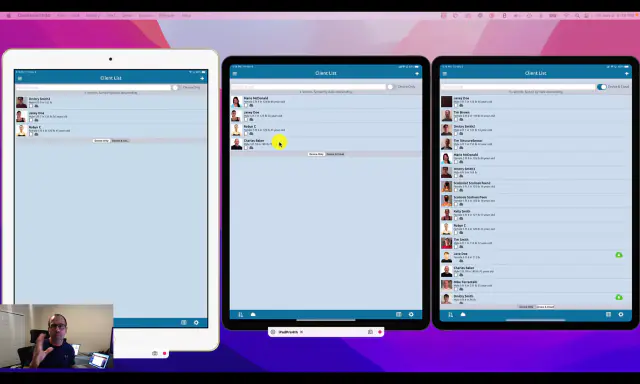
Our recommended client workflow for SyncScreen with multiple devices is as follows:
- New Patient “John Doe” comes into the office for an initial exam.
- Exam is done on John Doe on iPad A.
- Reports are generated/emailed. John Doe’s record is auto-uploaded to the SyncScreen cloud.
- John Doe comes in for a second follow up exam.
- Exam will be done on iPad B (or any device, it does not matter). John Doe’s record is manually downloaded to the device and the exam is done.
- Reports are generated/emailed. John Doe’s record is auto-uploaded to the SyncScreen cloud.
- John Doe comes in for a follow up exam.
- Exam will be done on iPad C (or any device, it does not matter). John Doe’s record is manually downloaded to the device and the exam is done.
- Reports are generated/emailed. John Doe’s record is auto-uploaded to the SyncScreen cloud.
A client’s full record from the cloud only needs to be downloaded in full to a device ONLY when you wish to generate a comparative or Trend analysis report.
 9:09
9:09
Related articles
-
 PostureScreen for iPad & iPhone
Cloud Backup Services (Formely known as SyncScreen) – Sharing accounts – multiple devices tutorial
In this tutorial we review how to have one account, and share with another device. You must have already created a cloud backup services…
Video · 4:341 min read
PostureScreen for iPad & iPhone
Cloud Backup Services (Formely known as SyncScreen) – Sharing accounts – multiple devices tutorial
In this tutorial we review how to have one account, and share with another device. You must have already created a cloud backup services…
Video · 4:341 min read
-
PostureScreen for iPad & iPhone
Cloud Backup Automatic Upload Feature
SyncScreen Cloud has rebranded to Cloud Backup Services. In this tutorial we review the basics of the new update starting in version 11.4…
Video · 11:591 min read
-
PostureScreen for iPad & iPhone
Cloud Backup Services – Uploading, Downloading Clients
Please note SyncScreen has rebranded to Cloud Backup Services. In this tutorial we review the basics of the new update starting in version…
2 videos · 18:455 min read
-
PostureScreen for iPad & iPhone
How to Manually Upload PostureScreen Images to Postureray
In this tutorial, we’ll review how to manually upload images from anywhere, with a specific focus on transferring images from…
Video · 5:423 min read
-
PostureScreen for iPad & iPhone
Cloud Backup (formerly known as SyncScreen), RemoteScreen and Backup
What is our Cloud Solution: Cloud Backup Subscription Service (formerly known as SyncScreen Cloud)
8 videos · 37:426 min read
-
PostureScreen for iPad & iPhone
Cloud backup Error/Renewal
SyncScreen has rebranded to Cloud backup services If you are having an issue and it appears that your subscription to cloud backup…
1 min read
Have a question?
Talk to the people who build PostureScreen and PostureRay.
PostureScreen support is by email. Live PostureRay support runs Monday through Friday, 9 AM–5 PM Eastern (excluding U.S. holidays).