











- Getting Started Tutorials
- Backup Your Data
- PostureScreen, SquatScreen, LeanScreen for iPad and iPhone
- Upgrades for PostureScreen iPad
Cloud Backup (formerly known as SyncScreen), RemoteScreen and Backup
Summary
What is our Cloud Solution: Cloud Backup Subscription Service (formerly known as SyncScreen Cloud)
 4:24
4:24
Cloud Backup Subscription Service (formerly known as SyncScreen Cloud)
- Multi iOS Device Backup (iPhones, iPads, iPods) and Sharing/Manual Synchronization
of Client Data (all devices need to be in same iOS and same app version) - Cloud Services (formerly known as SyncScreen) are automatic uploading to cloud, however, it is a “manual” download process for data on other devices. It is very important to note this is NOT real time client/patient data syncing between multiple devices. Rather it is a backup service which allows sharing of client/patient data, backing up data, and allows for ability of clients to upload their assessments through RemoteScreen app.
- Free Client/Patient App, RemoteScreen for offsite Virtual Spinal Screenings, Virtual Body Composition, and Virtual SquatScreens when you have Cloud Backup Services Subscription and Unlimited Use Subscription.
- Manually Merge databases on different iOS devices into one account (not automatic)
- Save precious device space by offloading clients (especially those with movement screening videos) to the secure cloud.
- Back up to PostureCo’s secure cloud. If you are a U.S. healthcare company using PostureCo Cloud Services or PostureScribe.AI, it is your sole responsibility to determine whether you need a Business Associate Agreement (BAA) with PostureCo and, if you do, to request one through the contact form or at info@postureco.com (do not include any patient information in your request). The BAA must be fully executed before any protected health information (PHI) is uploaded, transmitted, recorded, or dictated, which includes before you turn on cloud backup or synchronization for records that contain PHI (uploads may start automatically as soon as Cloud Services are set up on a device or account that holds PHI), before you use PostureScribe.AI with PHI, and before you invite any patient to RemoteScreen (Cloud Services Agreement, Sections 7.3 and 7.5).
- Our Cloud Backup Services does NOT limit you to only your Apple ID, other people you wish to share your clients with that reside in your organization can also share the cloud
- Administrator has ability to remote wipe data on any device or account in cloud
- This does not replace a device backup. It is advised you also always back up your device(s) daily. If you are a HIPAA covered entity or business associate, use an encrypted computer backup on a computer your practice controls (Finder or Apple Devices with “Encrypt local backup” turned on). If you work in health and fitness only, whether you use iCloud device backup instead is up to you (see “Patient information and Apple iCloud” below). https://support.apple.com/en-us/HT203977
- NOTE: Data is stored on Amazon Web Services (AWS) servers in the AWS region you choose when you set up Cloud Services; if you do not choose one, your data is stored in the USA. Choosing the correct region for where you are and for the laws that apply to you is your sole responsibility. If you chose the wrong region, contact PostureCo support promptly (do not include any patient information); after verifying your request, PostureCo will help move your data to another region it offers and delete it from the wrong one within a reasonable time (backup copies expire on their normal cycle). Until the move is complete, where your data is stored remains your responsibility. If the law of your country does not allow your data to be stored in, or accessed from, the United States, please do not use these services. HIPAA & GDPR Regulations
Patient information and Apple iCloud: iCloud Backup, iCloud Photos and iCloud Drive are Apple services, not part of PostureCo’s services, and no agreement with PostureCo covers them.
- If you are a HIPAA covered entity or business associate (most practices that bill health insurance electronically are), you should take these precautions, because Apple’s iCloud terms do not allow you to use iCloud for protected health information (PHI): turn off iCloud Backup for PostureScreen and any other PostureCo app that holds PHI (Settings > [your name] > iCloud > iCloud Backup, or Storage > Backups, then choose this device and turn off PostureScreen); turn off “Save images to device Photos app” and “Save videos to device Photos app” in PostureScreen and keep patient photos out of the Photos app (with iCloud Photos on, they upload to iCloud; with it off, iCloud Backup can include them); and back up with PostureCo Cloud Services (Cloud Backup in the app), under a BAA we sign for U.S. healthcare practices on request, or an encrypted computer backup you control.
- If you work in health and fitness only and are not covered by HIPAA, these precautions are recommended but optional. Whether you take them is up to you, as long as you follow any other privacy law that applies to you.
See Section 7 of our Terms of Service.
SIGN UP INFORMATION#
Sign up, set up your account and a cloud storage access is unlocked as soon as you subscribe and register!
PRICING PLANS:
| PLAN | Monthly | Yearly |
|---|---|---|
| SILVER (25GB of storage) | $9.99USD / Month | $99.99USD / Year |
| GOLD (500GB of Storage) | $19.99USD / Month | $199.99USD / Year |
| PLATINUM (4TB of Cloud Storage) | $49.99USD / Month | $499.99USD / Year |
| DIAMOND (6TB of Cloud Storage, coming soon) | Pricing coming soon | — |
Compare what every plan includes, from RemoteScreen to PostureCo Cloud (coming soon with Diamond): Cloud Services plans.
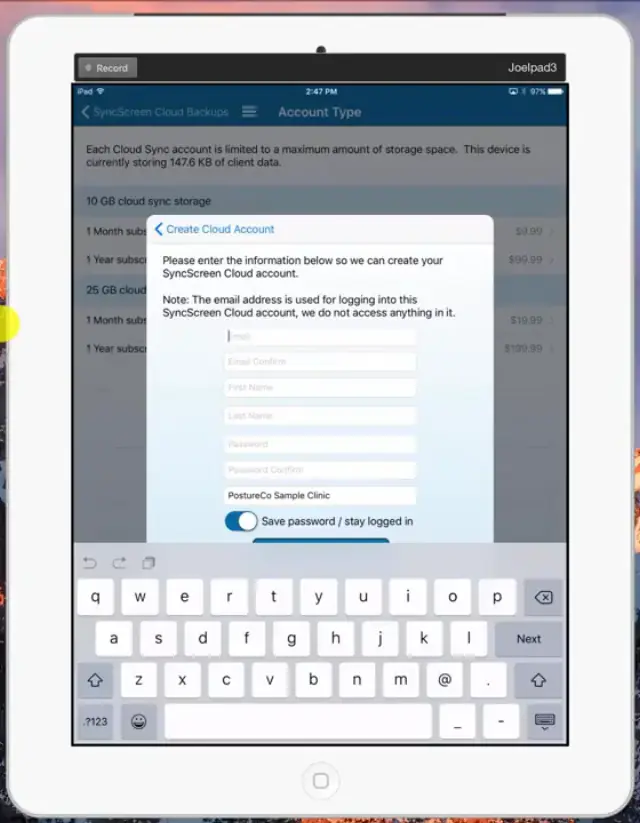 4:09
4:09
Cloud Backup Setup – Creating your Administrator account
 1:48
1:48
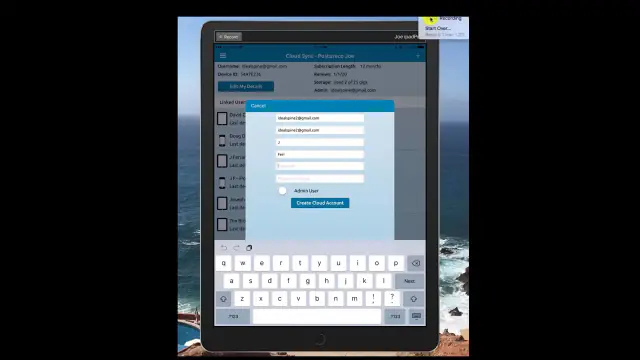
Adding additional users to your Cloud Backup Account:
 3:09
3:09
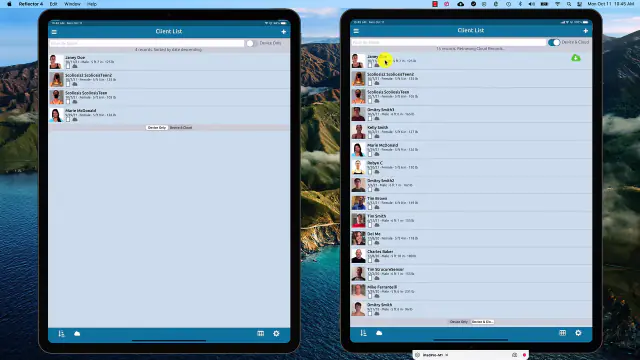
Cloud Downloading and Uploading Clients
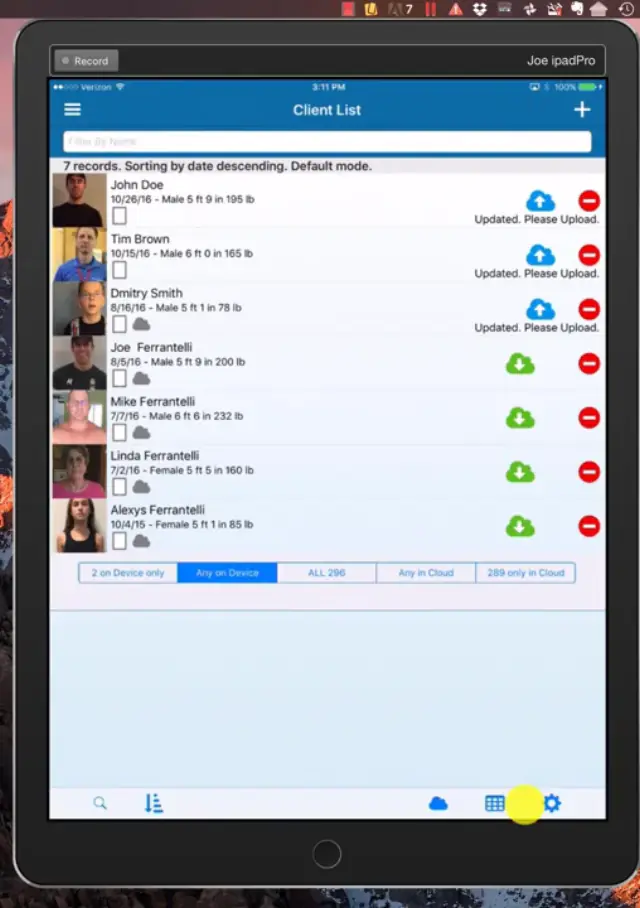
In this tutorial we review the basics of the new update starting in version 11.4 of PostureScreen for iOS. With this new update, anytime you edit or update a client, add a client, or add an assessment to a client, they will automatically be queued for upload, making backup an automatic process.
Please note that the first time you upgrade your app to 11.4, you will see many if not all of your clients “Queued for Upload” and this is normal and expected. This doesn’t mean they are not in the cloud, it means the app is updating new parts of the update to that client for the update. Depending on your client list, the size of those files, and your internet speed, this make take a few minutes to even a few days to accomplish. The great news is that you simply continue using your app like normal.
Once the client list has uploaded to the cloud, the normal everyday function is simplified removing the need to always ‘remember’ to upload your client to the cloud backup services after adding to their assessments or editing an assessment. In the below tutorial we will provide an in-depth look into the process.
 11:59
11:59
If you are using version 11.2 of PostureScreen or older, your backup process is completely manual process. If so, please follow the steps on this tutorial regarding manual uploading and backing up clients Cloud Backup Services – Uploading, Downloading Clients
Note: When you use PostureScreen, SquatScreen, or LeanScreen apps with Cloud Backup Services across multiple devices, please make sure they are all on the same app version. If they are not, older versions of the application may not be able to see client data that was generated on newer versions of the application. Our Cloud Backup Services does NOT merge client data automatically if they simply have the same name, this too must be a manual process to ensure two people with the same name are not accidentally merged. This does not replace a device backup. It is advised you also always back up your device(s) daily, with the method that fits your practice under “Patient information and Apple iCloud” above (for example, an encrypted computer backup on a computer you control, with “Encrypt local backup” turned on in Finder or Apple Devices). https://support.apple.com/en-us/HT203977
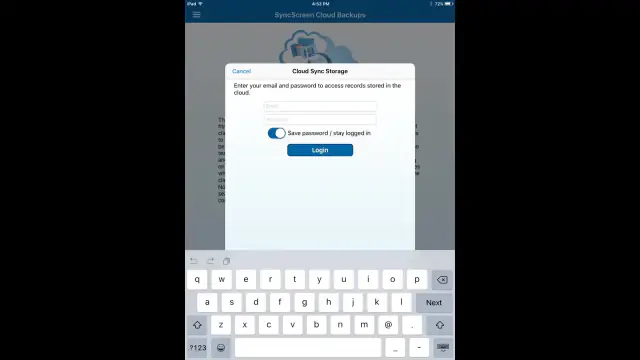
How to Re-Login to Cloud Backup Services
 0:56
0:56
 6:21
6:21
REMOTE WIPE Erase a Database
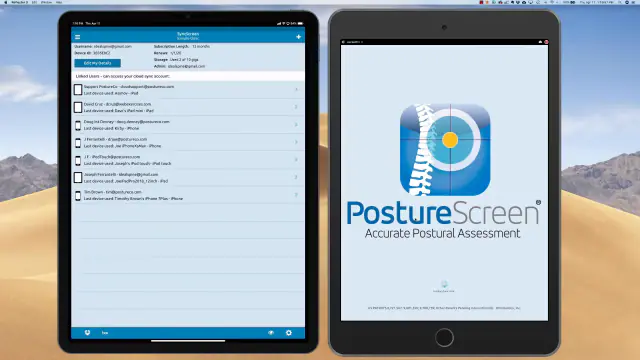
As an Administrator account in the Cloud backup Services, you can remote wipe and effectively erase a former employee’s app database who has left your facility if they were using their own device, so the database for your facility is no longer accessible. This is also valuable if the iPad or iPhone has been lost or stolen
 4:56
4:56
Related articles
-
 PostureScreen for iPad & iPhone
Cloud Backup Services – Uploading, Downloading Clients
Please note SyncScreen has rebranded to Cloud Backup Services. In this tutorial we review the basics of the new update starting in version…
2 videos · 18:455 min read
PostureScreen for iPad & iPhone
Cloud Backup Services – Uploading, Downloading Clients
Please note SyncScreen has rebranded to Cloud Backup Services. In this tutorial we review the basics of the new update starting in version…
2 videos · 18:455 min read
-
PostureScreen for iPad & iPhone
UNLIMITED use Subscription
As summarized on the AppStore and on our main website, the initial purchase of PostureScreen includes a use for 30 days. After the…
3 min read
-
PostureScreen for iPad & iPhone
Merging Clients, Bulk Delete Clients
In the following tutorials we review how to enter multi select mode and merge clients as well as bulk delete. Be sure to realize that…
2 videos · 3:551 min read
-
PostureScreen for iPad & iPhone
Verify iTunes Device Backups
Before you attempt to restore your device to a prior backup through itunes, you can verify your prior device backups. This is how it is…
Article
-
PostureScreen for iPad & iPhone
Cloud backup Error/Renewal
SyncScreen has rebranded to Cloud backup services If you are having an issue and it appears that your subscription to cloud backup…
1 min read
-
PostureScreen for iPad & iPhone
Cloud Backup Services – Manage device space, deleting examinations
Please note SyncScreen was rebranded to Cloud Backup Services. In this tutorial we review how you can save space on your device by…
Video · 6:21
Have a question?
Talk to the people who build PostureScreen and PostureRay.
PostureScreen support is by email. Live PostureRay support runs Monday through Friday, 9 AM–5 PM Eastern (excluding U.S. holidays).