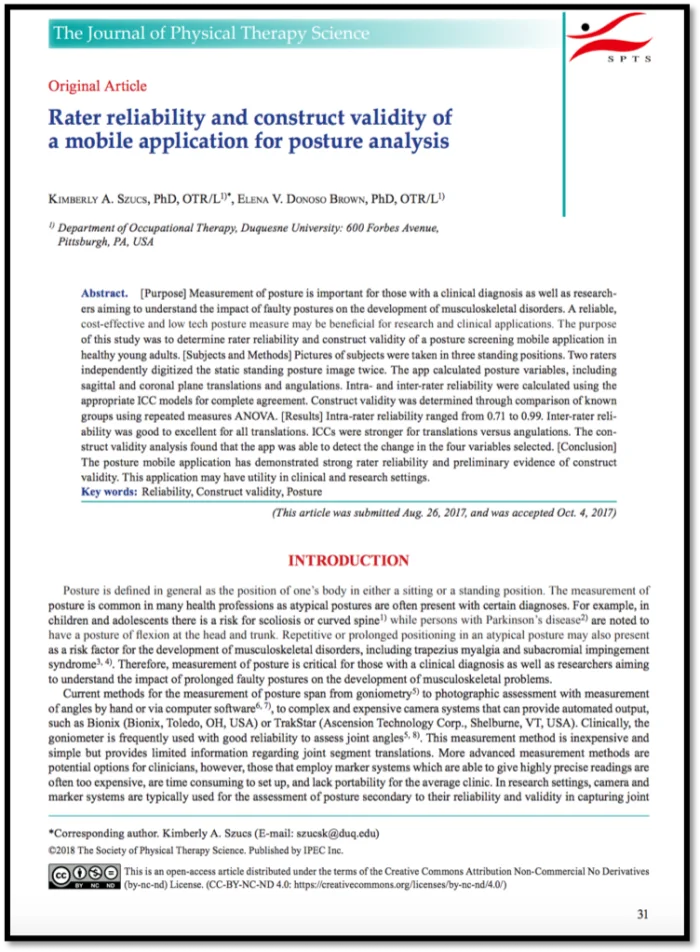
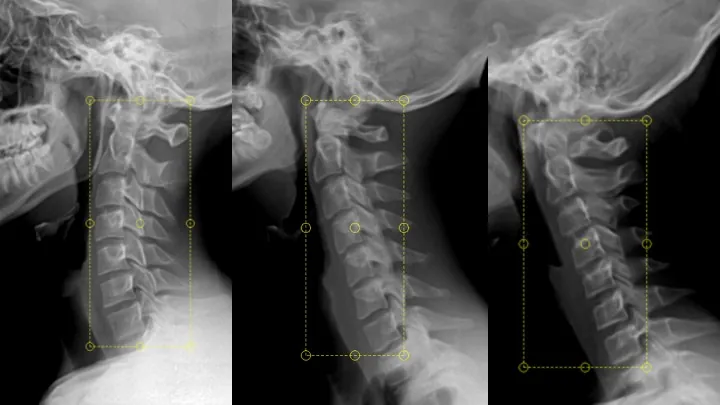
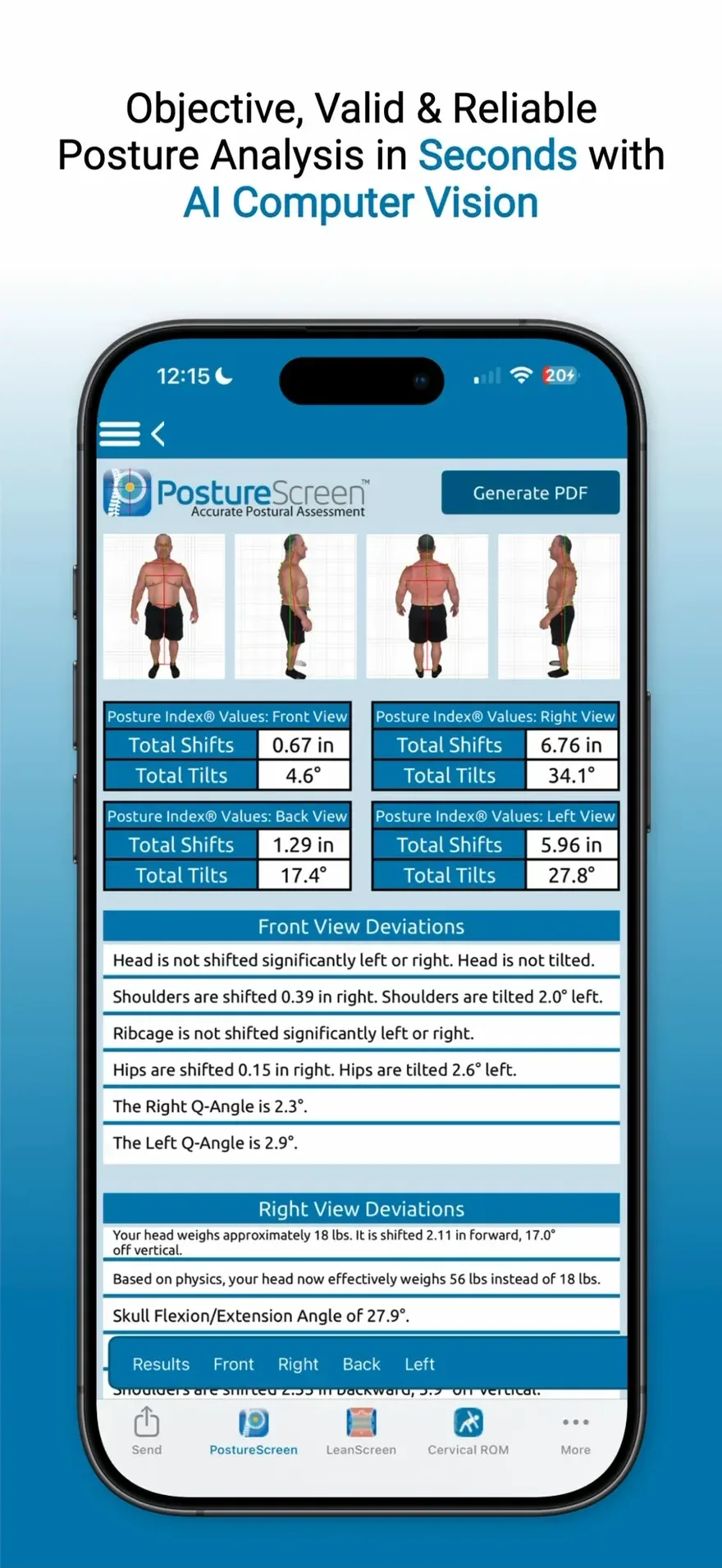
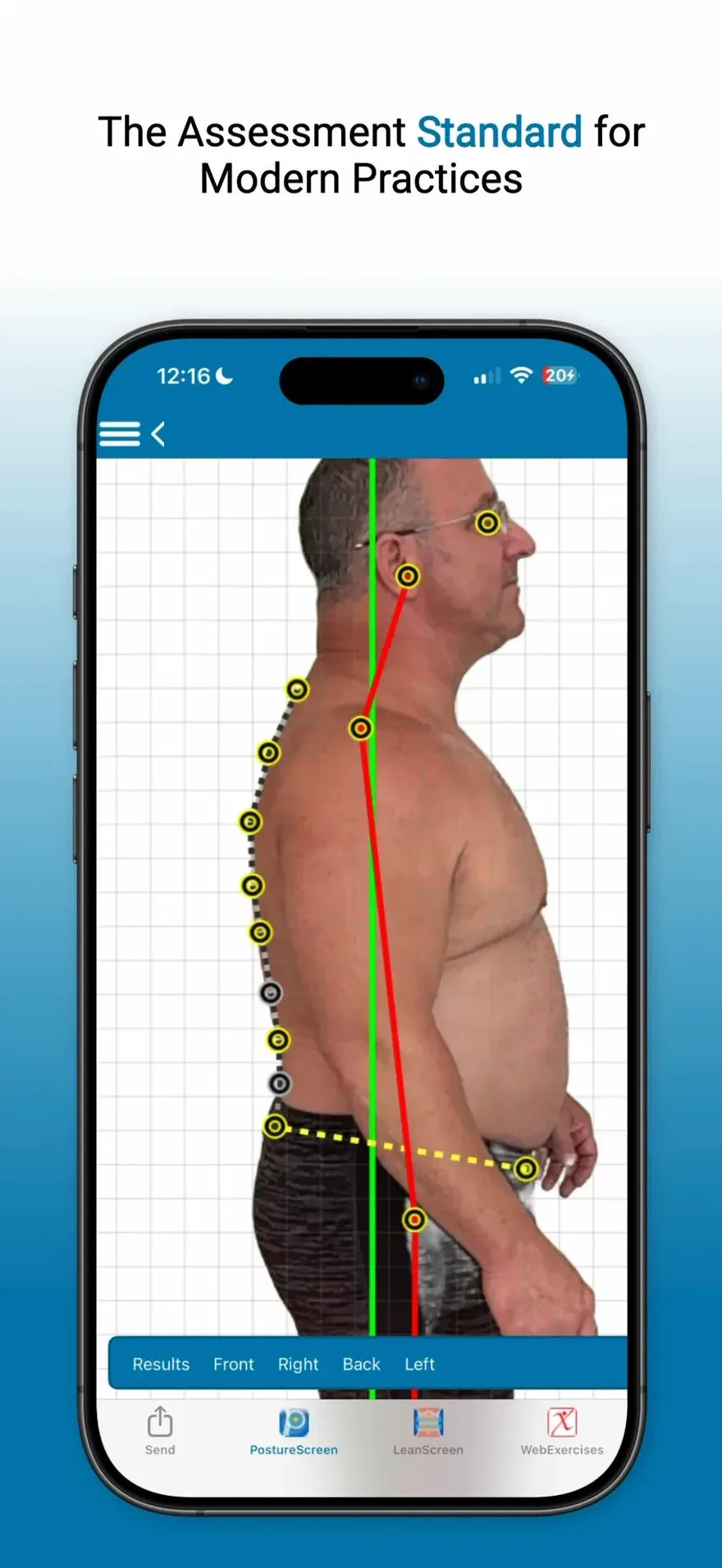
Built for professionals who assess posture, movement, and body composition.
Personal trainersPhysical therapistsChiropractorsPilates instructorsOsteopathsGym & fitness professionalsOccupational therapistsAthletic trainersYoga instructorsSports medicine professionalsStrength & conditioning specialistsMassage therapists
Personal trainersPhysical therapistsChiropractorsPilates instructorsOsteopathsGym & fitness professionalsOccupational therapistsAthletic trainersYoga instructorsSports medicine professionalsStrength & conditioning specialistsMassage therapists
PostureScreen is for personal trainers, physical therapists, chiropractors, Pilates instructors, osteopaths, gym and fitness professionals, occupational therapists, athletic trainers, yoga instructors, sports medicine professionals, strength and conditioning specialists and massage therapists.
PostureCo’s software tools are intended for objective postural, movement, body composition, and radiographic measurement, documentation, and education purposes. They are designed for use by fitness professionals and licensed healthcare providers. These software tools are not medical devices and are not intended to diagnose, treat, cure, or prevent any disease or medical condition. All markings, landmark placements, and digitizations, whether manual or AI-assisted, must be reviewed and validated by the professional using the software. The user remains solely responsible for all interpretations, clinical judgments, diagnoses, and treatment decisions.
Coming soon
AI-assisted Screening insights. Client notes. Zero friction.
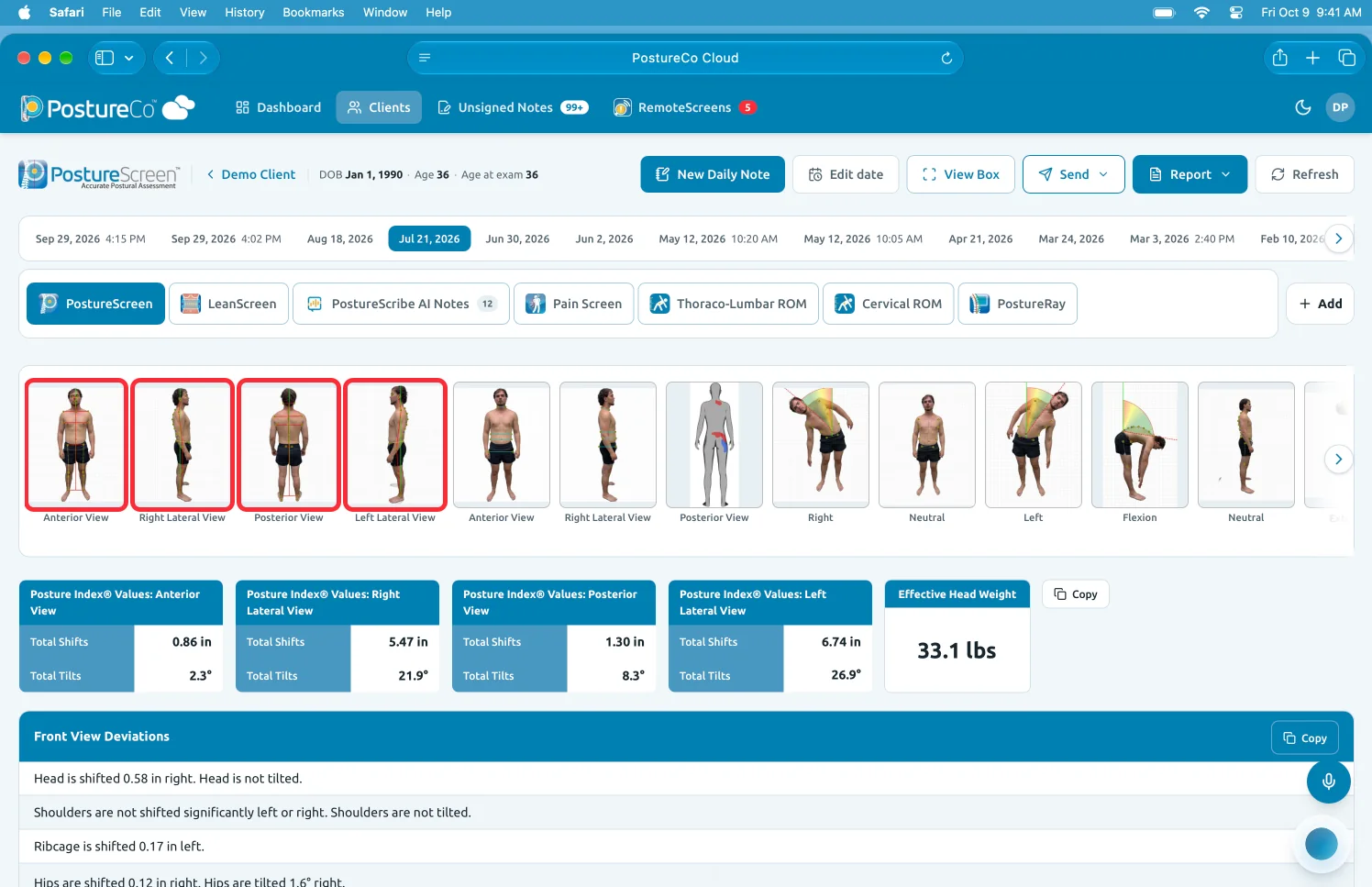
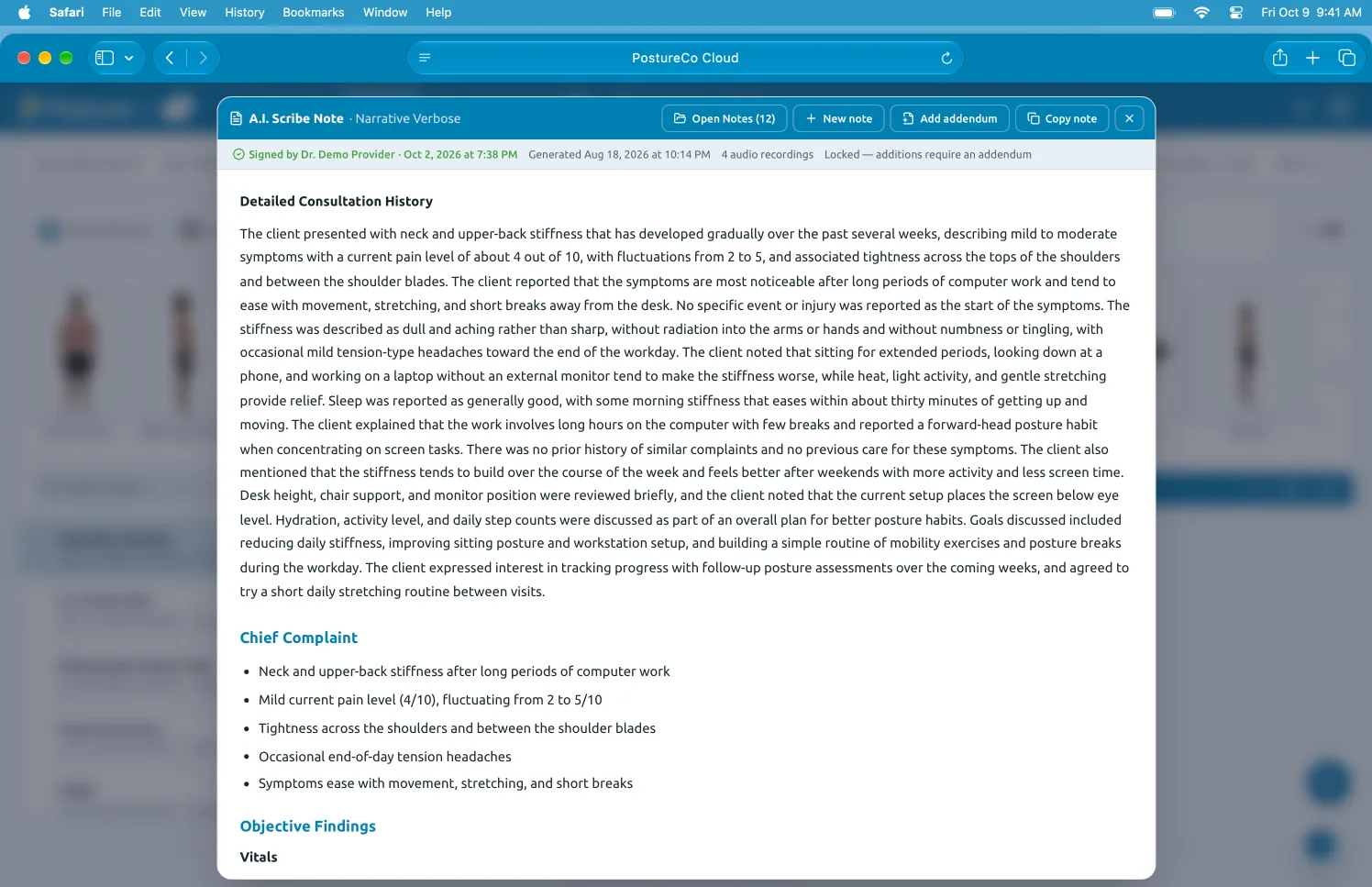
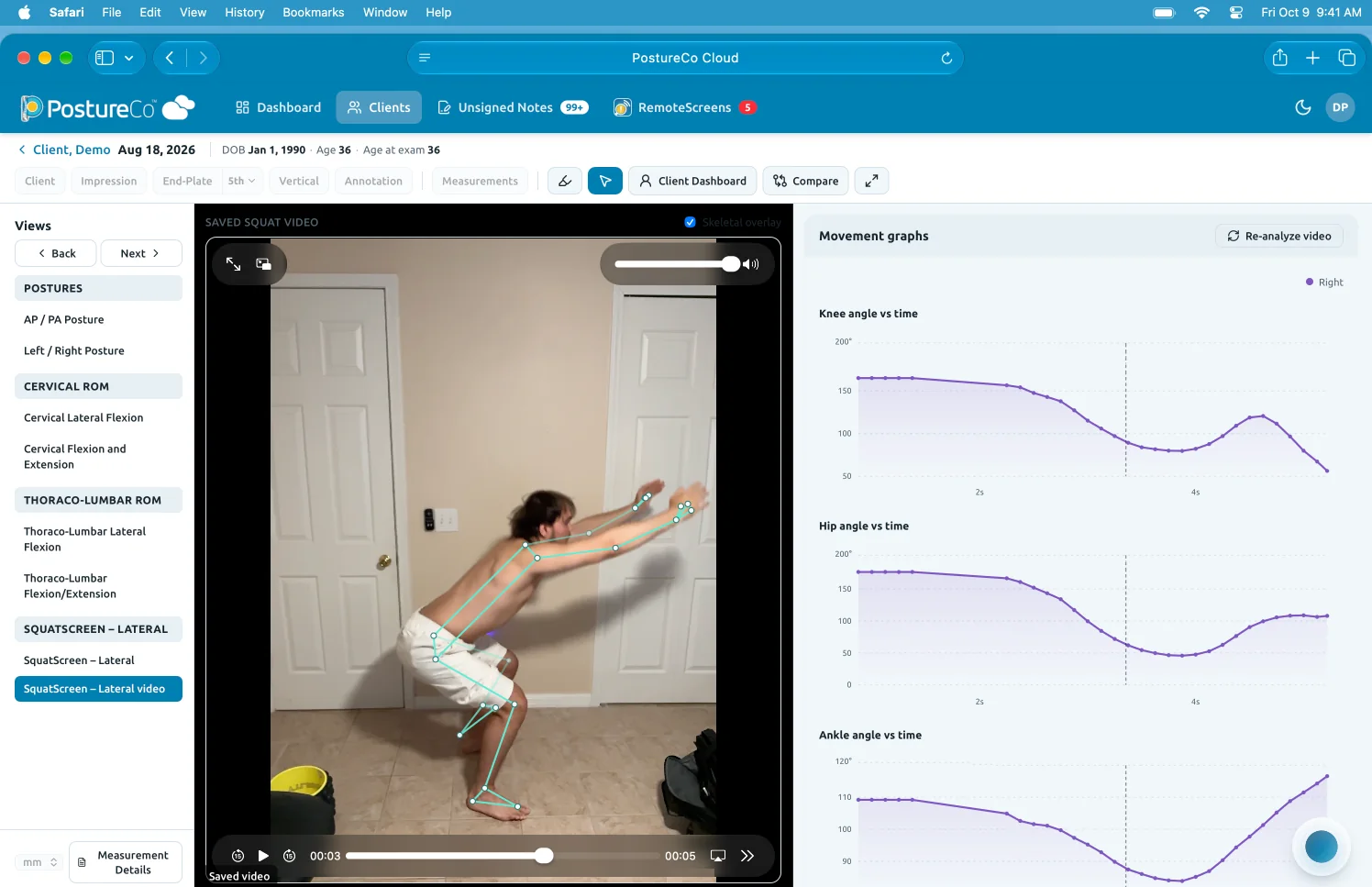
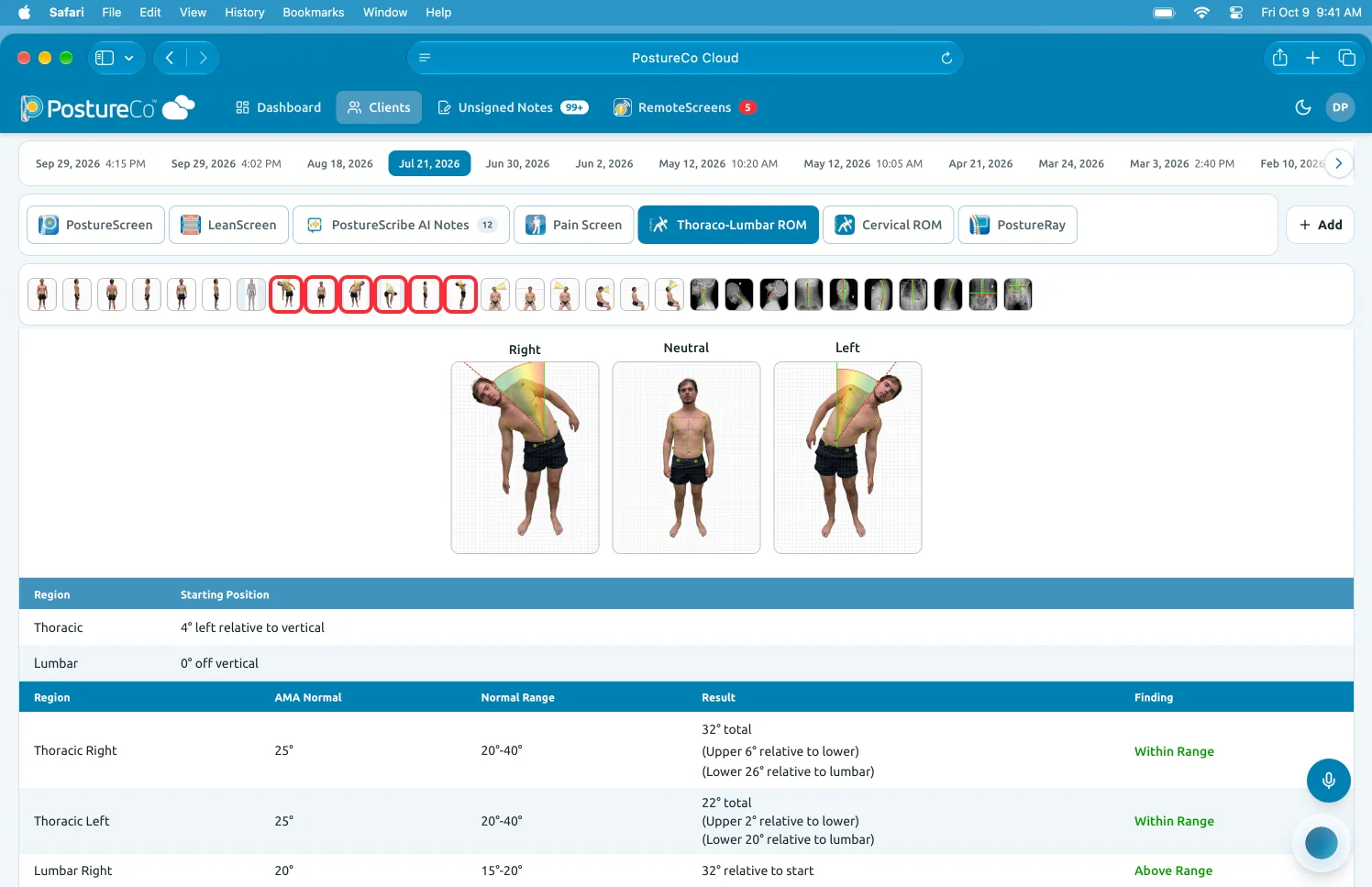
Your one stop for everything PostureCo™: PostureScreen® assessments, PostureScribe.AI® notes and RemoteScreen® intakes in one place, in your web browser, along with the ViewBox.Your one stop for everything PostureCo™, with RemoteScreen® intakes and the ViewBox, in your web browser.Your one stop for everything PostureCo™, in your web browser.
Preview shown with a demo client; features may change before release.
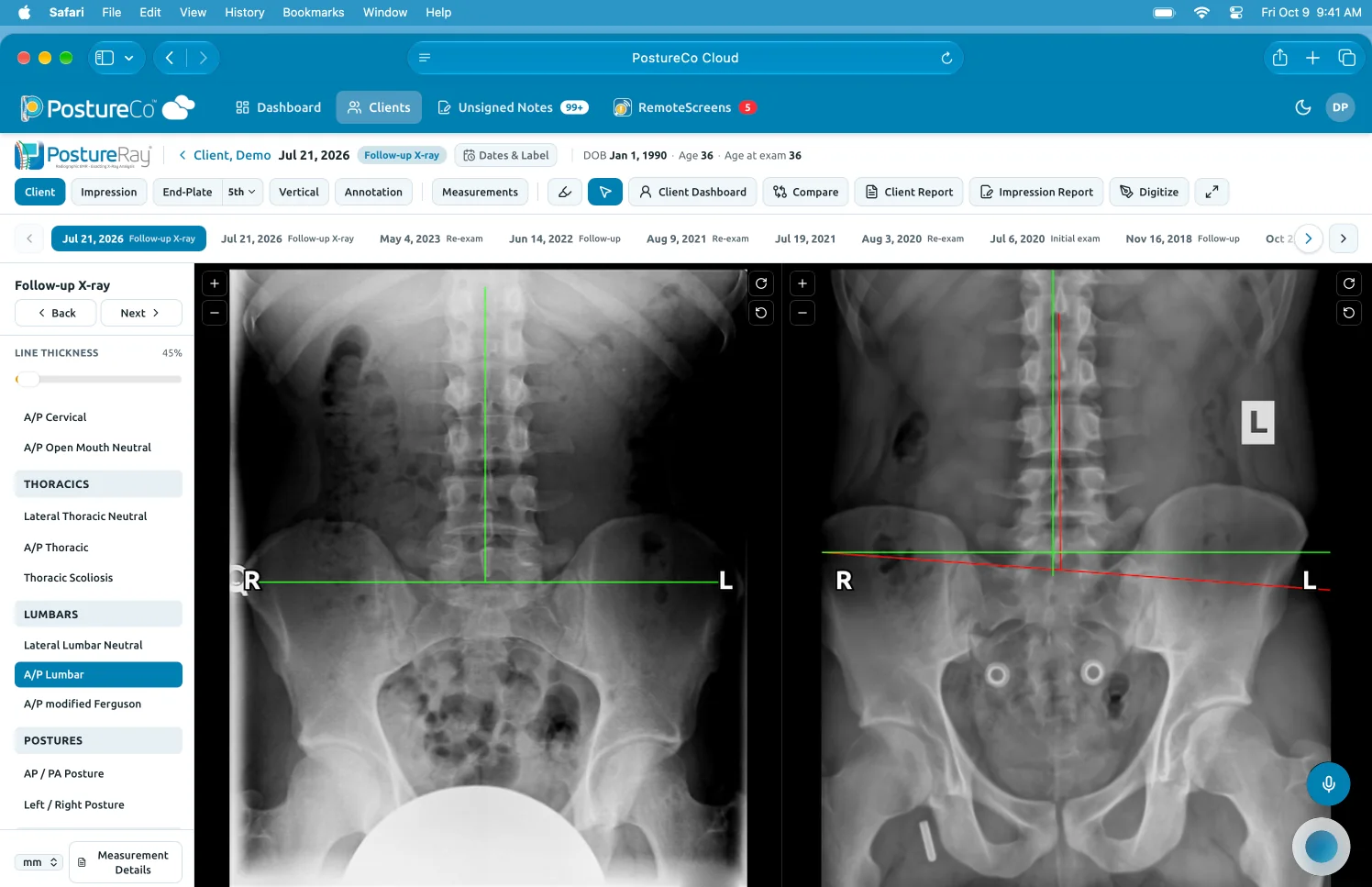
X-ray documentation (coming soon, separate PostureRay® subscription)
PostureCo™ Cloud · Coming soon
At the front desk, too.
It runs in your web browser, so your team sees the same client record, with up to 10 people signed in at once on Diamond. Capture stays where it’s fastest: PostureScreen® on iPad and iPhone.
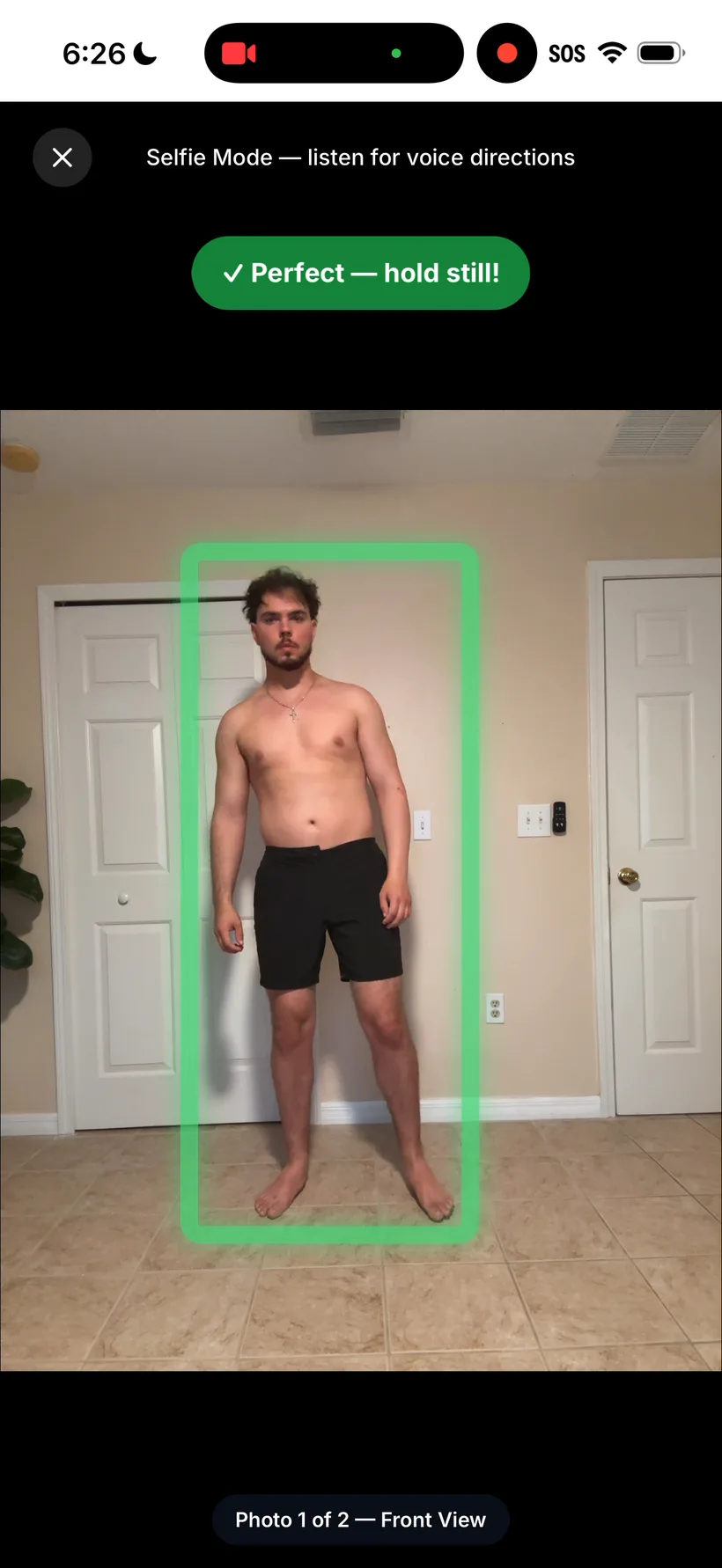
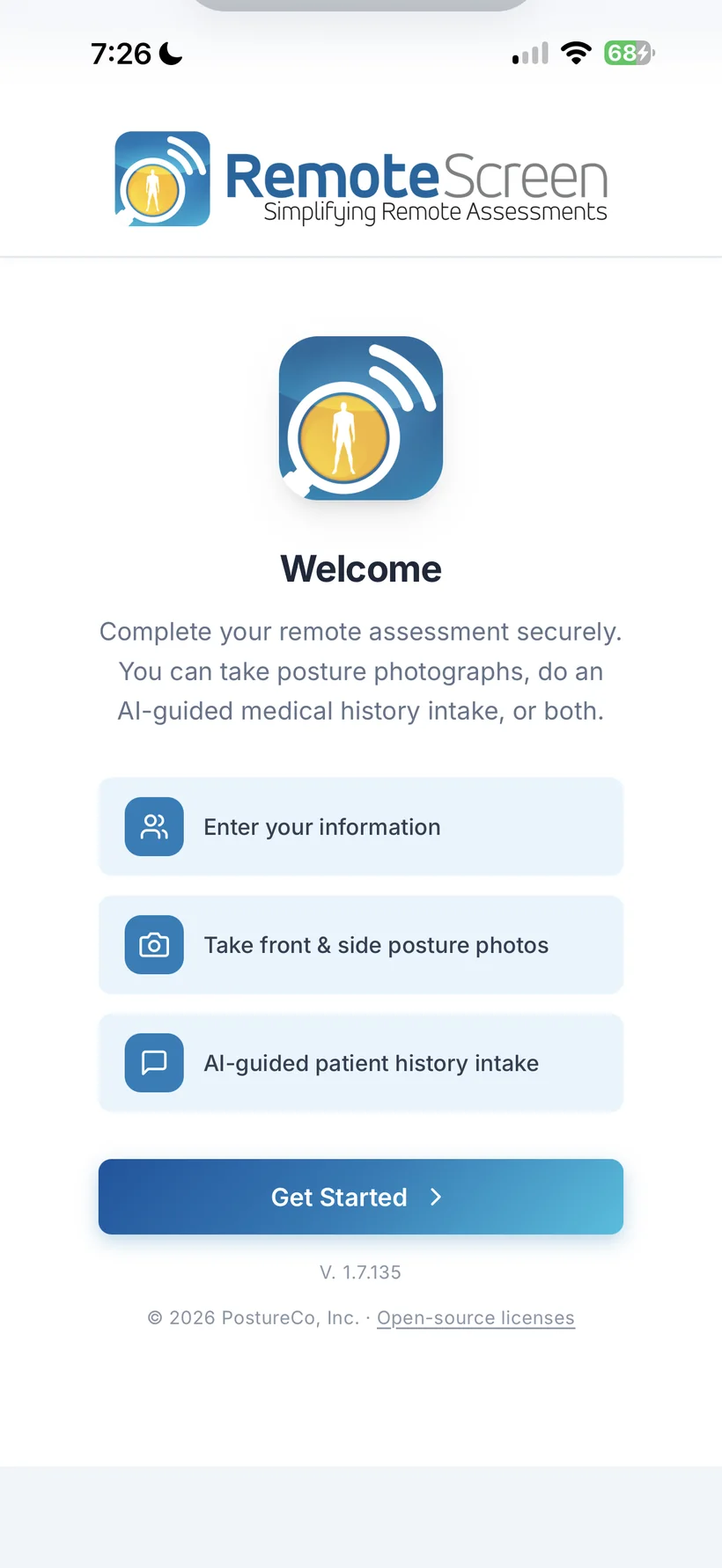
Nothing to download: it runs in your client’s own iPhone, Android phone or computer browser. The AI takes the history by voice, guides the photos and a movement video, and it all comes to you first.Nothing to download: it runs in your client’s own phone or computer browser, and everything comes to you first.Nothing to download. Results come to you first.
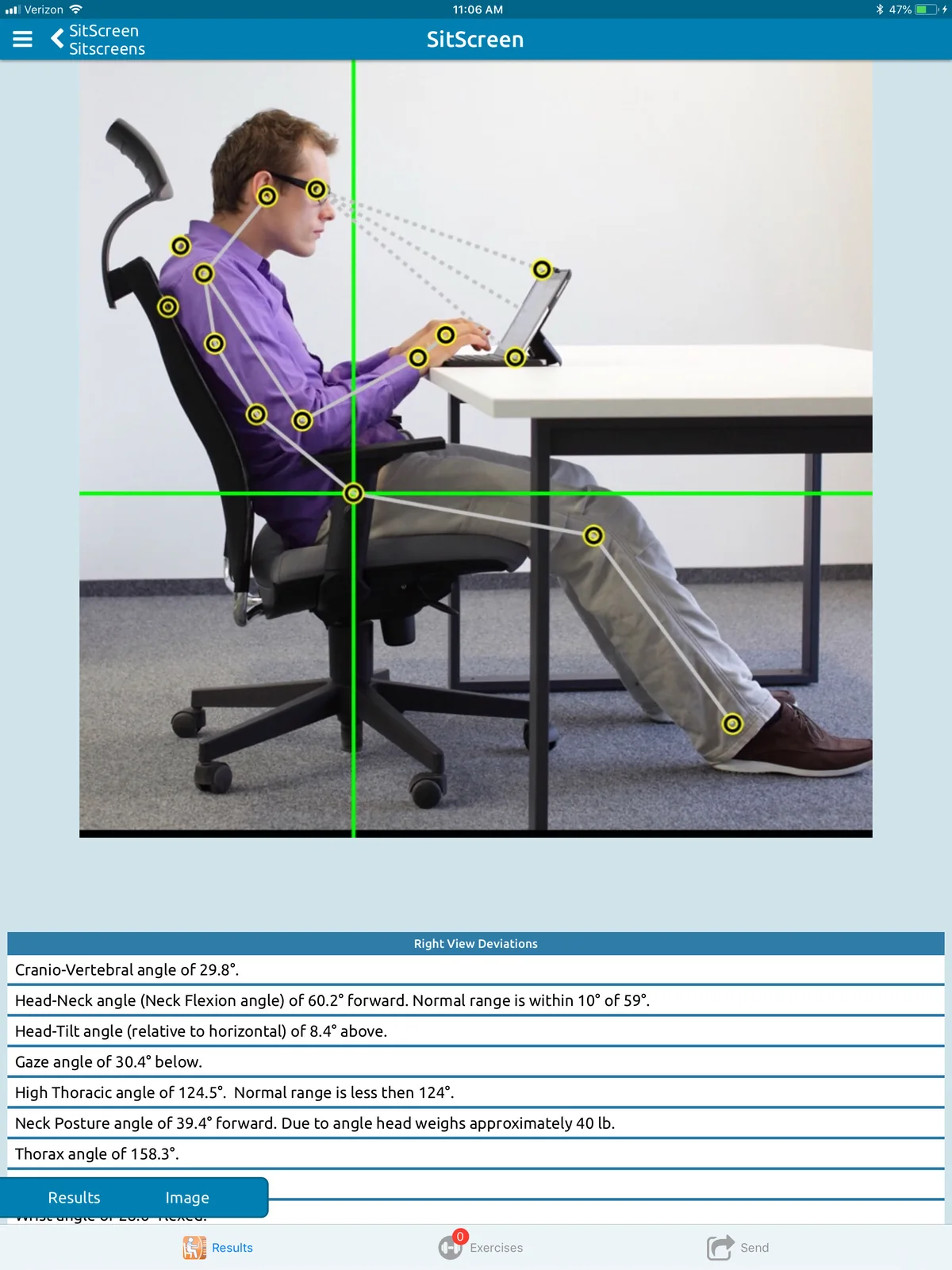
Great for re-evaluations, follow-ups, reconnecting with clients you haven’t seen in a while, comparisons, remote monitoring, new clients, health talks and virtual exams. Ergonomic screen: coming soon
Free for your clients. You need PostureScreen® Unlimited on iOS plus Cloud Services; the AI-Guided Health History (USA only at this time) needs Platinum ($49.99 USD/month) or higher plus PostureScribe.AI®: up to 12 intakes per month. Photos and video work worldwide.7
Flip to the professional reportFlip back to the client report
Inside PostureScreen®
One iPad. The whole picture.
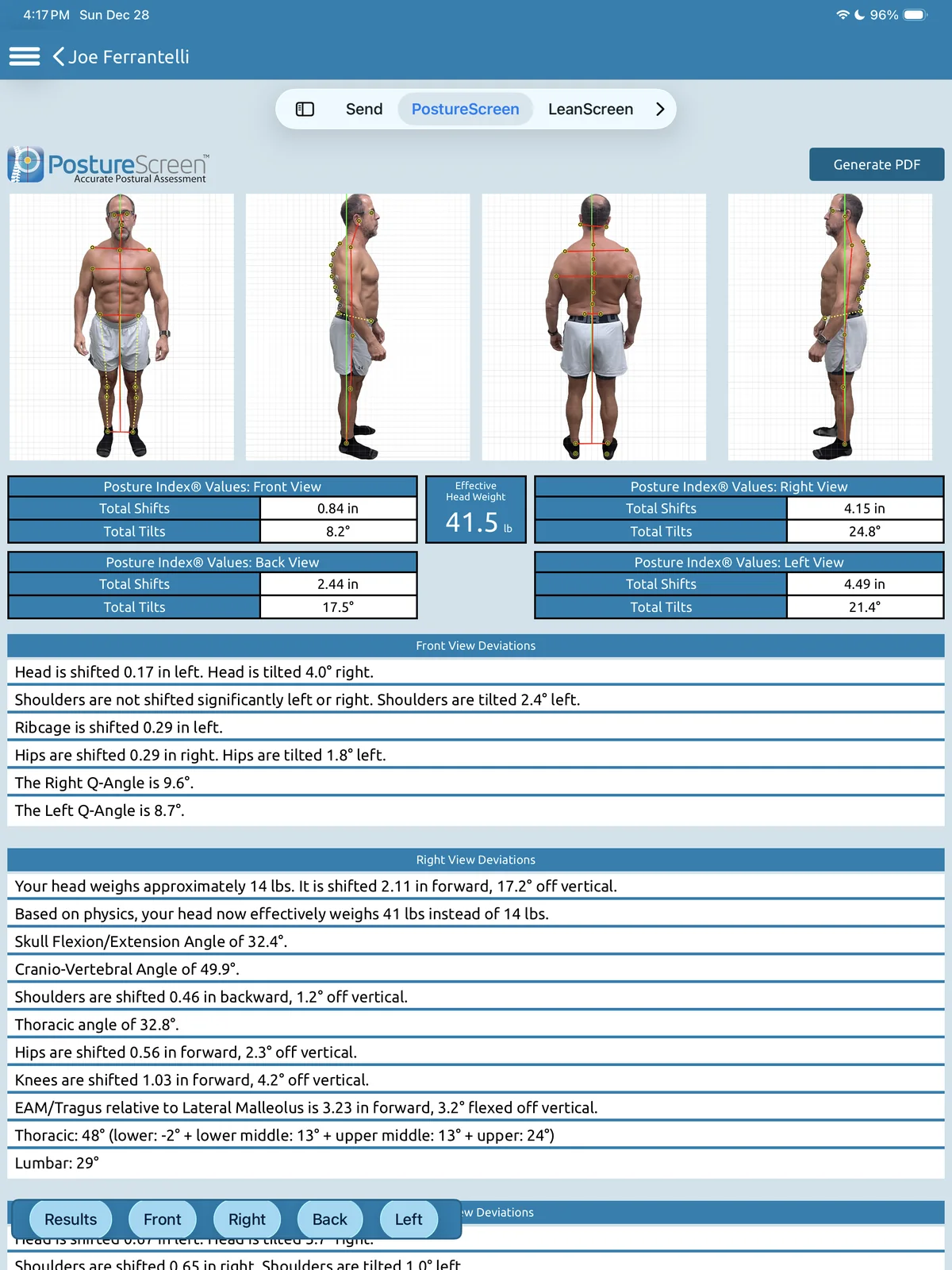
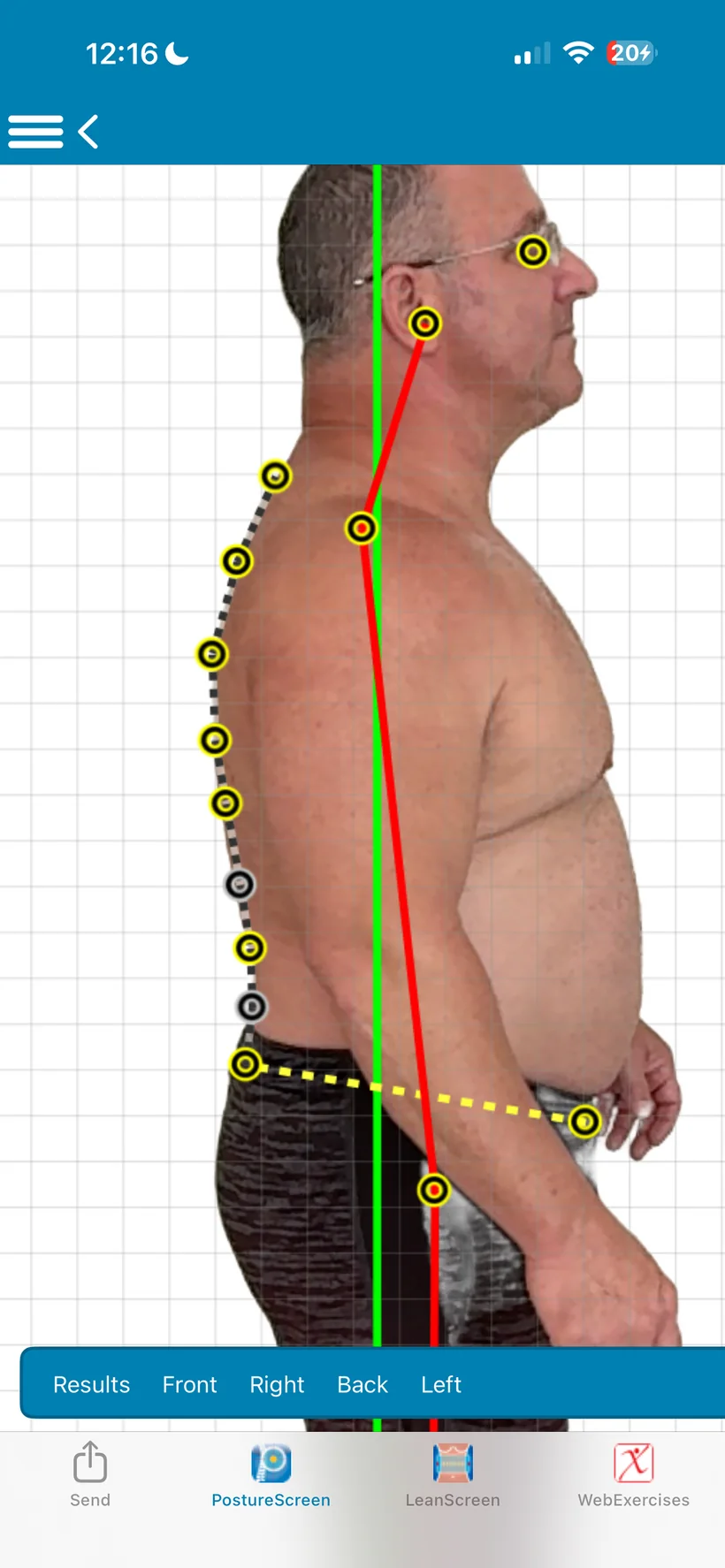
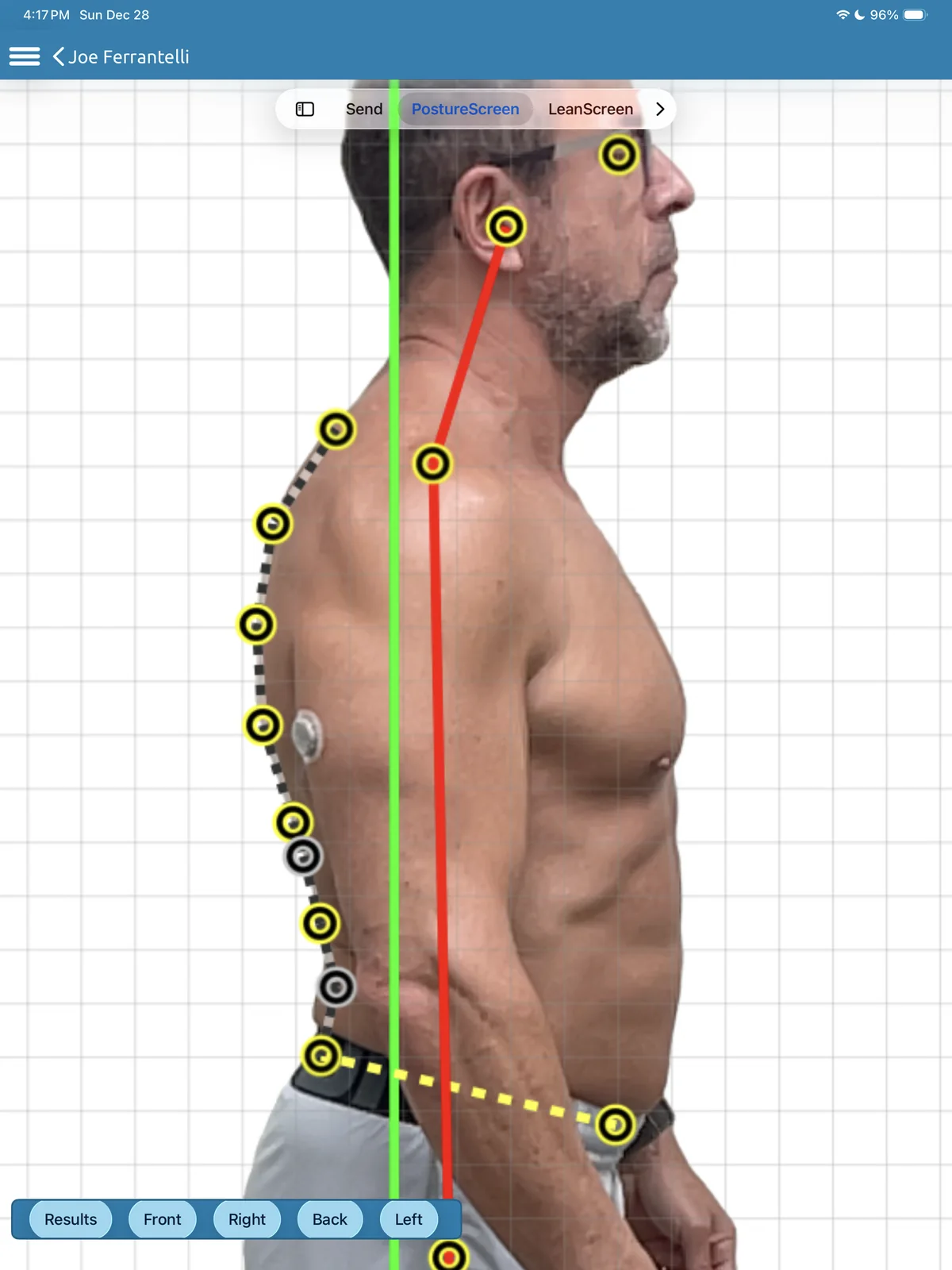
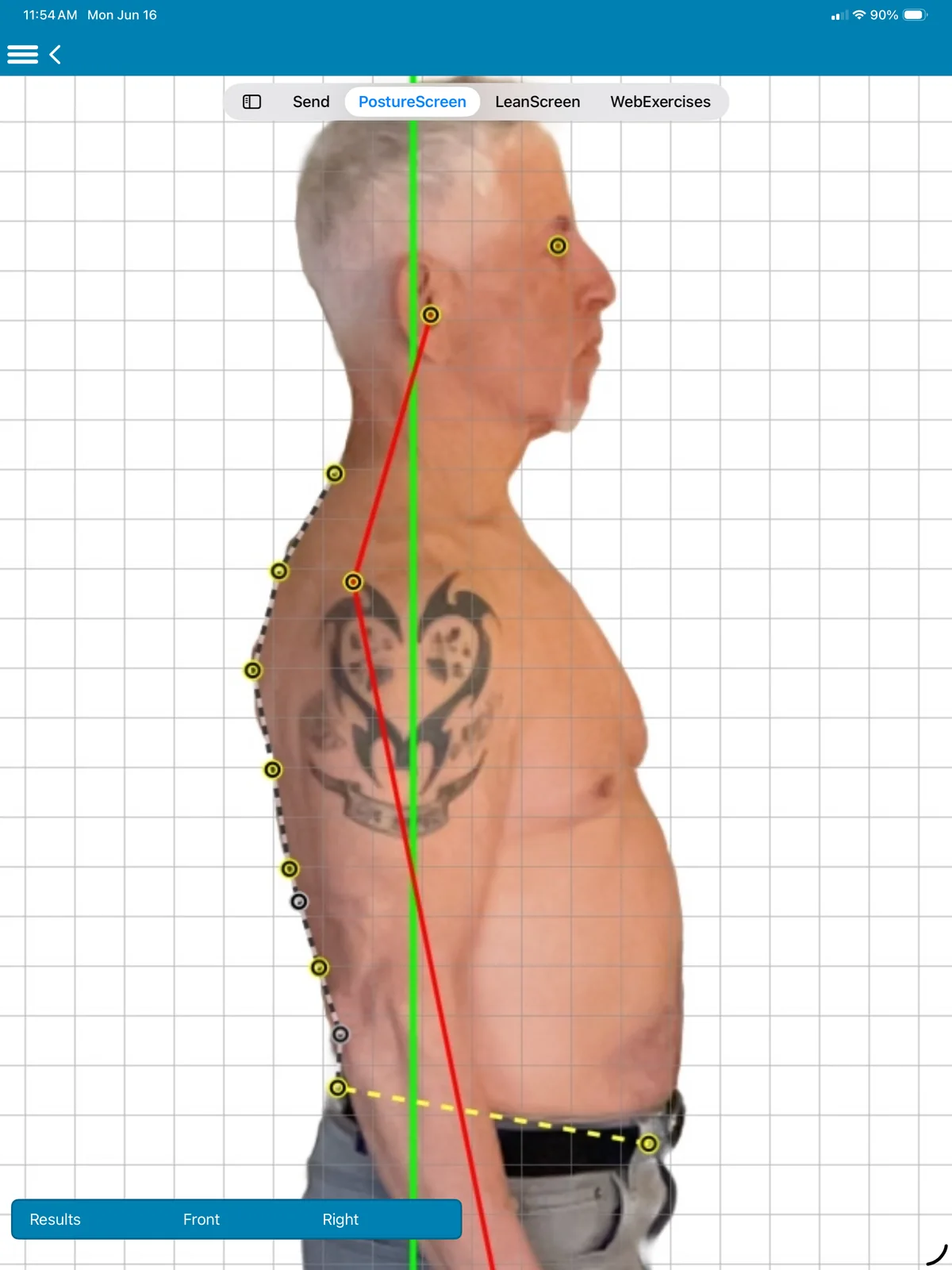
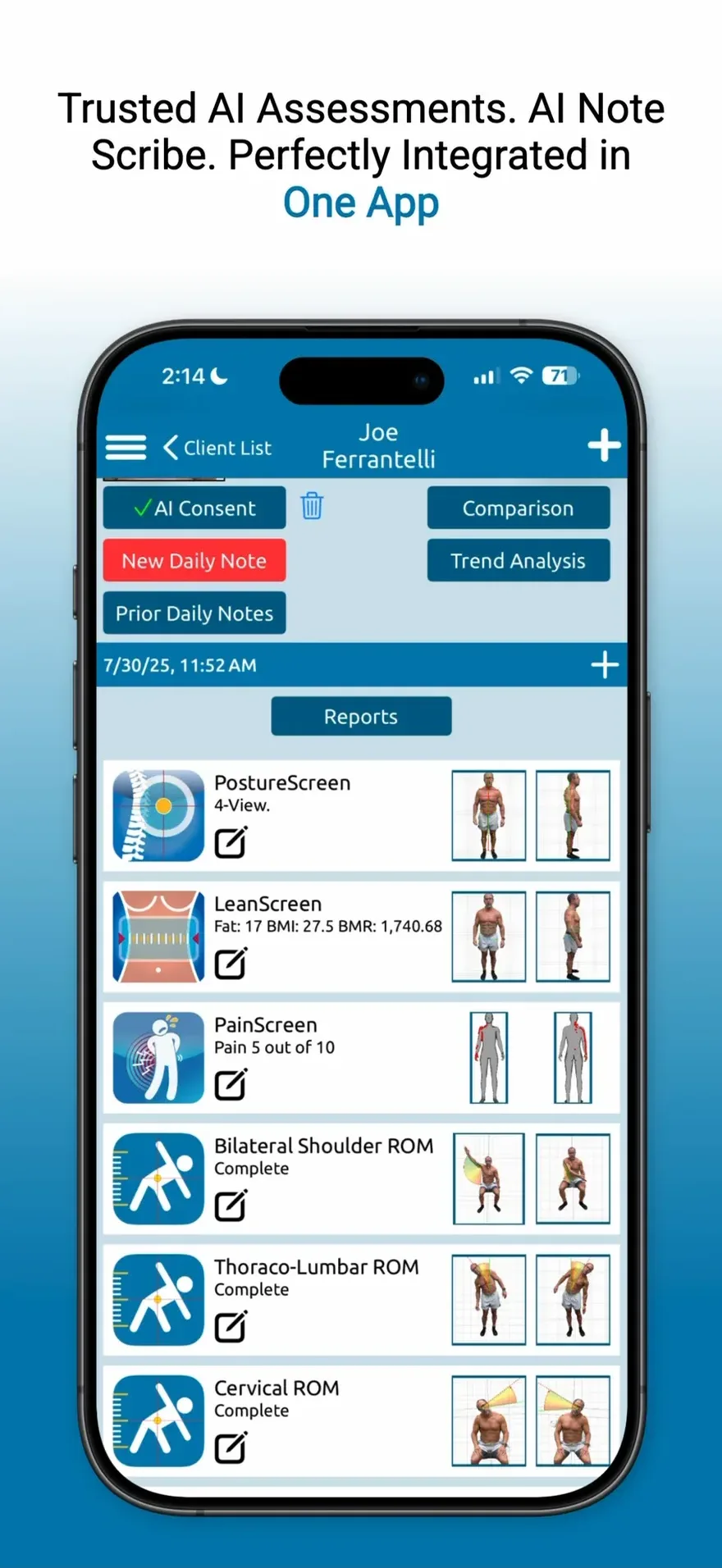
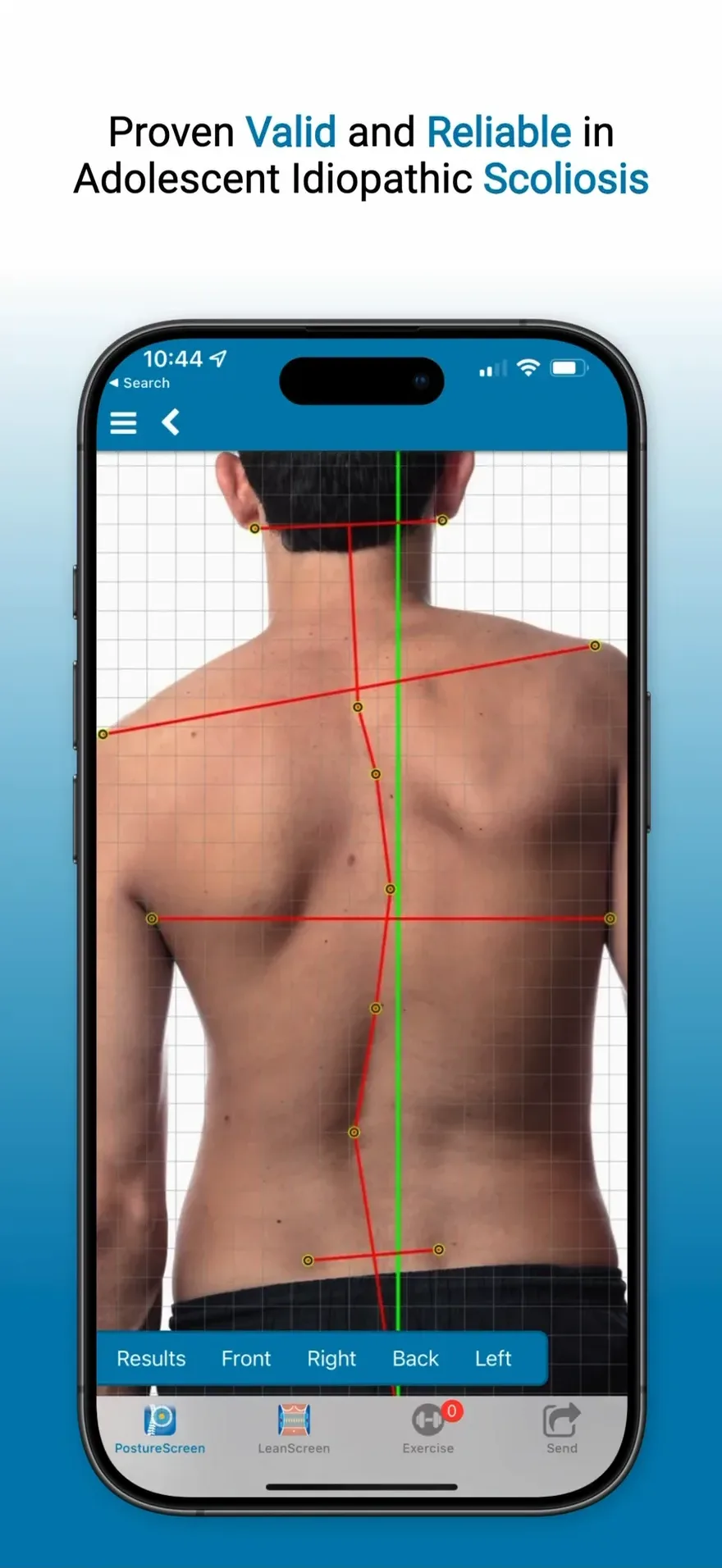
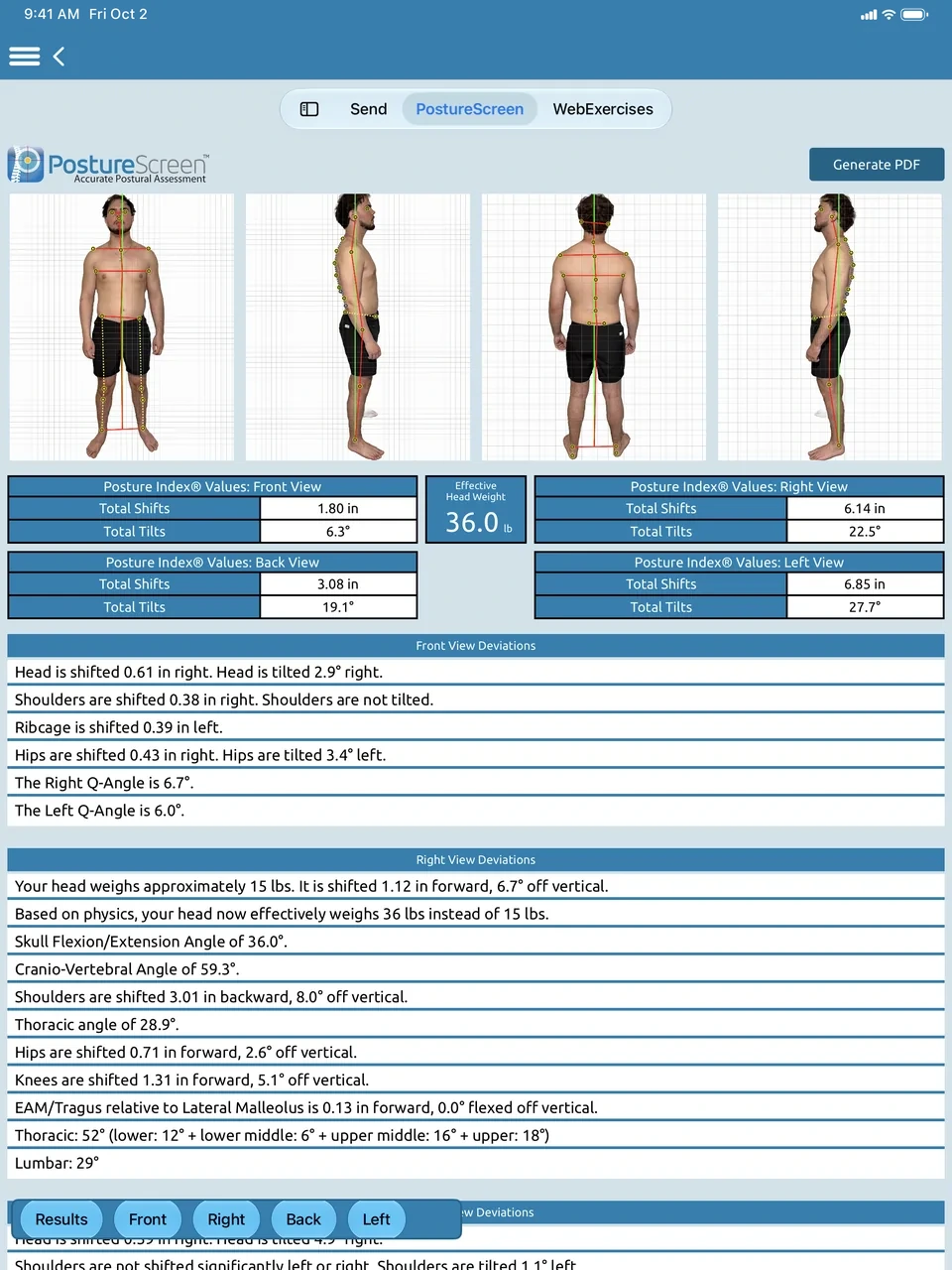
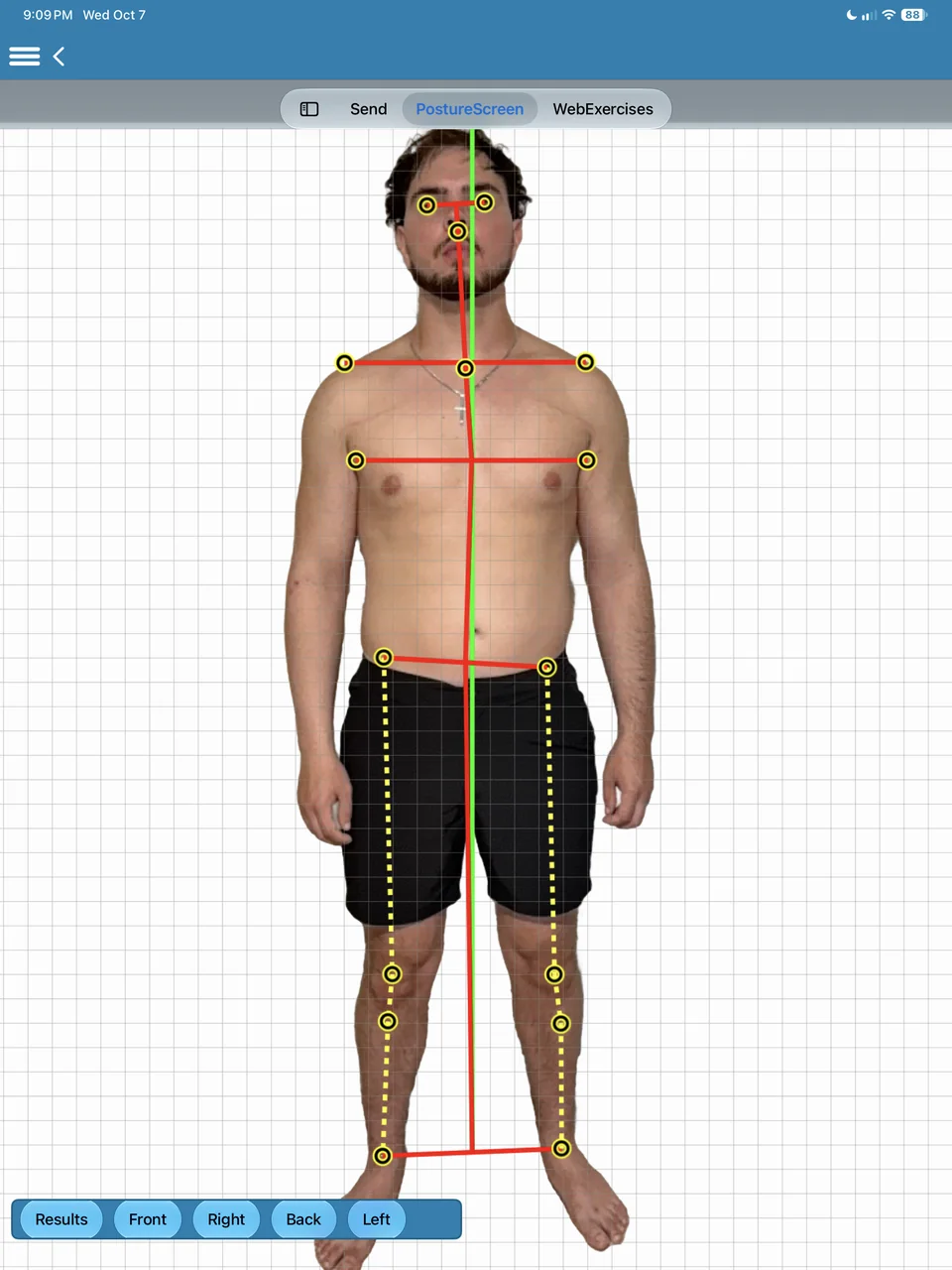
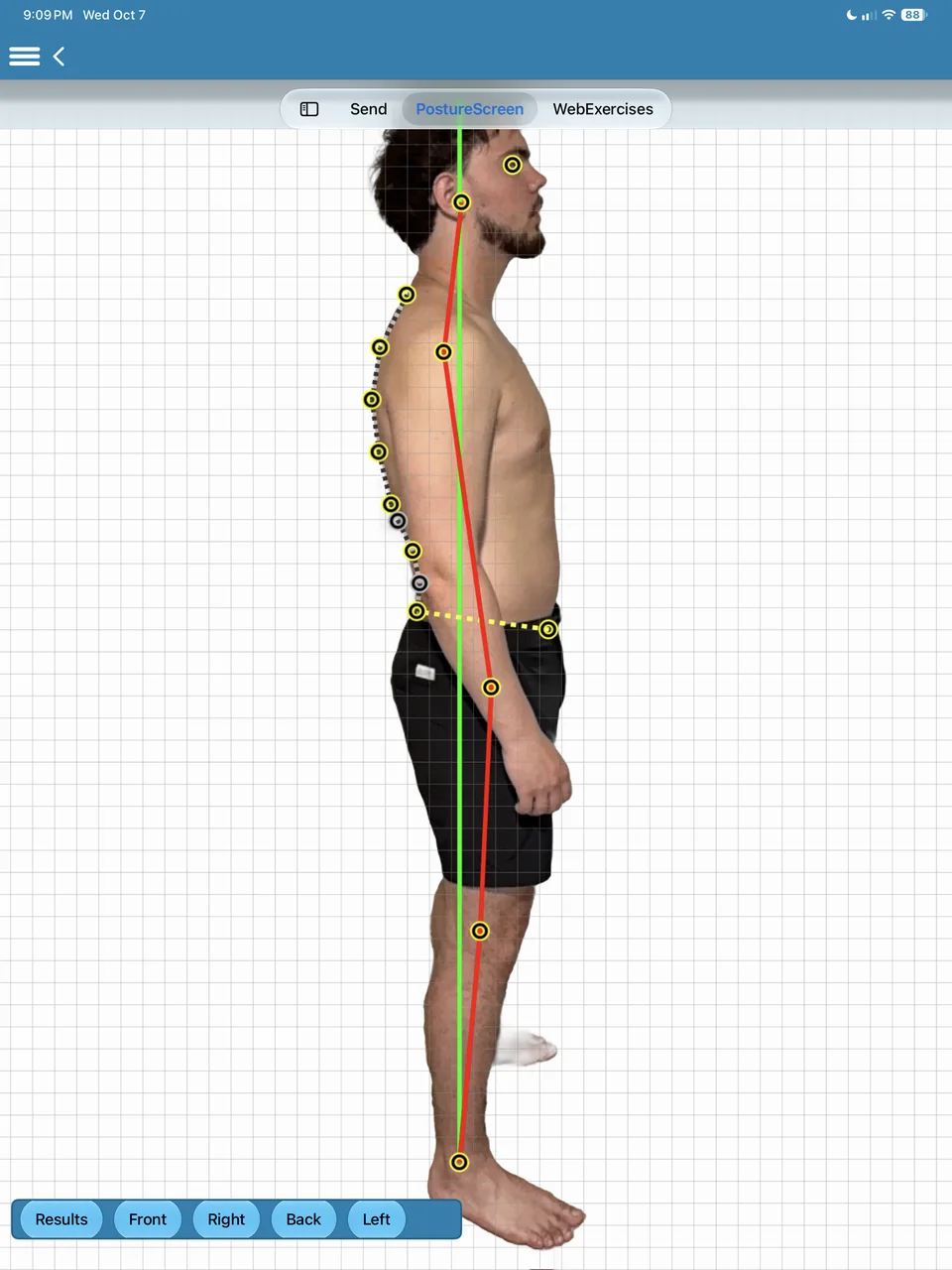
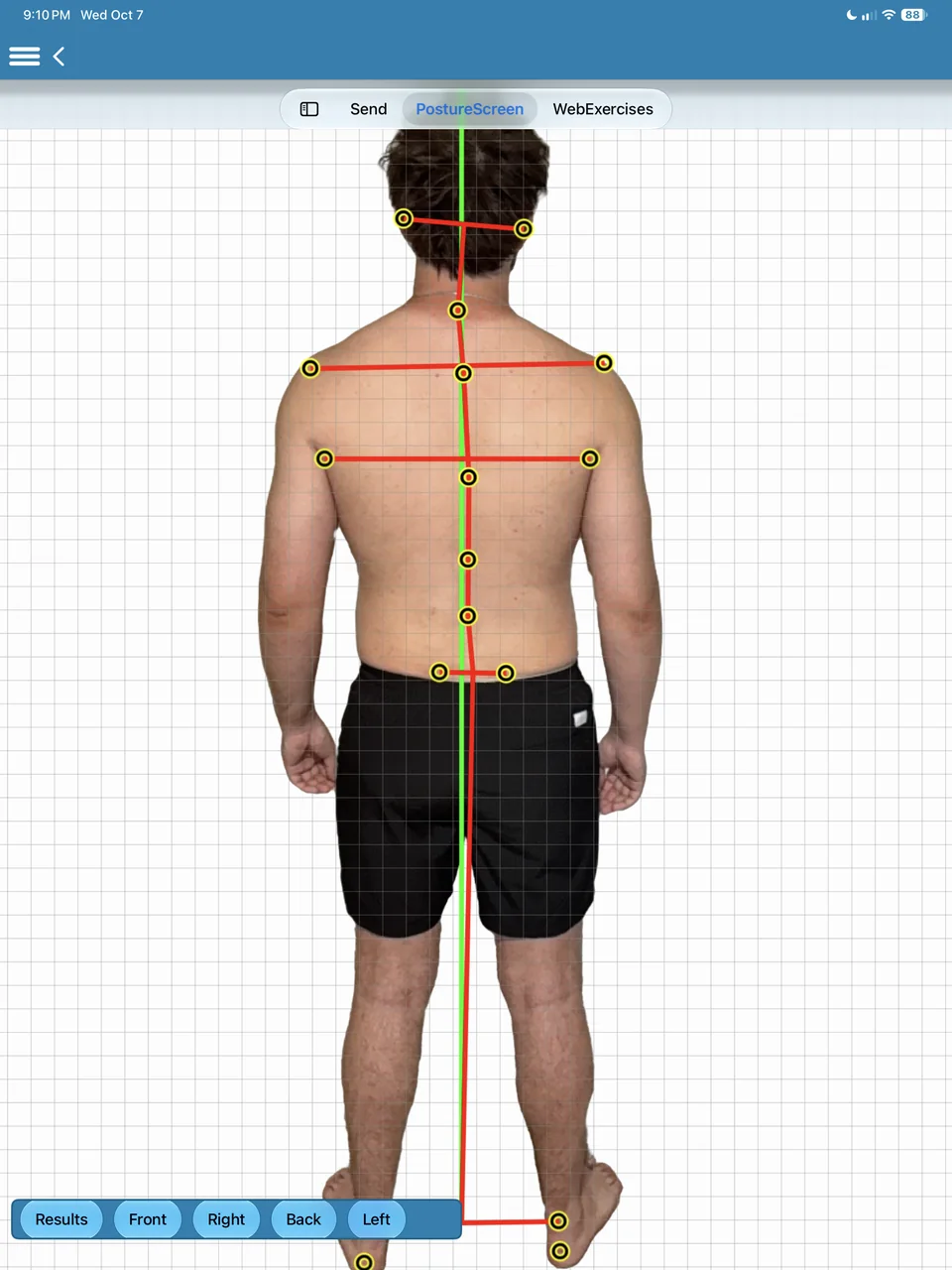
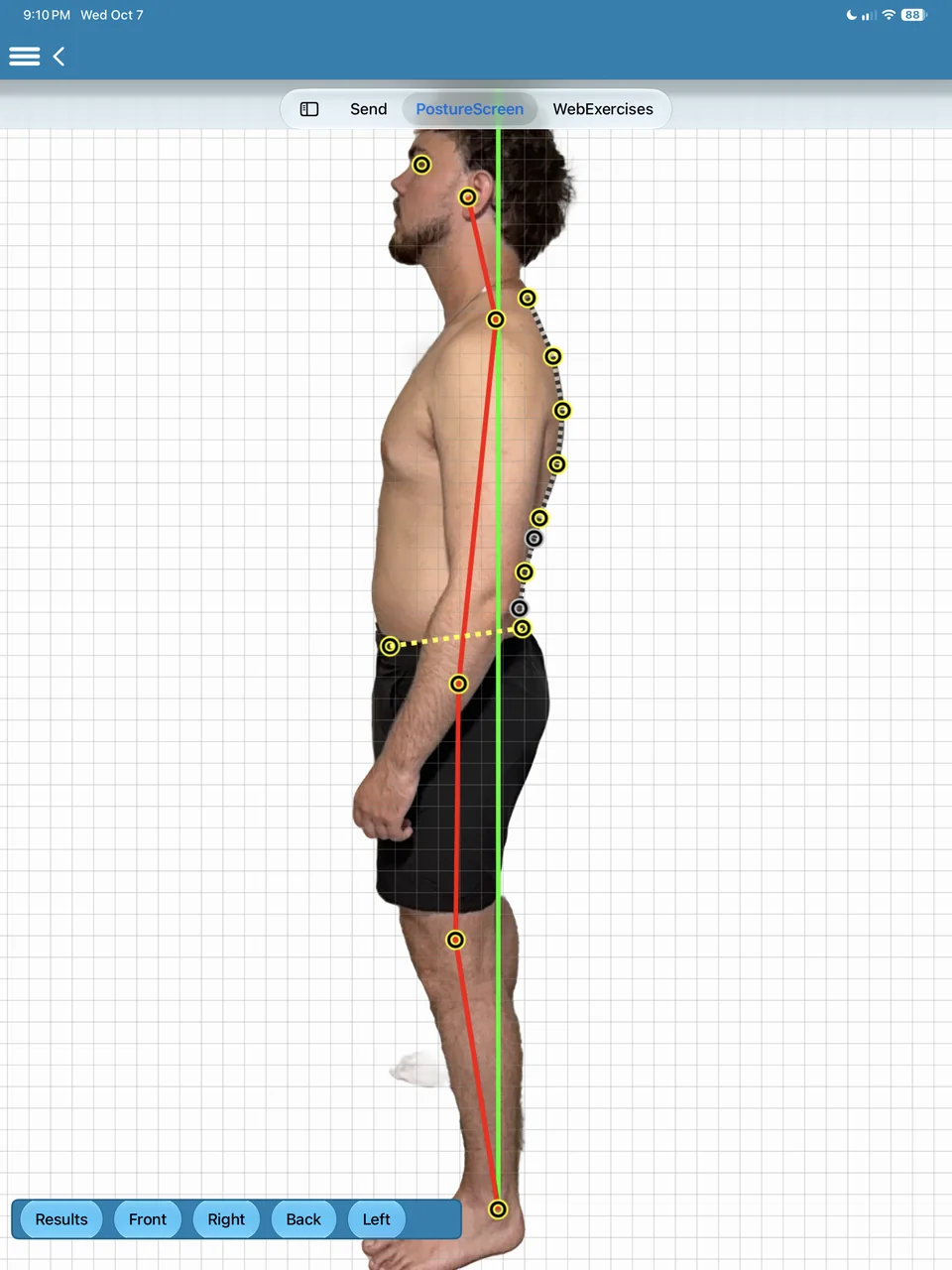
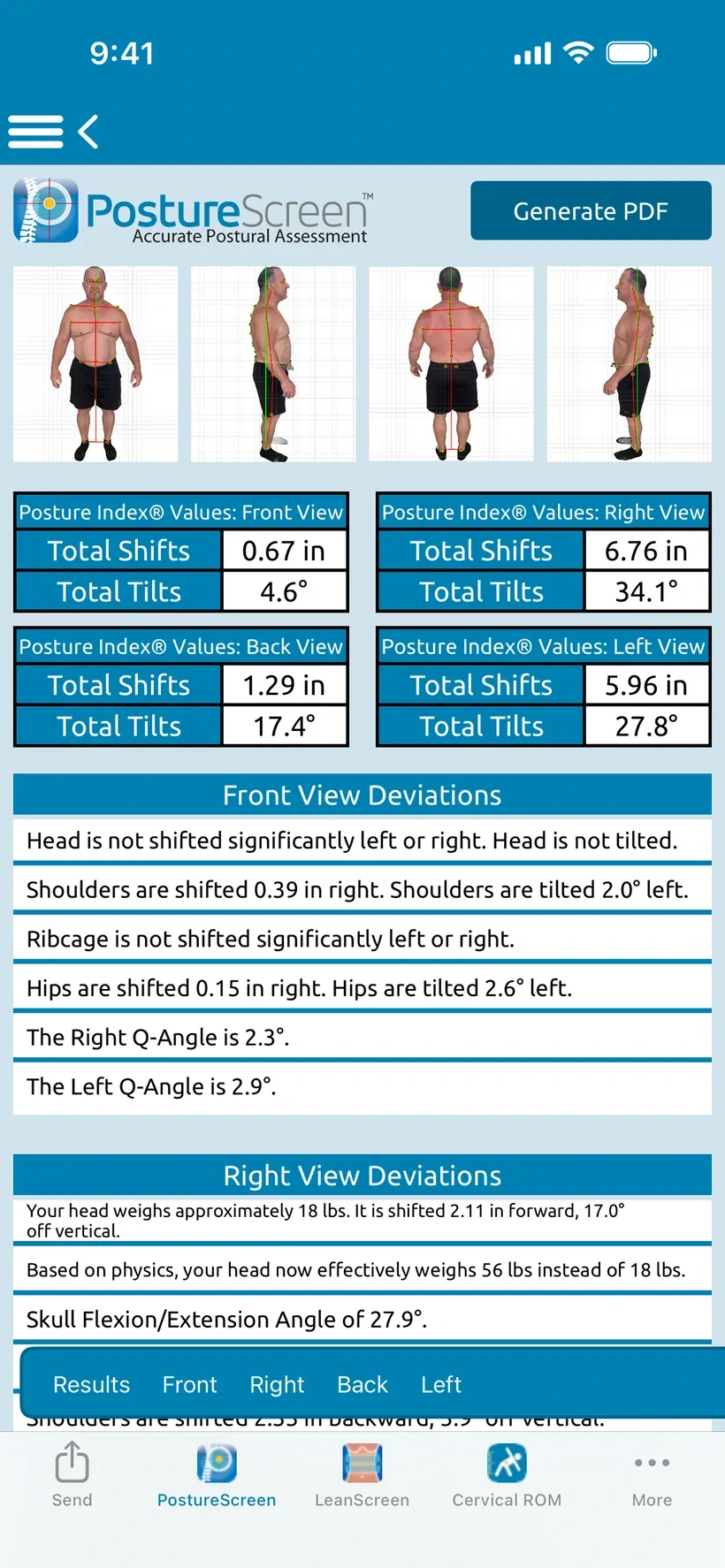
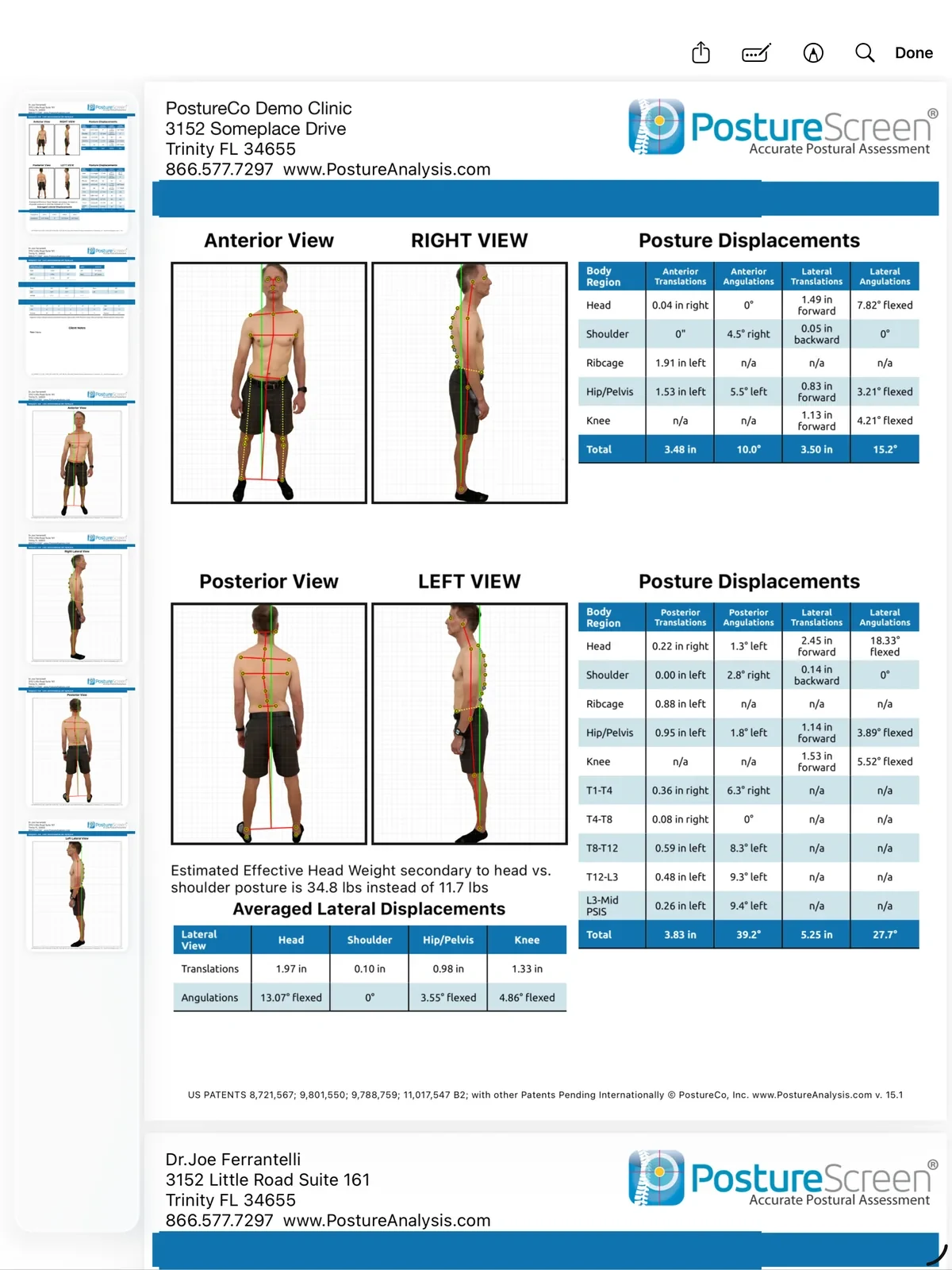
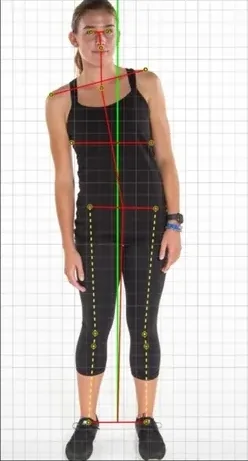
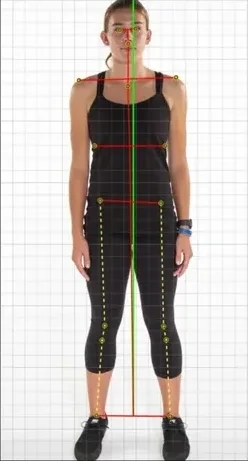
Take a front and a side photo. Computer vision-assisted landmark detection finds the points, and you always validate, so your client sees exactly what you see.
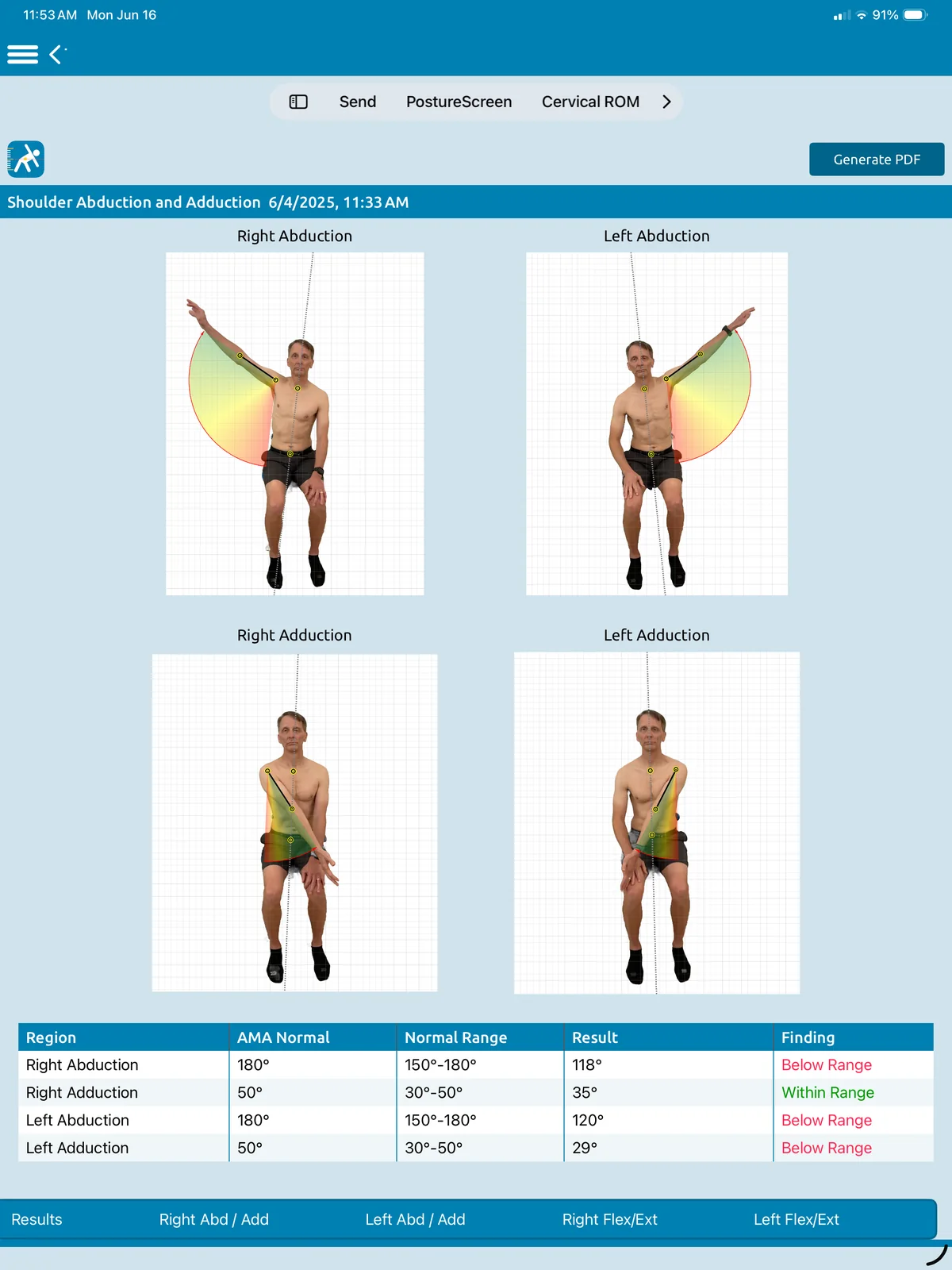
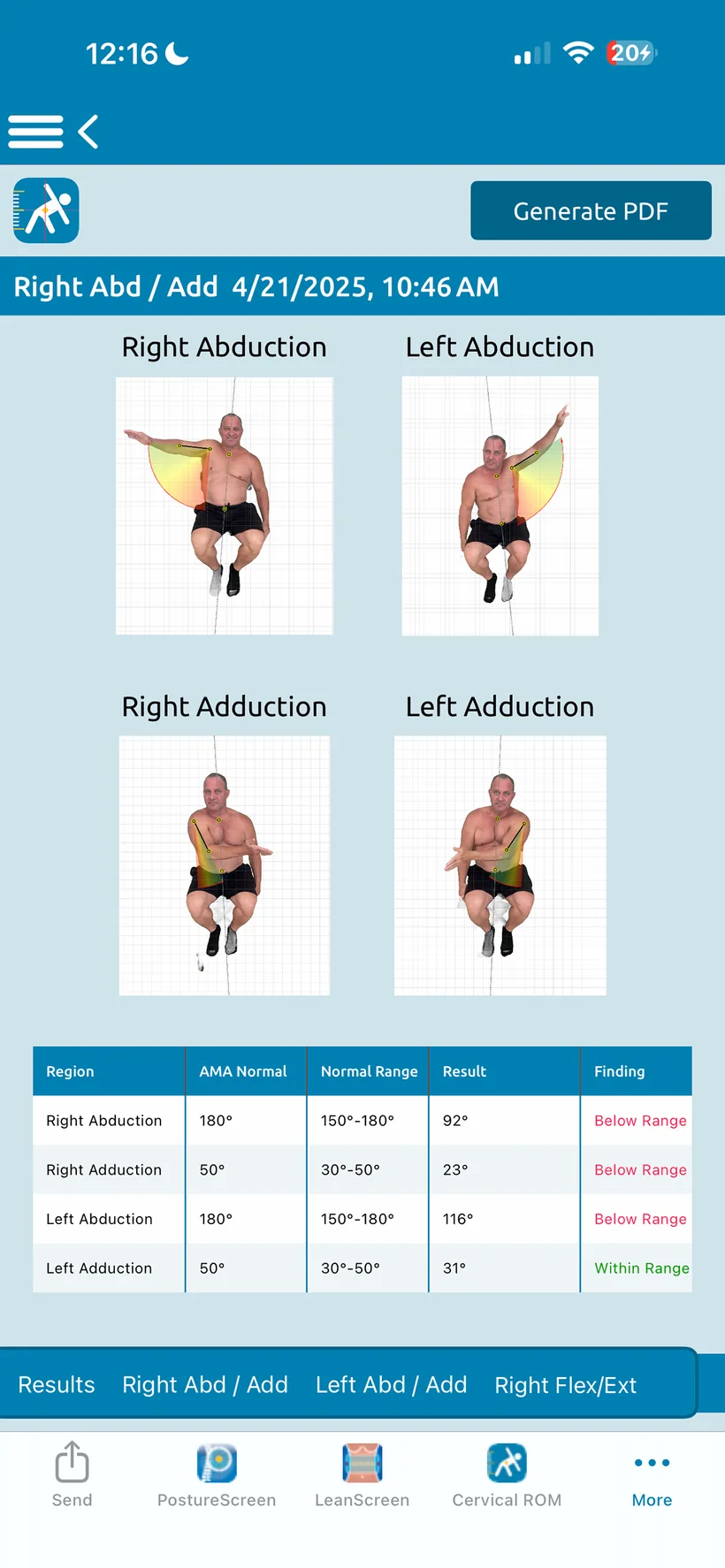
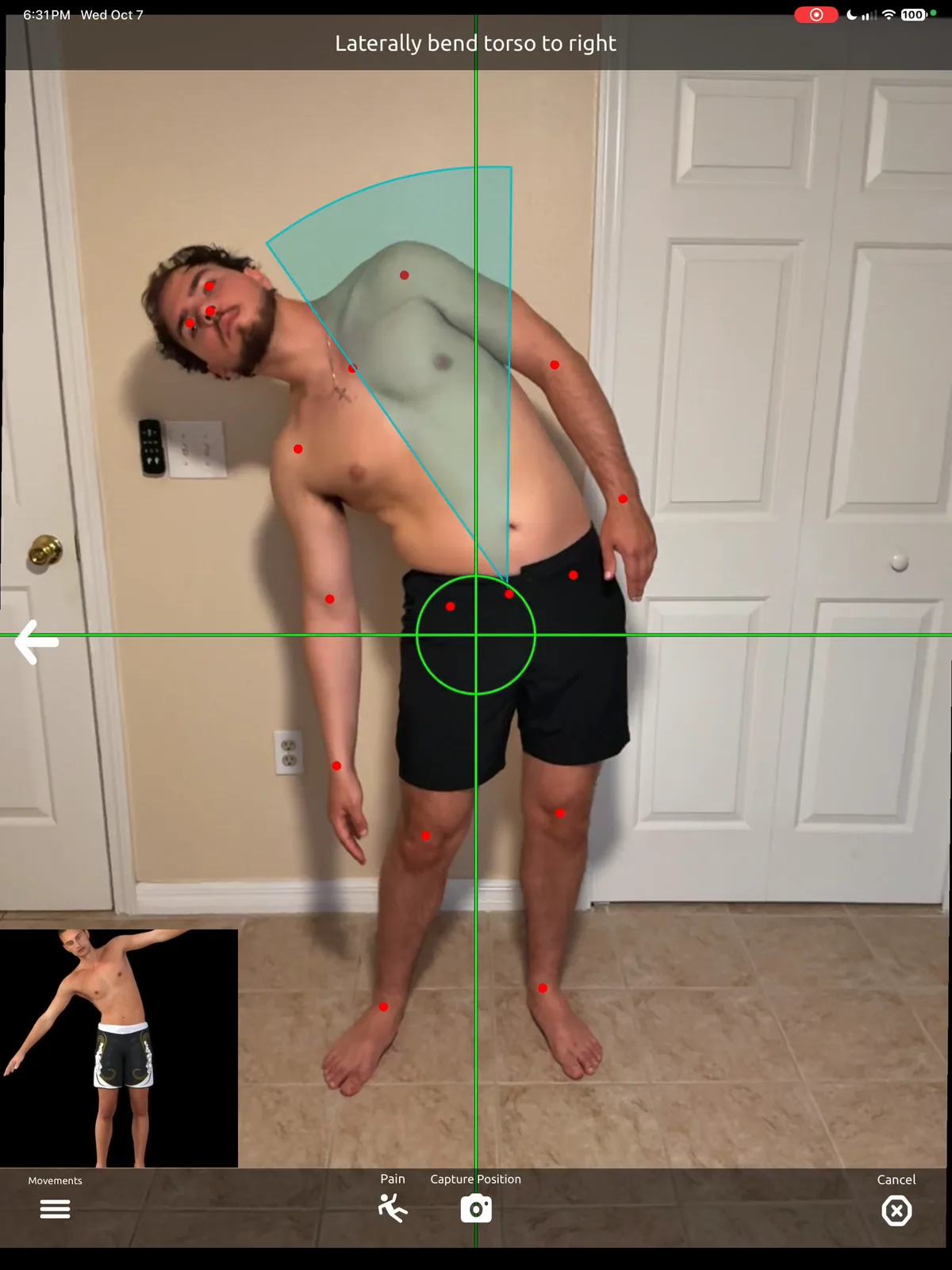
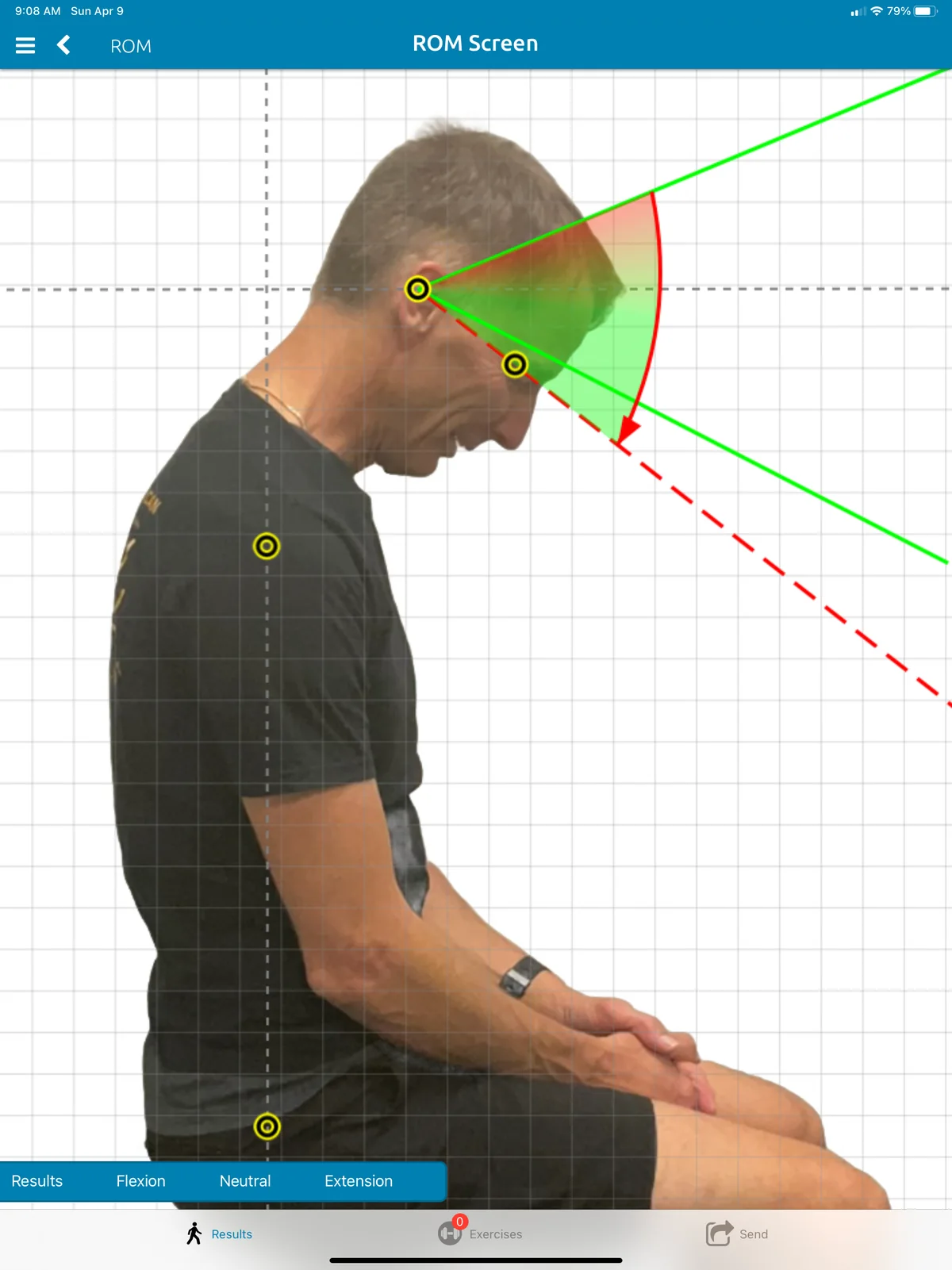
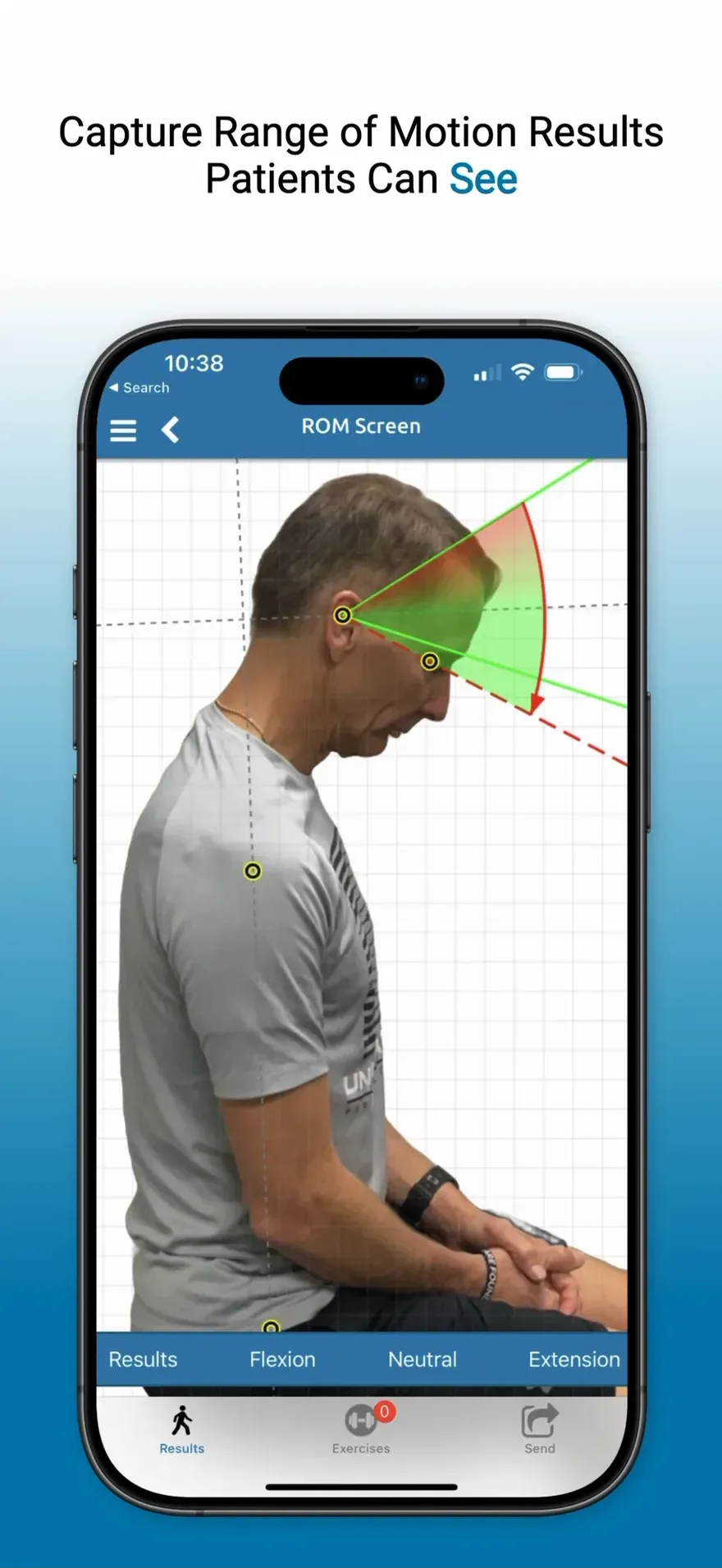
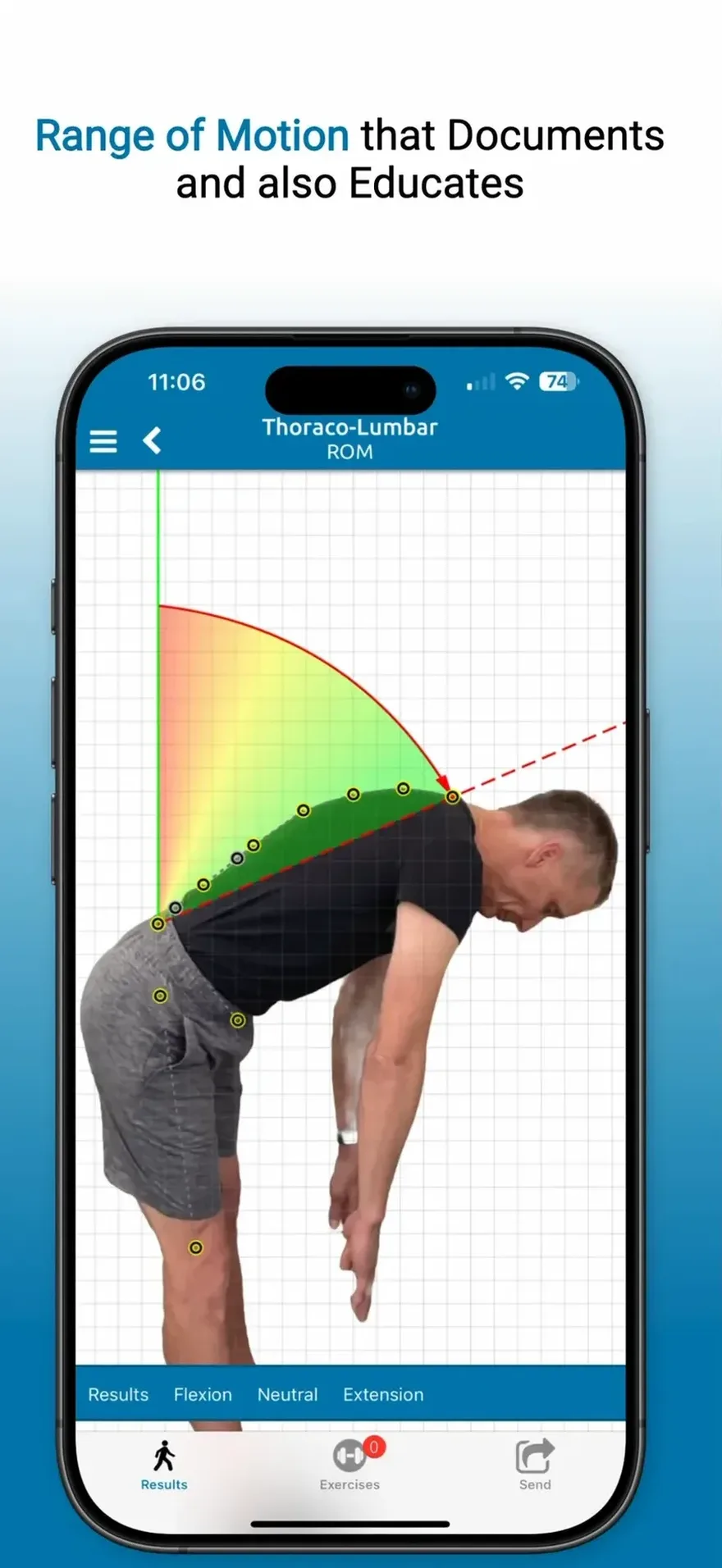
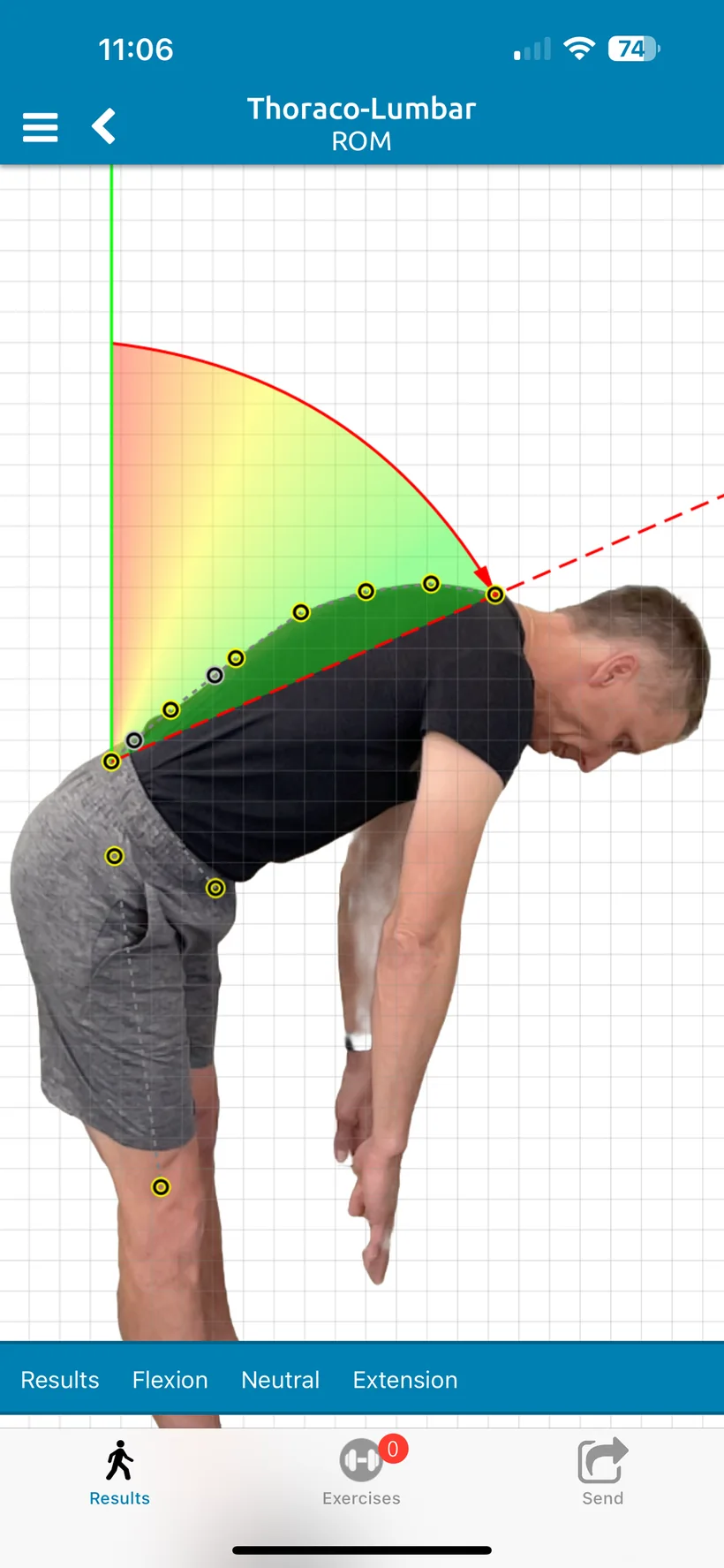
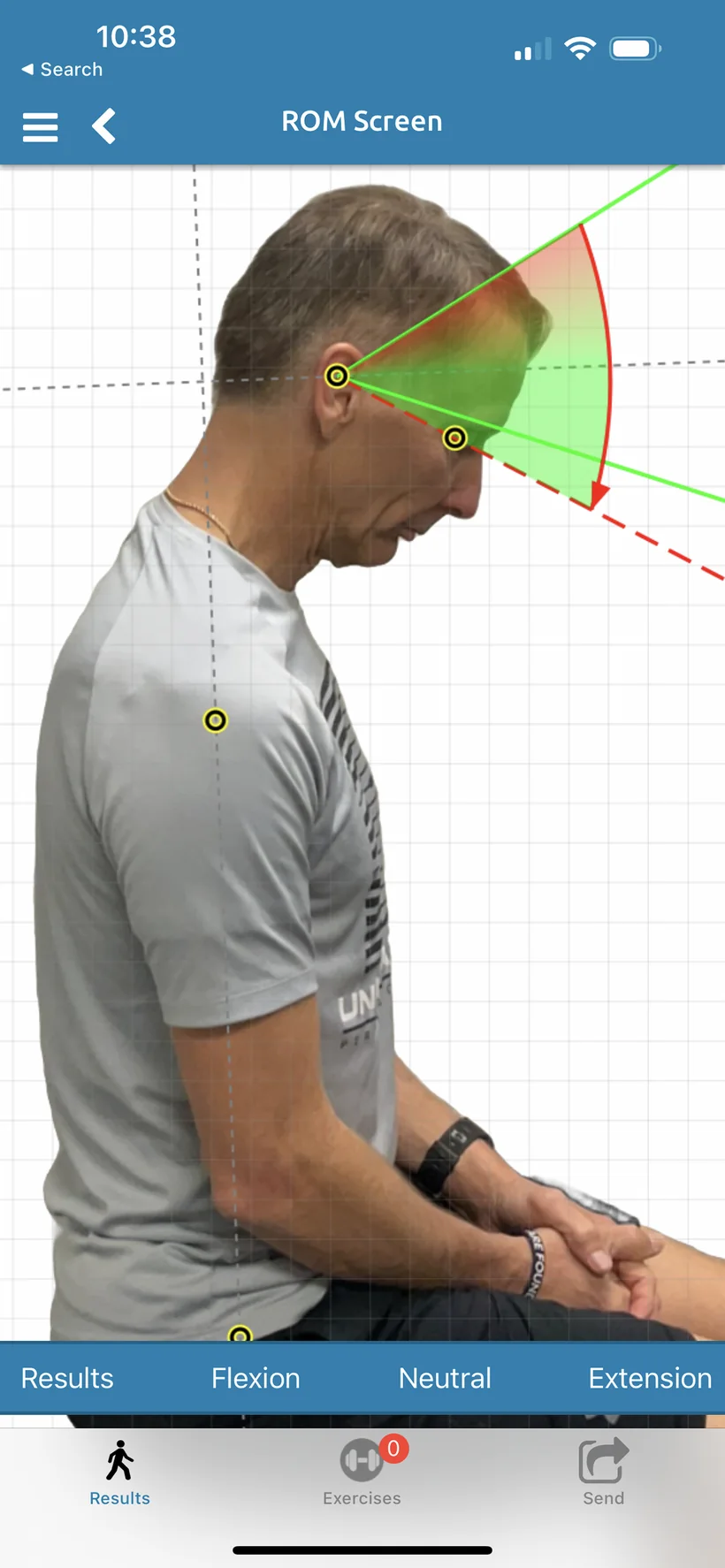
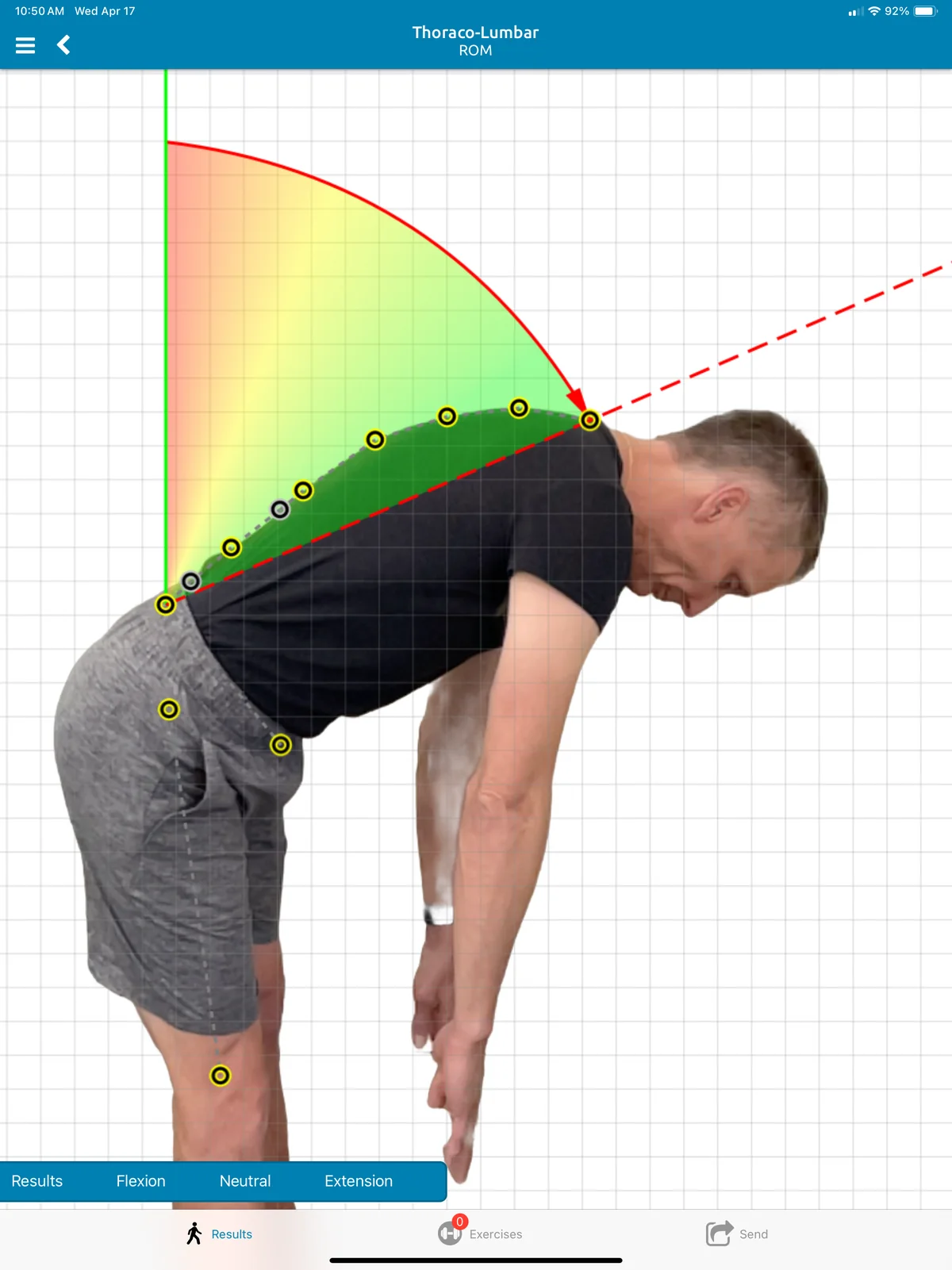
Cervical, thoraco-lumbar and shoulder ROM, measured with on-device sensors. Range of motion that documents and also educates.
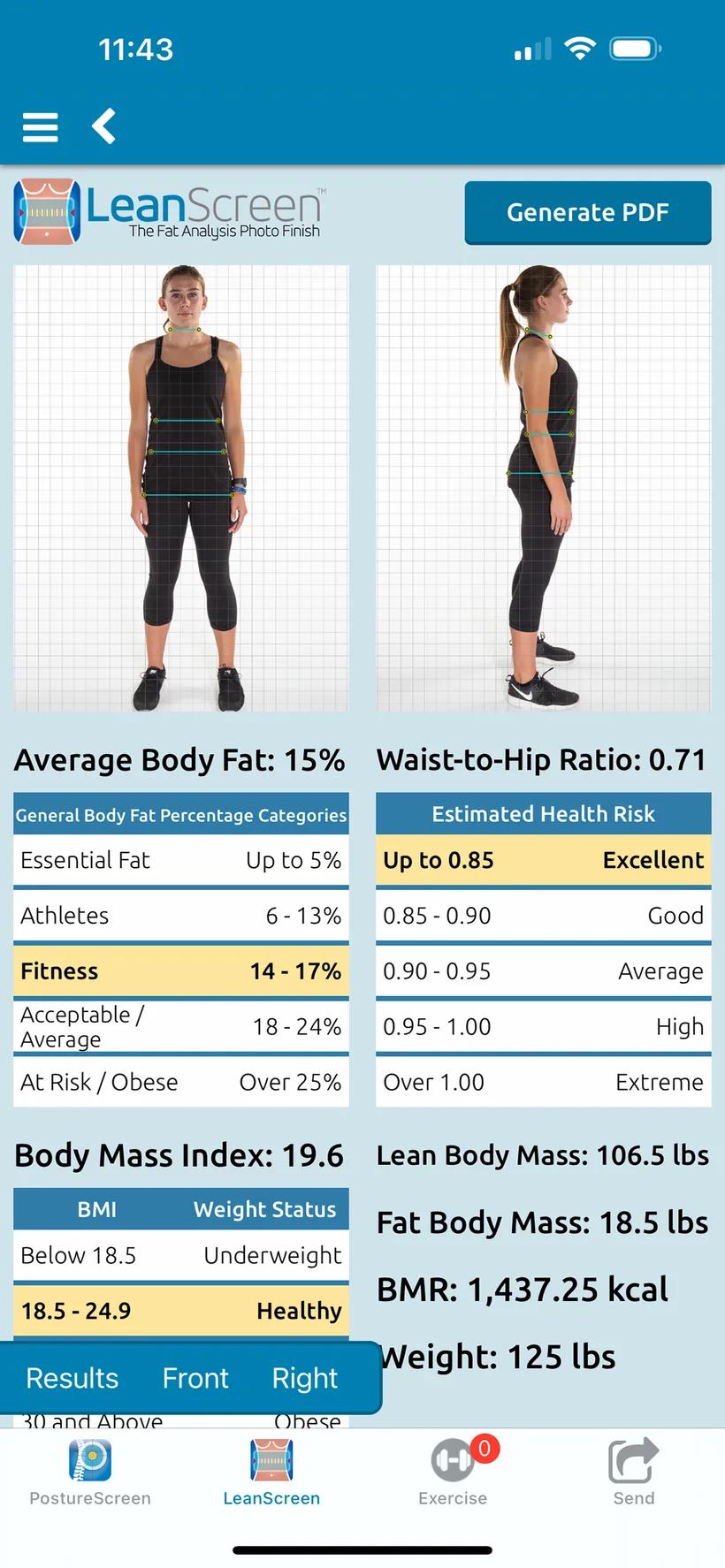
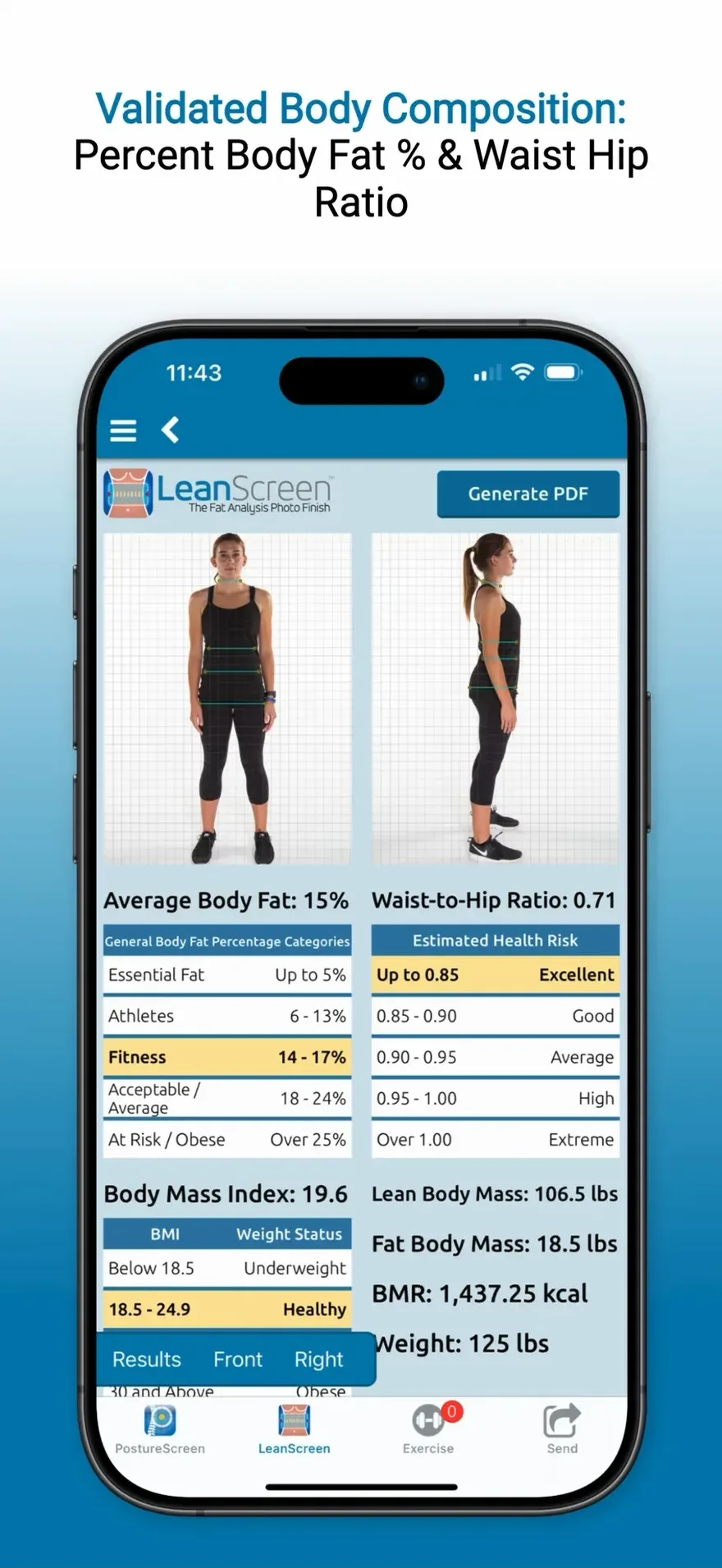
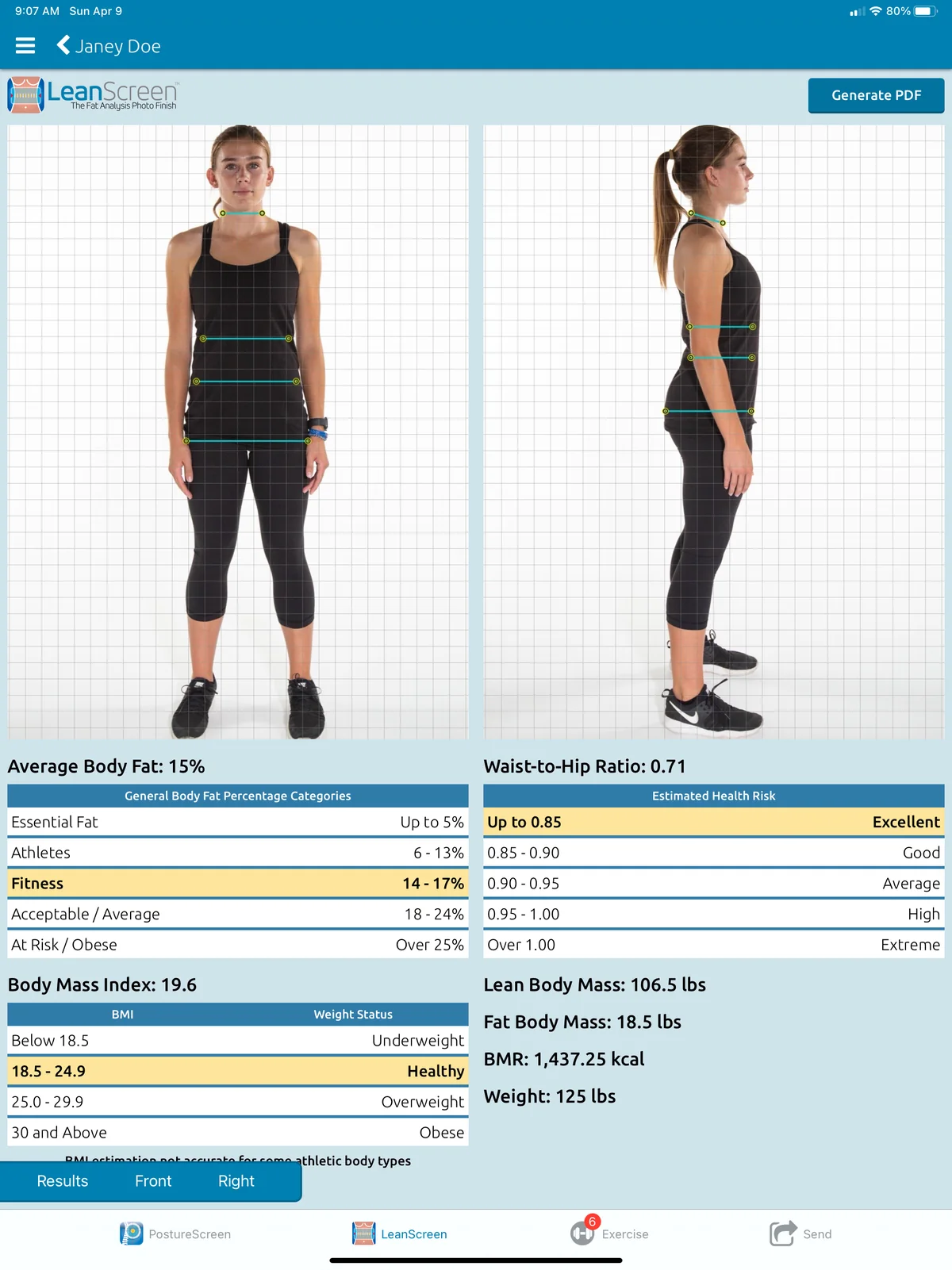
Percent body fat, waist-to-hip ratio, BMI, BMR, lean and fat body mass. No calipers or tape measures required.
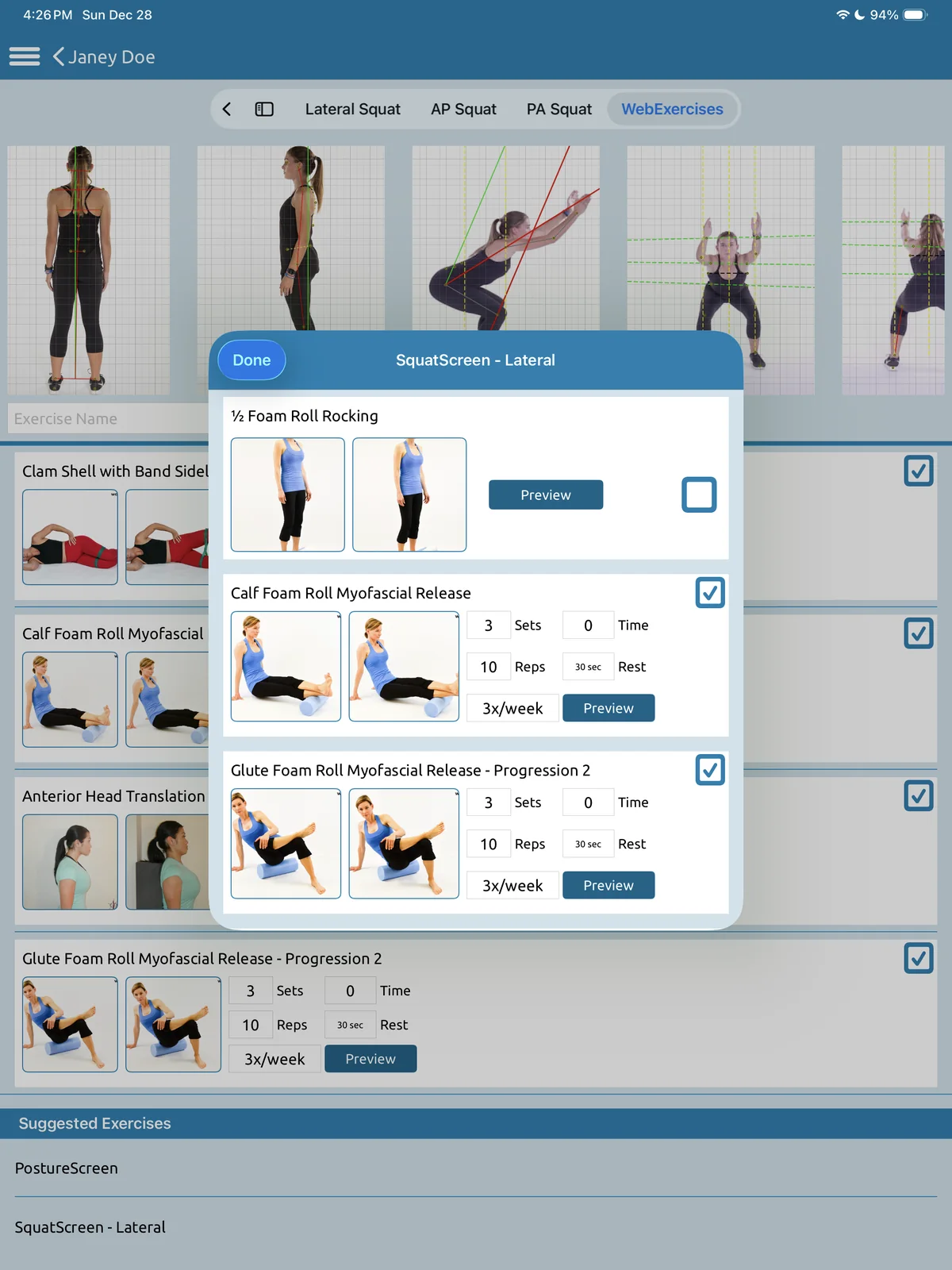
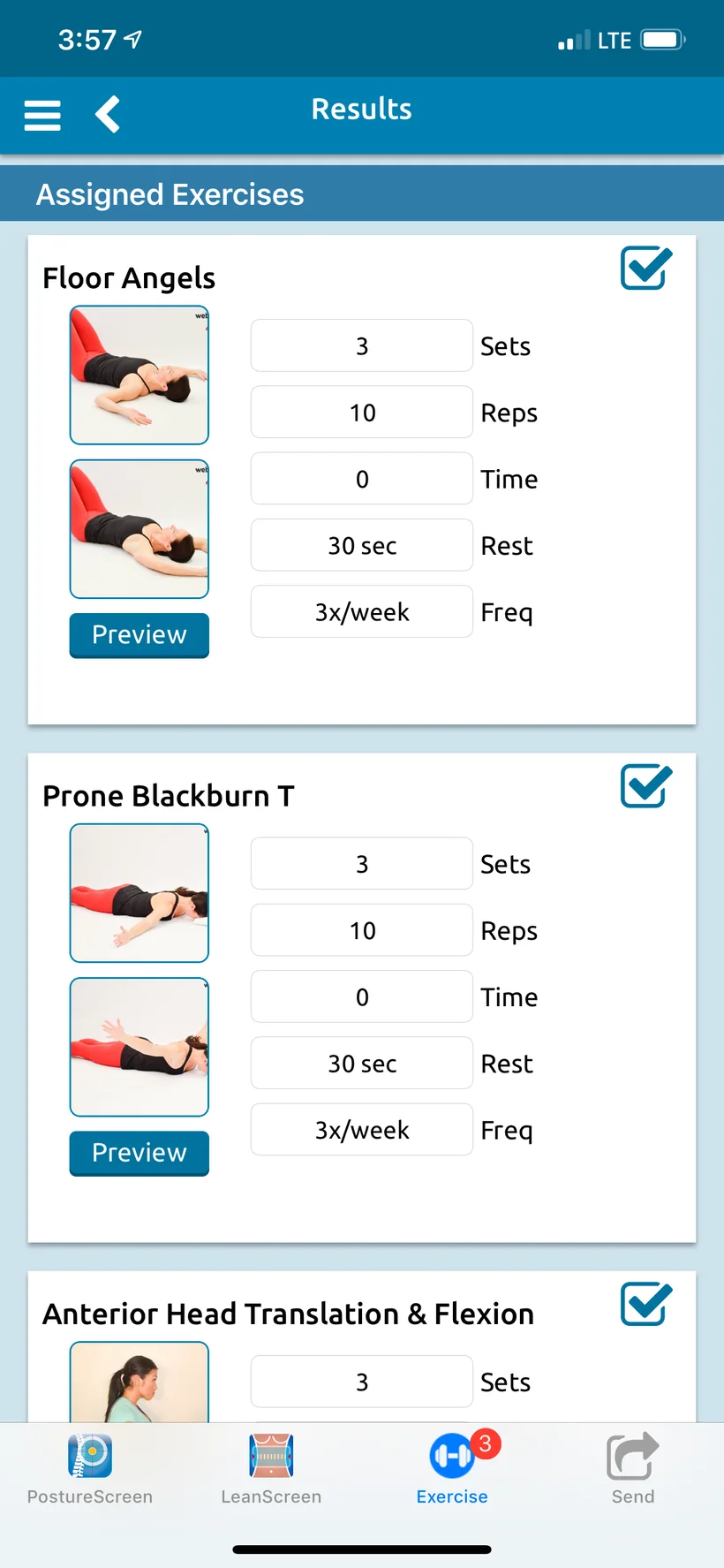
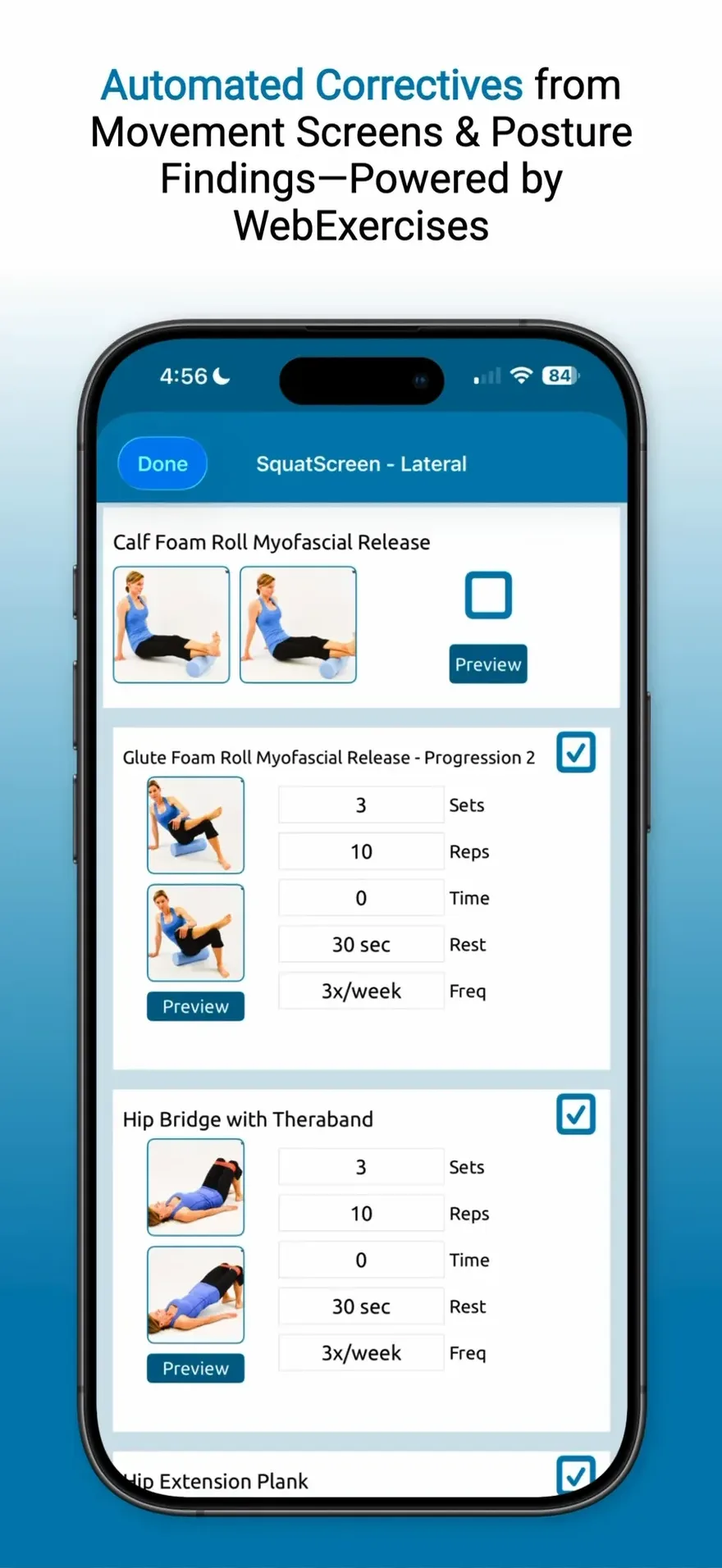
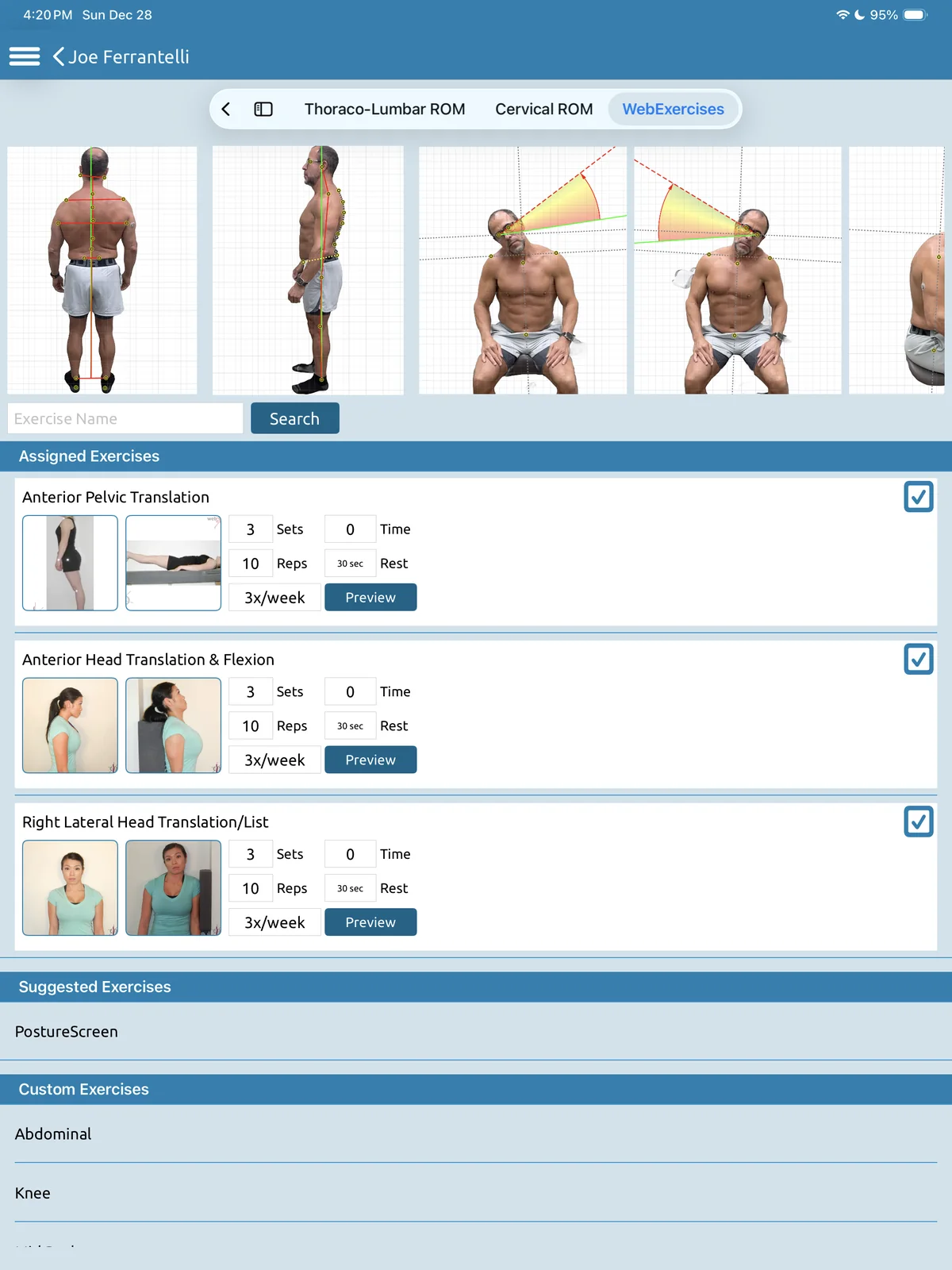
PostureScreen® links to corrective exercise protocols that you validate, matched to its findings, with sets, reps and frequency. WebExercises requires its own subscription.3
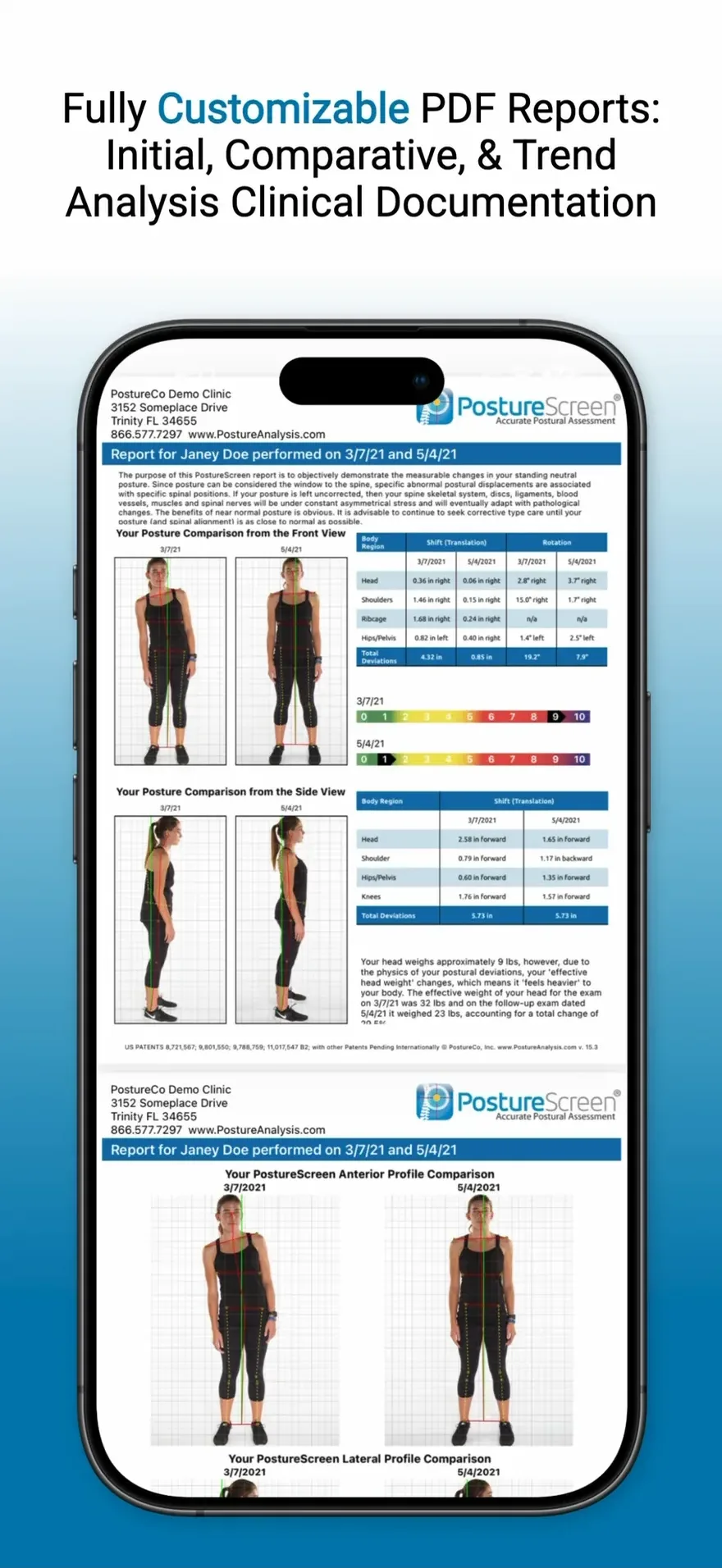
Every exam becomes a clear, easy-to-read client report and a detailed professional report in seconds, ready before your client leaves. Share them to Google Drive, Dropbox and select EHRs.3
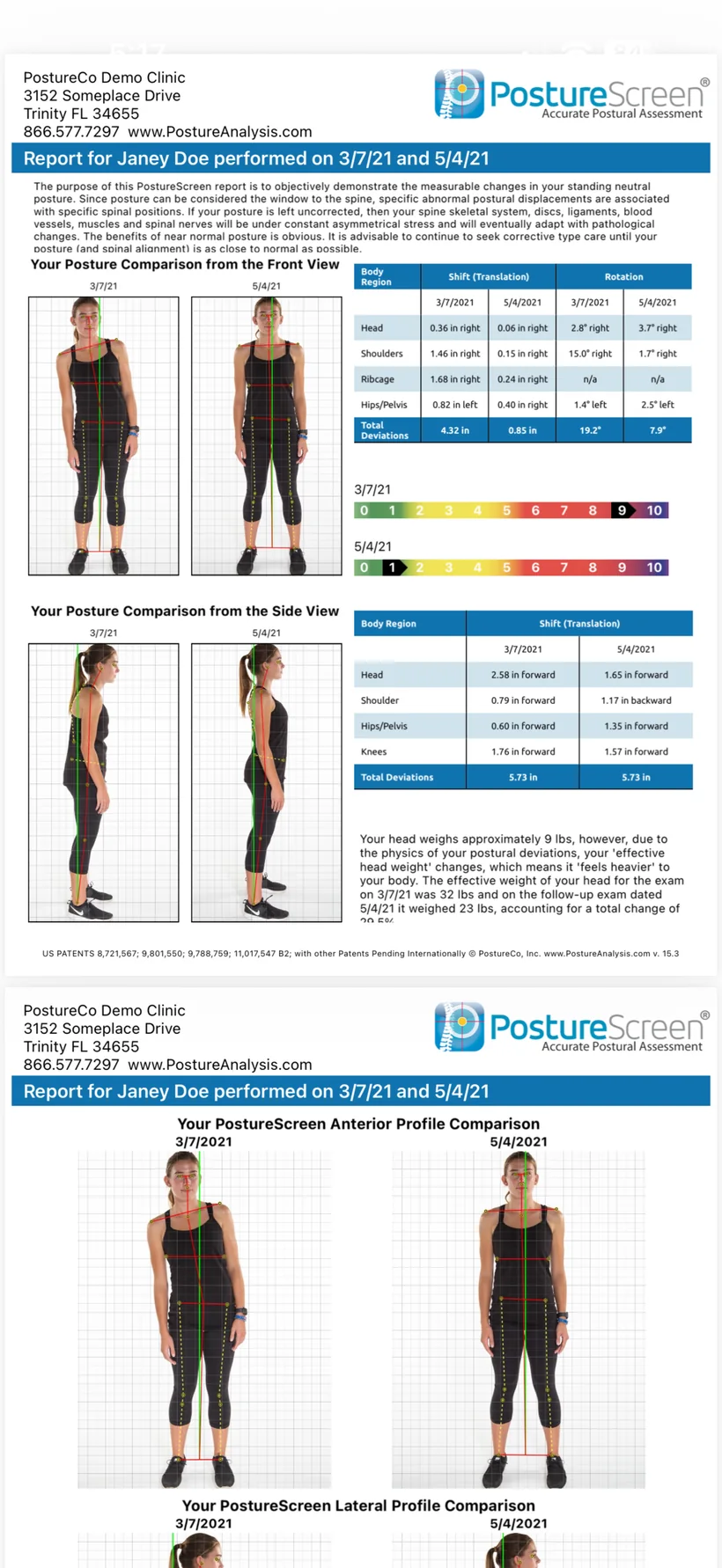
At the follow-up, the comparison report sets both visits side by side in front and side views, with the change in every shift, rotation and effective head weight. Trend reports follow up to six exams over time.
Computer Vision Assisted
Assessments, always in the palm of your hand.
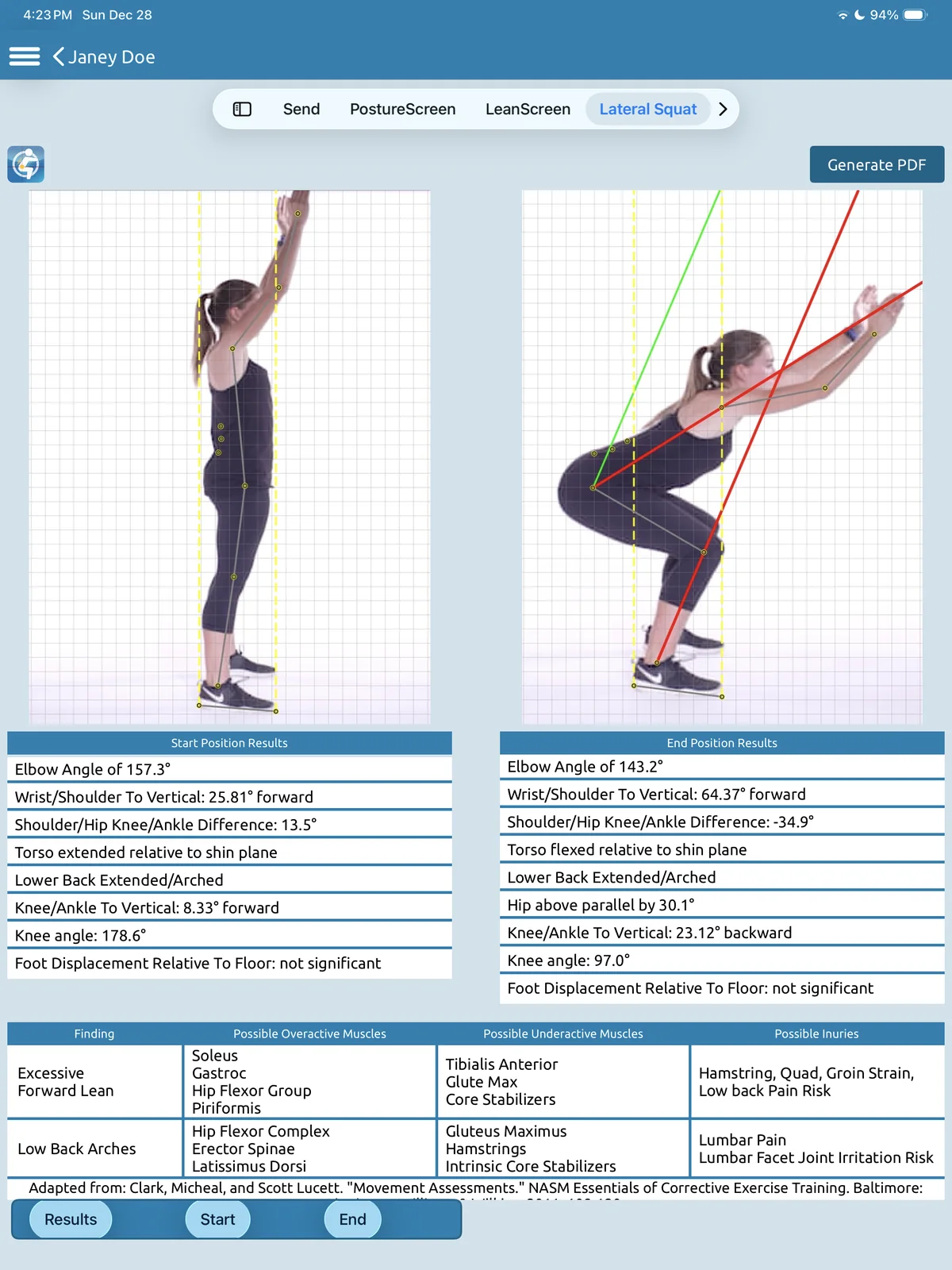
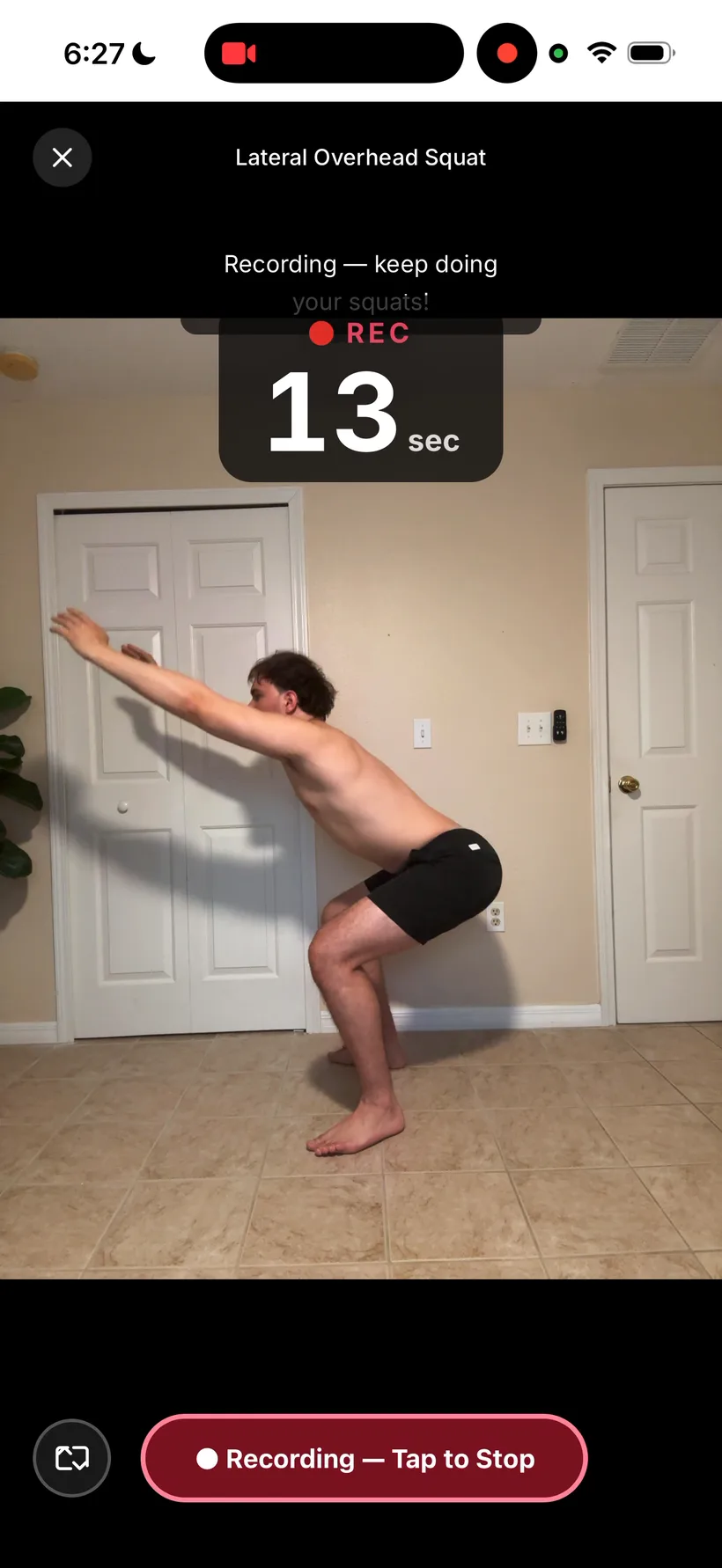
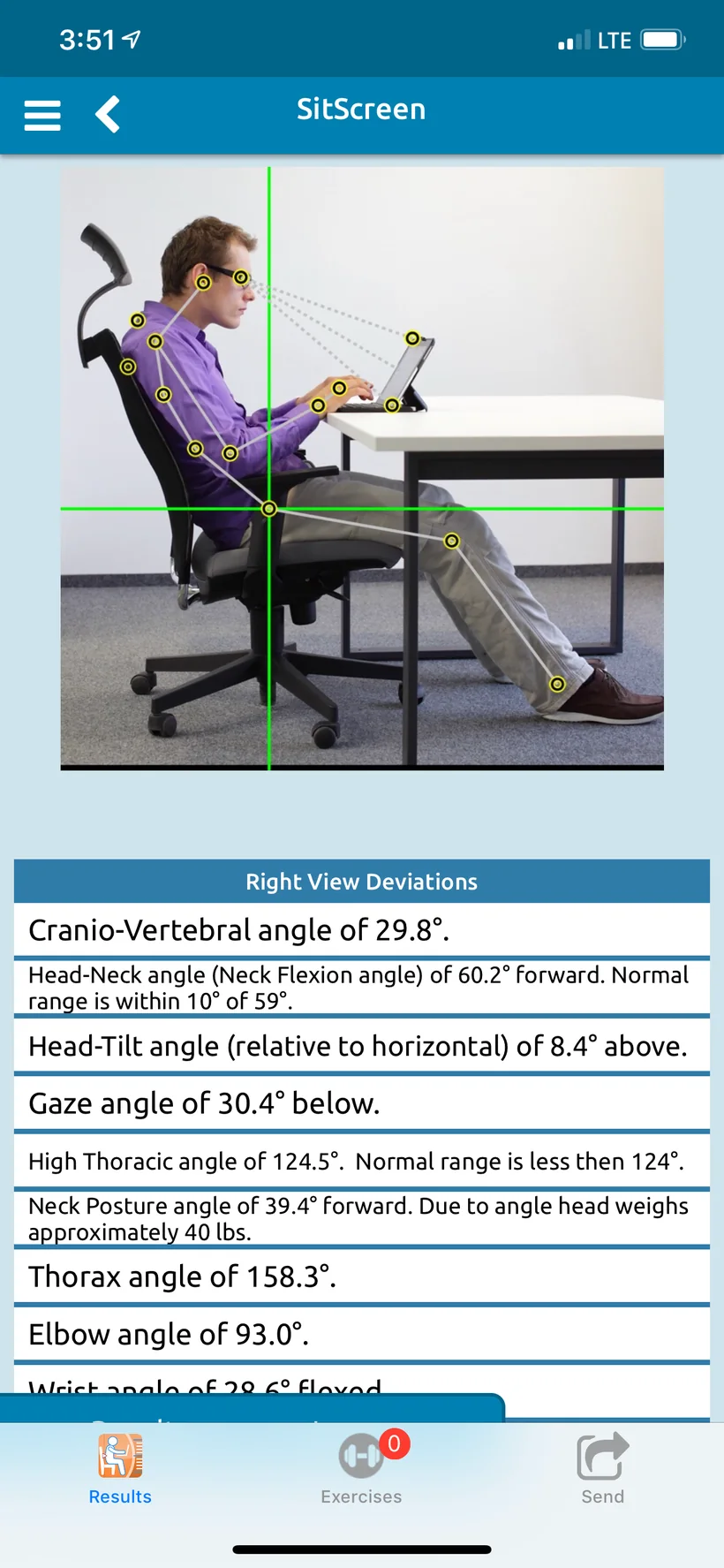
A wall of current PostureScreen and RemoteScreen screens on iPad and iPhone: posture, range of motion, SquatScreen, SitScreen, LeanScreen, WebExercises, PDF reports, and RemoteScreen’s voice-guided posture photo and squat video.
PostureScreen® on iPad and iPhone
Assessments anywhere, anytime.
PostureScreen® on iPad
Objective. Accurate. Marketable.
01
Posture
Computer vision-assisted landmark detection, and you always validate. Then it measures the angles and linear distances of posture displacements.
PostureCo’s software tools are intended for objective postural, movement, body composition, and radiographic measurement, documentation, and education purposes. They are designed for use by fitness professionals and licensed healthcare providers. These software tools are not medical devices and are not intended to diagnose, treat, cure, or prevent any disease or medical condition. All markings, landmark placements, and digitizations, whether manual or AI-assisted, must be reviewed and validated by the professional using the software. The user remains solely responsible for all interpretations, clinical judgments, diagnoses, and treatment decisions.
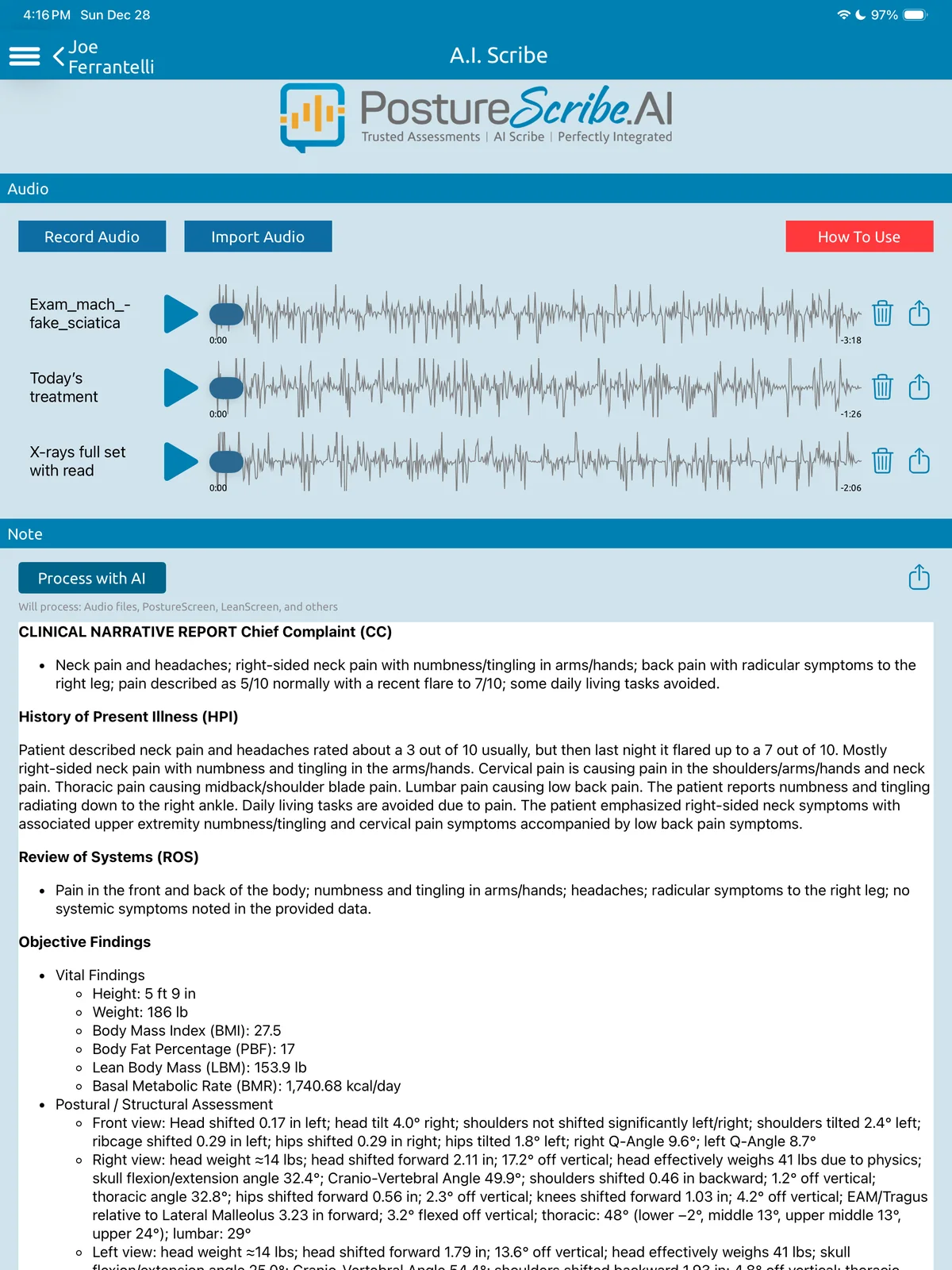
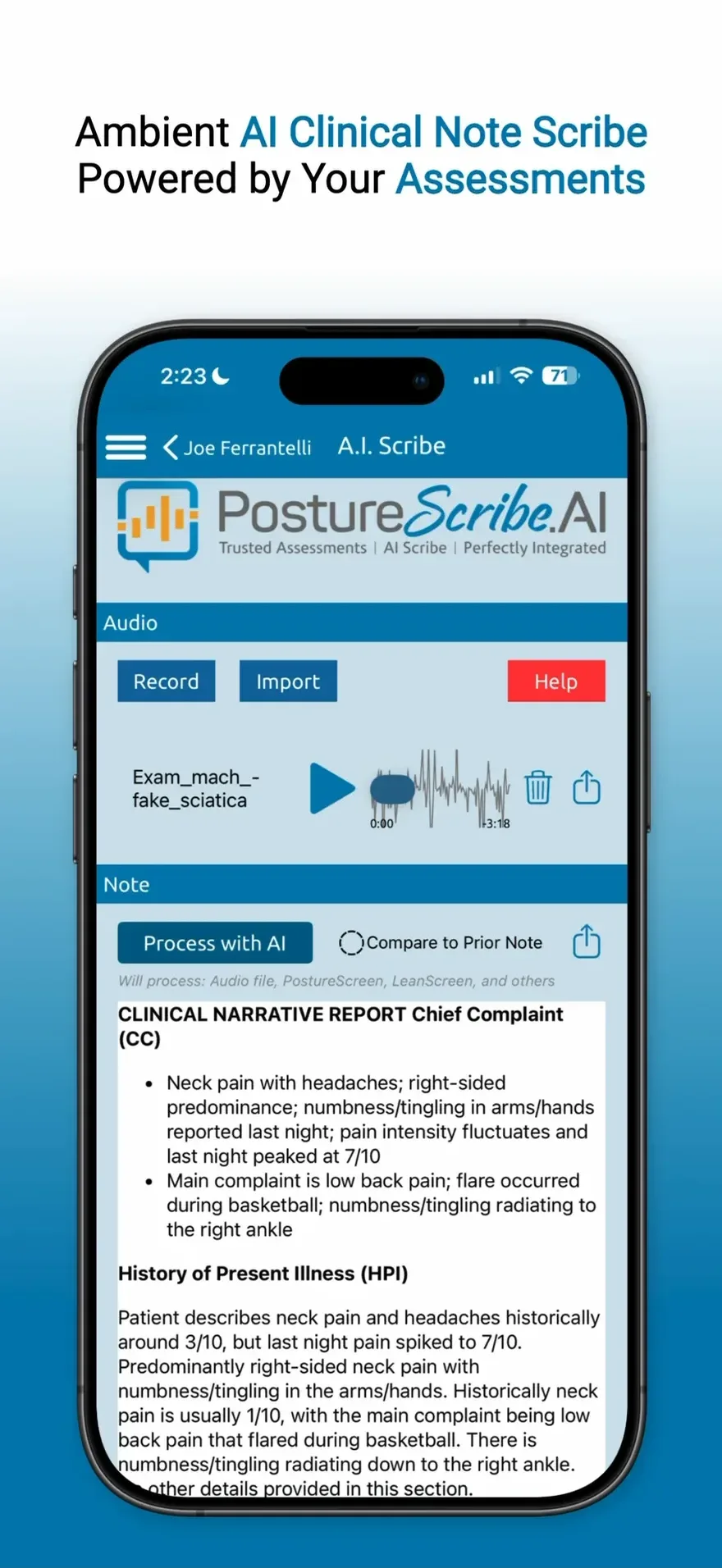
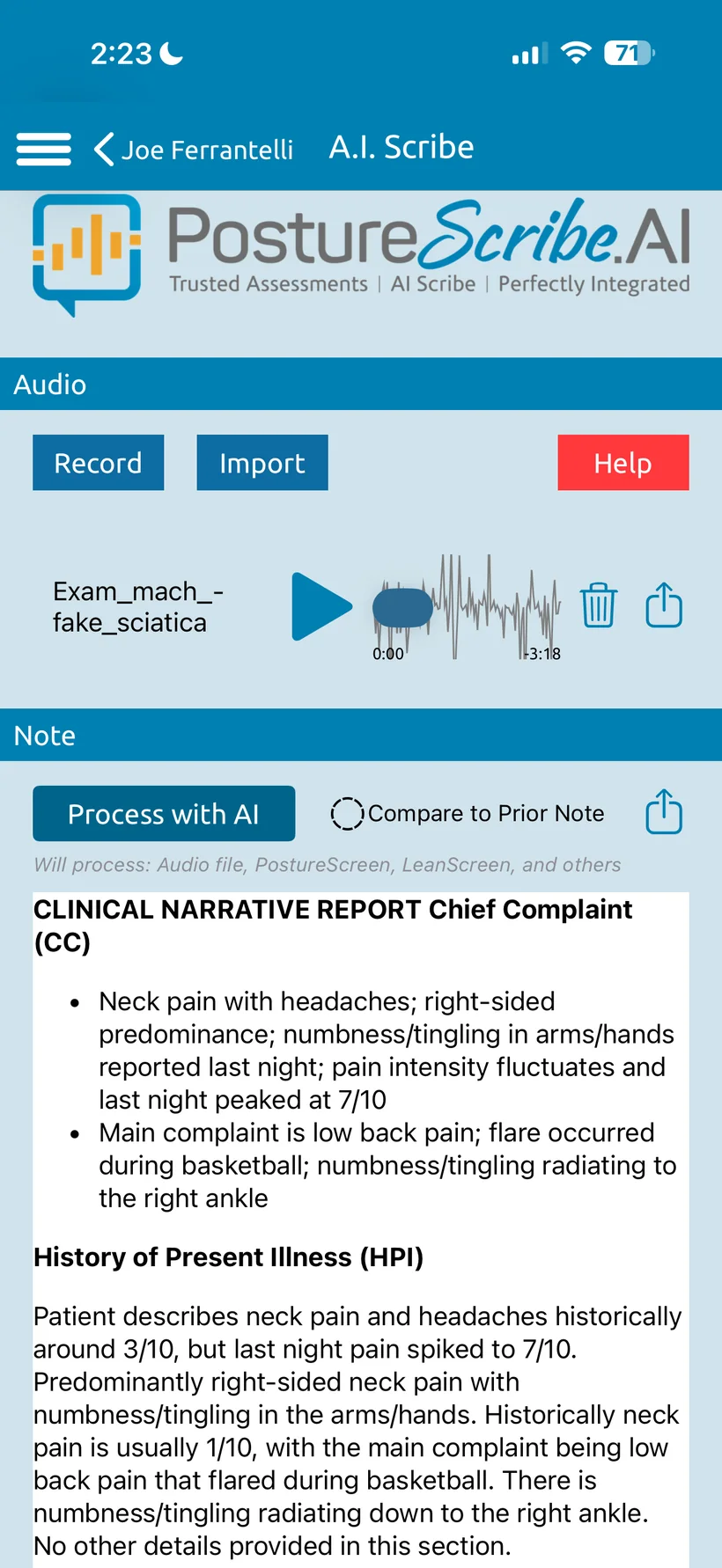
Other AI scribes need you to tell them what happened. PostureScribe.AI® already knows.
PostureScribe.AI® is the only ambient AI scribe that fuses your assessment data automatically with your real client conversations.
It listens while you work and turns the real conversation into SOAP notes and narratives instantly, with your posture, ROM, movement and body composition data already built in. No typing. No double entry.
$49.99 USD/month add-on with an initial 7-day free trial. USA only.2
Optional · opt-inPostureScreen® CloudAWS regional backup · AES at rest
On-device
Client data stays on the device by default, and you can protect it with your device passcode and the app’s own passcode lock.
Cloud
Optionally enroll in the cloud platform, also HIPAA compliant, with region-aware AWS backup.
Encryption
AES encryption at rest and TLS/SSL in transit, with segmented storage and temporary access tokens.
BAA
PostureCo™ signs Business Associate Agreements with Cloud Services and PostureScribe.AI® users in the United States, on request.
Privacy
Only PostureCo™ and its service providers under BAAs handle client PHI, and only as your BAA or the law allows. Cloud upload is opt-in.
GDPR
Region-aware AWS storage: you choose your Cloud Services region at setup (the United States if you don’t choose) and are responsible for picking the right one. A data processing agreement is available on request.
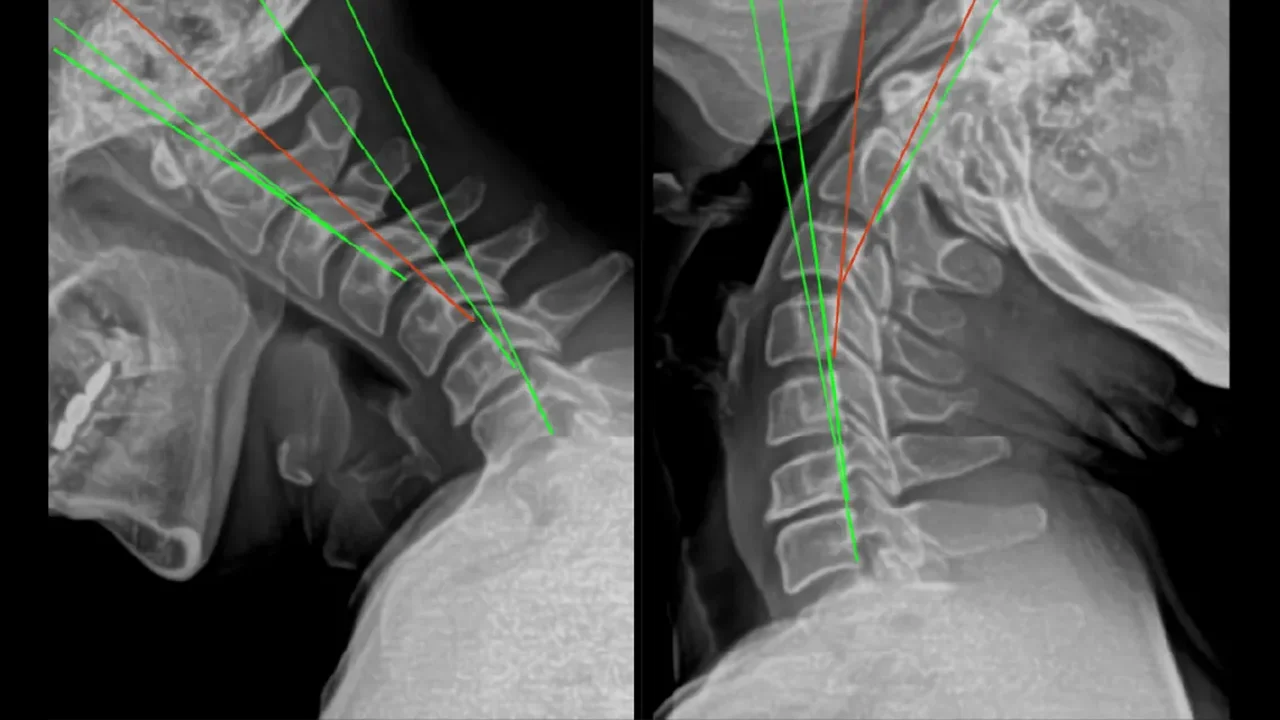
PostureRay® is the original, industry-leading x-ray mensuration and documentation software. Digitize, calibrate, measure and annotate spinal X-rays without replacing your existing X-ray or PACS system.
Windows-based software, available only to licensed healthcare professionals with radiology training.
One-time license of $5,999 USD, financing from $199 USD/month (US only).6
Illustrative demo films. The clinician validates every computer vision marking.
Voices
Nine practitioners. In their own words.
Tap a reel to play it with sound.
“For patients to be able to see the abnormality in their posture in a photograph of them is such a powerful communication and clinical treatment tool.”
Dr. Jason Jaeger Advanced Spine and Posture
“PostureScreen is the most advanced posture and functional assessment program in the profession. This app is a must for any health care professional that assesses posture.”
Dr. Tim Norton Health Chiropractic
“It can pick up postures that the naked eye might miss. … PostureScreen is a must have!”
Dr. Karri Cardinal Cardinal Chiropractic
“PostureScreen has been a game-changer in my practice. Unlike X-rays, patients easily connect with images of themselves, making it easier to understand their condition.”
Dr. Jason Miller Posture Works
“Our ‘Go To’ all thing’s assessment is PostureScreen! Its ease of use and diversity of assessments, make it the perfect tool for any office!”
Dr. Paul Reed The Unstoppable Chiro
“Sometimes seeing the posture is more impactful than looking at the x-ray for many patients. And usually the driving force to take action.”
Dr. Haasseem Mohammed Optimum Life Health Center
Which one is right for you?
Assessments, AI documentation and X-ray mensuration from PostureCo™.
PostureScreen® is a $59.99 USD one-time download that includes 30 days of unlimited use. After that, it is $24.99 USD/month or $249 USD/year for unlimited assessments, bought in-app through Apple. PostureScribe.AI® has an initial 7-day free trial.
Will it run on my iPad or iPhone?
PostureScreen® runs on iPhone and iPad and requires iOS 26 or iPadOS 26 or later. We recommend the most capable iPad you can reasonably afford. Compatible devices
Can my whole team use one subscription?
Each subscription supports up to 10 devices under the same account. Clinic chains, gym franchises and group practices can use PostureScreen® Enterprise. Enterprise
Do my clients pay for RemoteScreen®?
No. RemoteScreen® is free for clients, with nothing to download: it runs in your client’s own iPhone, Android phone or computer browser. You need a PostureScreen® Unlimited subscription on iOS plus Cloud Services.
Is RemoteScreen® available outside the USA?
Yes, for posture photos and movement videos, which are available worldwide. The AI-Guided Health History (RemoteScreen®’s AI voice intake) is available in the USA only at this time.
Which plan do I need for the AI-Guided Health History?
Cloud Services Platinum ($49.99 USD/month) or higher, plus a PostureScribe.AI® subscription ($49.99 USD/month). Platinum includes up to 12 intakes per month, and Diamond (coming soon) up to 25. The AI-Guided Health History is USA only at this time; every Cloud Services plan, from $9.99 USD/month, includes unlimited posture photo and movement video uploads, limited only by your storage, worldwide.
Do clients see their results in RemoteScreen®?
No. Their posture photos, movement video and body composition come to you, and you verify and edit the points just as if you had captured them on your own iPad. Everything is validated by you first. Use it for re-evaluations, follow-ups, reconnecting with clients who haven’t been in for a while, comparisons, remote monitoring, new clients, health talks and virtual exams. An ergonomic screen is coming soon.
Is it HIPAA compliant? Do you sign a BAA?
Yes. Client data stays on the device by default, and you can protect it with your device passcode and the app’s own passcode lock. The optional cloud platform is also HIPAA compliant, with region-aware AWS backup. PostureCo™ signs Business Associate Agreements with Cloud Services and PostureScribe.AI® users in the United States: send us a message to request one.
Where is client data stored?
On your device by default. Cloud upload is opt-in, with AES encryption at rest and TLS/SSL in transit. Only PostureCo™ and its service providers under BAAs handle client PHI, and only as your BAA or the law allows.
Do I need an EHR to use PostureScribe.AI®?
No. Direct import is available for select EHRs today, and you can copy and paste notes into any online EHR or send reports to a HIPAA compliant sharing service, such as a business Google Drive or Dropbox account covered by your BAA with that company. A cash practice can use it without an EHR: with your signed notes in Google Drive, it works like a lightweight EHR. If you work in healthcare, have your BAA with Google (or Dropbox) in place before you share any PHI.
Can I put my logo on reports?
Yes. With the Unlimited subscription you can customize report branding, including your colors and replacing the PostureScreen® logo with your own.



















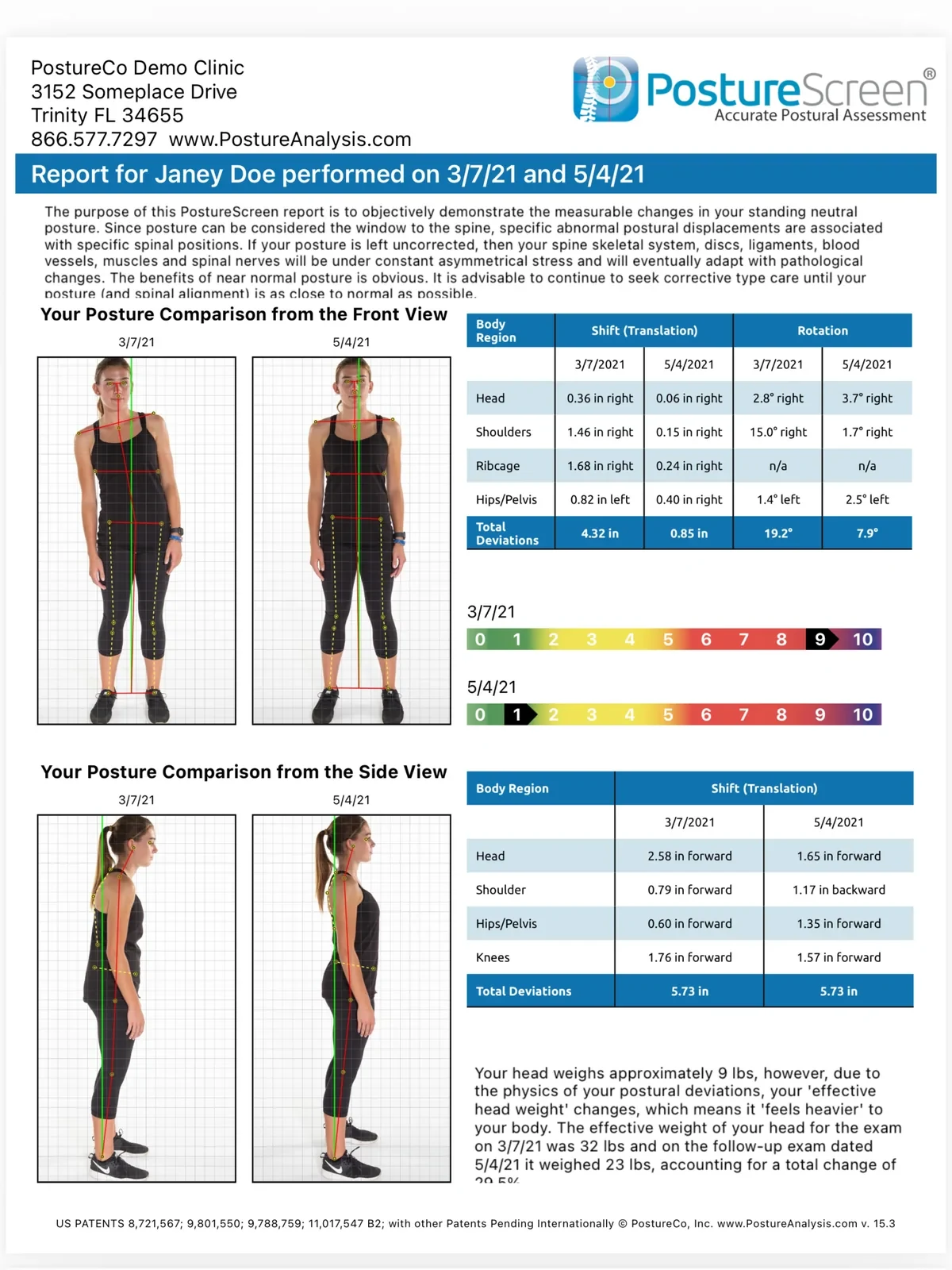
 First visit3/7/21
 Follow-up5/4/21