











New “Auto-Crop” and Non-Supported Augmented Reality Devices using auto digitization starting in version 11.9
Summary
In the following tutorial we will review how the new auto-digitization works both on A12 and newer devices supporting Augmented Reality and those devices that have older chips that do not support Augmented Reality.
iPhones and iPads must be on iOS15 or later for operating system. Android version is not supported.
You must be subscribed to the Unlimited Assessment Subscription to access this new premium feature.
 1:07
1:07
A12 Supported Device with Augmented Reality
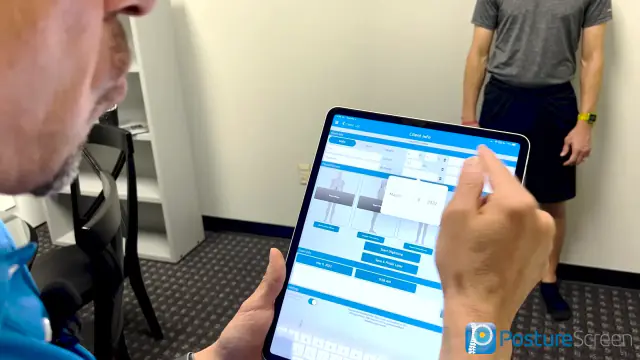 5:33
5:33
Older Non A12 Chip Non-Augmented Reality Supported Device
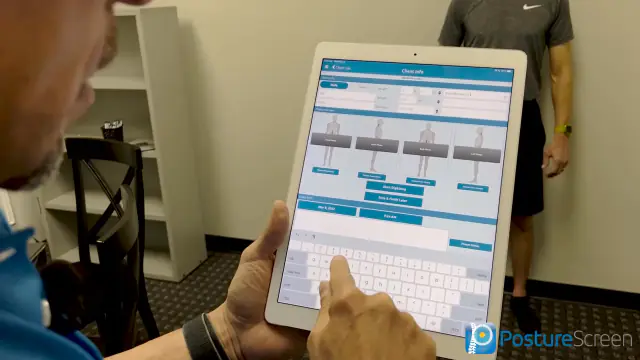 5:40
5:40
Related articles
-
 PostureScreen for iPad & iPhone
I do not want to use auto-digitizing
If you’re not a fan of the Auto-placement .ai feature, it is usually due to a lack of understand of some crucial steps missed by your…
2 min read
PostureScreen for iPad & iPhone
I do not want to use auto-digitizing
If you’re not a fan of the Auto-placement .ai feature, it is usually due to a lack of understand of some crucial steps missed by your…
2 min read
-
PostureScreen for iPad & iPhone
3D Practice Integration with PostureScreen
Tutorial forthcoming. Reach out to Support@PostureScreen.com via email if you have any questions.
Article
-
PostureScreen for iPad & iPhone
Advanced Thoraco-Lumbar Tangents and CVA/Skull Gaze Angle
In this tutorial we will review the new assessment update that allows you to turn on additional postural mensuration for both the 2-View…
Video · 15:451 min read
-
PostureScreen for iPad & iPhone
AirPlay Screen Mirroring
Please see the following link for AirPlay and Screen Mirroring
Article
-
PostureScreen for iPad & iPhone
Alternate Backdrop Calibration
In this tutorial, we’ll demonstrate how to calibrate a linear distance using a known reference measurement within the patient’s photo…
Video · 8:262 min read
-
PostureScreen for iPad & iPhone
Anatomical Landmarks for Posture Analysis
In this tutorial we will review the basic overview of the anatomical landmarks for postural assessment using PostureScreen Mobile. Please…
Video · 3:441 min read
Have a question?
Talk to the people who build PostureScreen and PostureRay.
PostureScreen support is by email. Live PostureRay support runs Monday through Friday, 9 AM–5 PM Eastern (excluding U.S. holidays).