











How to start a new assessment other then the default assessment
Summary
In version 10.3 of PostureScreen, LeanScreen, and SquatScreen, we moved to starting all new assessments with the dedicated assessment based on which application you downloaded.
So for example, if you downloaded PostureScreen, then all new clients with their first assessment, it defaults to a PostureScreen. Conversley, if your base app is LeanScreen, then your initial assessment will be a LeanScreen. This was done in order to save time.
Given the feedback we have received already for version 10.3, we have decided to build in the assessment selection menu on all new client assessments regardless and not choose to default, and let you as the user decide which assessment to begin with. This will be released in the next update.
For now, it is a simple work around, and this does not spend any credits if you you follow these steps if you are using the application off of a subscription.
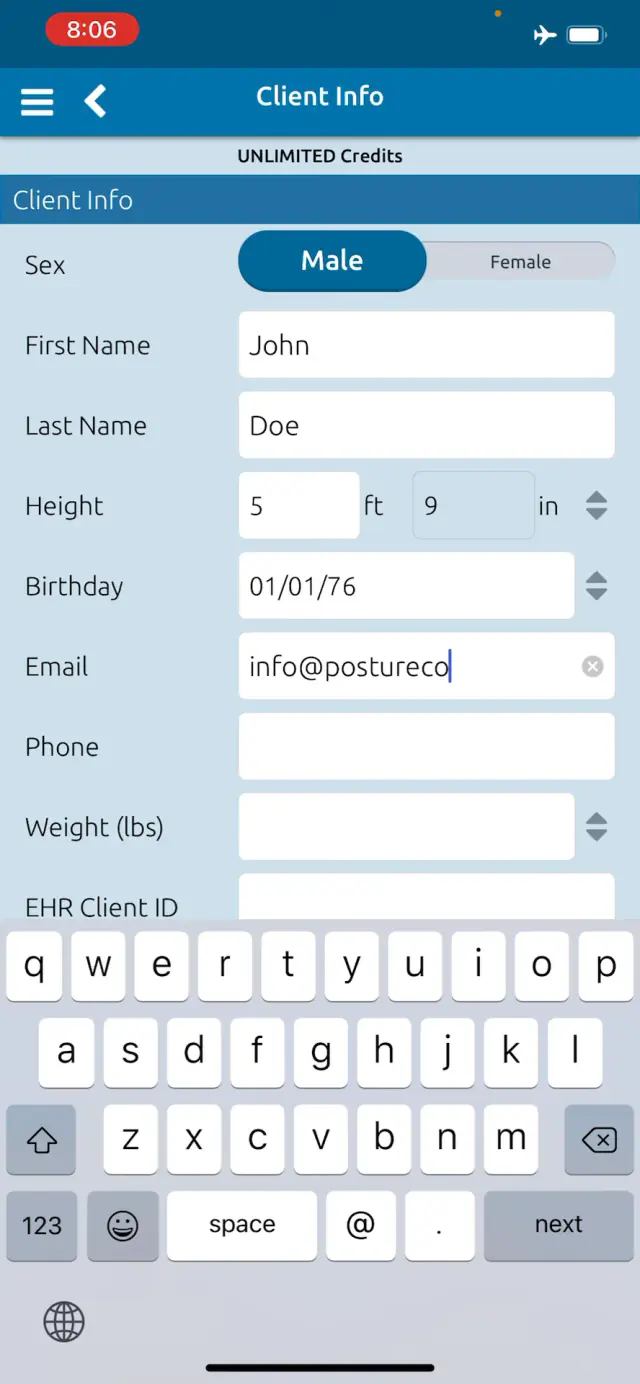 2:06
2:06
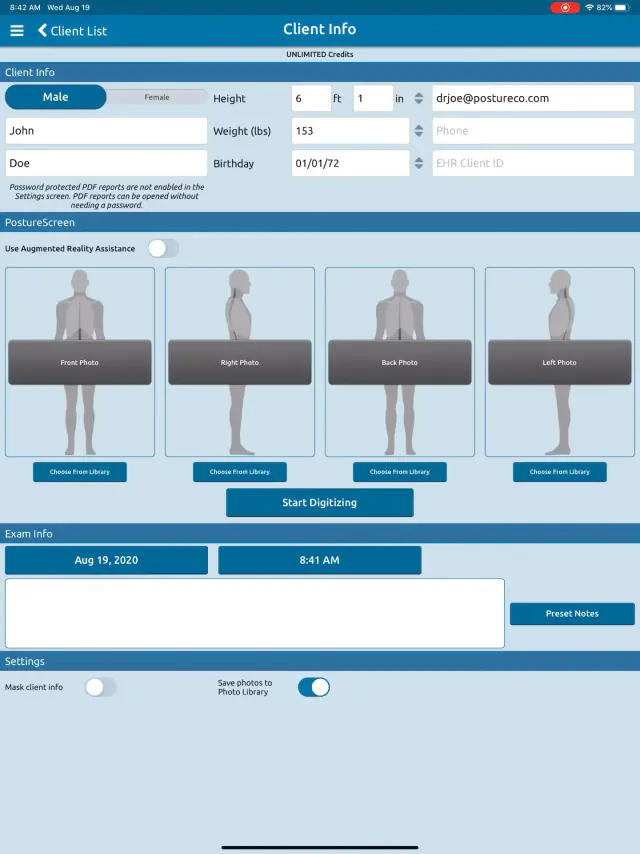 3:41
3:41
Related articles
-
 PostureScreen for iPad & iPhone
How to add an assessment to an existing client date of service.
Video tutorial (0:49): How to add additional assessments to an existing assessment.
Video · 0:49
PostureScreen for iPad & iPhone
How to add an assessment to an existing client date of service.
Video tutorial (0:49): How to add additional assessments to an existing assessment.
Video · 0:49
-
PostureScreen for iPad & iPhone
Enterprise version of PostureScreen
To serve the needs of larger facilities (gym franchises, clinic chains, and group practices with many therapists) we have created an easy…
4 videos · 26:153 min read
-
PostureScreen for iPad & iPhone
How to change Default Email in PostureScreen
Many users confuse the email listed in PostureScreen app itself vs. how set up with the actual emails used and mail client. First if you…
Video · 9:58
-
PostureScreen for iPad & iPhone
SquatScreen version 10.3
Starting in version 10.3 of our applications we updated the workflow for movement screens to allow us to expand for future assessments…
Video · 4:581 min read
-
PostureScreen for iPad & iPhone
Changing Exam Date
Many people ask how to change an exam date, as they likely are importing pictures from their camera roll. When you create an exam, it will…
Video · 1:041 min read
-
PostureScreen for iPad & iPhone
How to edit a Movement Screen
Regardless of which movement screen you have performed, this same processes is in place for editing points, background, orediting and…
Video · 4:13
Have a question?
Talk to the people who build PostureScreen and PostureRay.
PostureScreen support is by email. Live PostureRay support runs Monday through Friday, 9 AM–5 PM Eastern (excluding U.S. holidays).