











RemoteScreen – How to set up and use.
Summary
RemoteScreen is a companion application for clients/patients to securely share their photos and videos to their healthcare or fitness professional securely.
This is a free application for the client to use and available on both iOS and Android appstores. The healthcare or fitness professional will need to have both the Unlimited Usage Subscription along with a SyncScreen subscription in order to enable their RemoteScreen option. The professional can only use the iOS version of PostureScreen, LeanScreen or SquatScreen – the RemoteScreen does not work with the android version of PostureScreen at this time.
Learn More about SyncScreen Cloud Backup: Cloud Backup (formerly known as SyncScreen), RemoteScreen and Backup
Learn More about Unlimited Subscription: UNLIMITED use Subscription
Once you have BOTH the Unlimited Subscription and SyncScreen Cloud subscription you are ready to have your client download and install RemoteScreen.
If they are an existing client, you can simply open their client screening page on your PostureScreen, LeanScreen, or SquatScreen, and then send them an invitation email
Direct links to AppStores
Download from the App Store: https://appstore.com/posturecoinc/remotescreenconnect
or the Google Play store: https://play.google.com/store/apps/details?id=com.postureco.remotescreenandroid
This is a basic setup of the RemoteScreen client application.
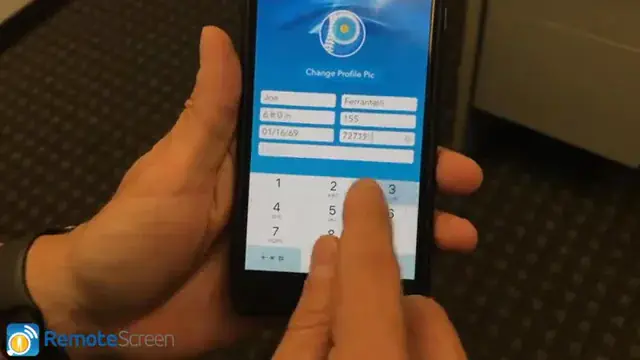 3:56
3:56
RemoteScreen Set up basics Tutorial (Patient/Client Application)
Related articles
-
 RemoteScreen
 Overview
RemoteScreen is the perfect companion app to PostureScreen, SquatScreen, and LeanScreen, enabling professionals to conduct remote…
2 videos · 12:201 min read
RemoteScreen
RemoteScreen Overview
RemoteScreen is the perfect companion app to PostureScreen, SquatScreen, and LeanScreen, enabling professionals to conduct remote…
2 videos · 12:201 min read
-
RemoteScreen
Downloading and Processing a RemoteScreen Movement Screen (Video)
In this tutorial we review how to download a client’s video for their movement assessment.
Video · 2:44
-
RemoteScreen
Downloading and Processing a RemoteScreen Posture Assessment
In this tutorial we will review how to process a RemoteScreen client upload in PostureScreen. RemoteScreen is the companion app used by…
Video · 5:472 min read
-
RemoteScreen
RemoteScreen Email Campaign Ideas
In this tutorial we review just some basic ideas we recommend you use if you are doing an email campaign to market for your virtual…
Video · 4:561 min read
-
RemoteScreen
RemoteScreen Invitations – Sending Client RemoteScreen Code
In the following tutorial we will review how to invite both an established client / patient and non-established client / patient to your…
Video · 2:281 min read
-
RemoteScreen
RemoteScreen Setup and First Use for Client/Patient
Learn how to set up the RemoteScreen app on your iPhone for virtual posture assessments! 📲 This easy-to-follow tutorial walks patients…
2 videos · 13:074 min read
Have a question?
Talk to the people who build PostureScreen and PostureRay.
PostureScreen support is by email. Live PostureRay support runs Monday through Friday, 9 AM–5 PM Eastern (excluding U.S. holidays).