











Cloud Backup Services (Formerly known as SyncScreen): Adding additional users
Summary
In this tutorial we will walk you through how to add additional users to Cloud access.
It is highly recommend you only have owners with access to “Admin” feature, as this is powerful and can allow for remote deleting a database and deleting other users. It is highly suggested thus Admin accounts only are used only by a trusted person.
Note: When you use PostureScreen, SquatScreen, or LeanScreen apps with cloud across multiple devices, please make sure they are all on the same app version. If they are not, older versions of the application may not be able to see client data that was generated on newer versions of the application.
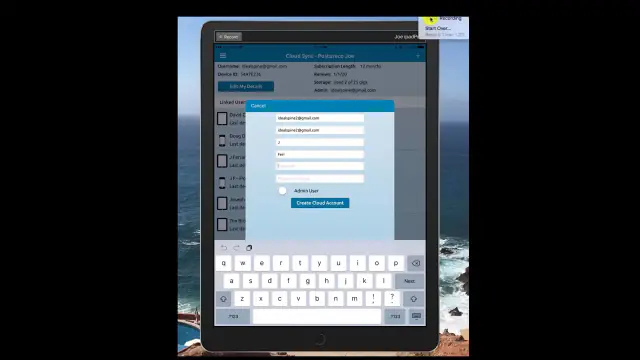 3:09
3:09
Related articles
-
 PostureScreen for iPad & iPhone
Cloud Backup Services (Formely known as SyncScreen) – Sharing accounts – multiple devices tutorial
In this tutorial we review how to have one account, and share with another device. You must have already created a cloud backup services…
Video · 4:341 min read
PostureScreen for iPad & iPhone
Cloud Backup Services (Formely known as SyncScreen) – Sharing accounts – multiple devices tutorial
In this tutorial we review how to have one account, and share with another device. You must have already created a cloud backup services…
Video · 4:341 min read
-
PostureScreen for iPad & iPhone
Cloud Backup (formerly known as SyncScreen), RemoteScreen and Backup
What is our Cloud Solution: Cloud Backup Subscription Service (formerly known as SyncScreen Cloud)
8 videos · 37:426 min read
-
PostureScreen for iPad & iPhone
Cloud backup Error/Renewal
SyncScreen has rebranded to Cloud backup services If you are having an issue and it appears that your subscription to cloud backup…
1 min read
-
PostureScreen for iPad & iPhone
Cloud Backup Services – Manage device space, deleting examinations
Please note SyncScreen was rebranded to Cloud Backup Services. In this tutorial we review how you can save space on your device by…
Video · 6:21
-
PostureScreen for iPad & iPhone
Cloud Backup Services – Remote Wipe (Delete) Database
Note: SyncScreen has rebranded to Cloud Backup Services As an Administrator account in cloud backup services, you can remote wipe and…
Video · 4:561 min read
-
PostureScreen for iPad & iPhone
Cloud Backup Services – Reset password
Please note: SyncScreen has rebranded to Cloud Backup Services. In this tutorial we will review how to reset a Cloud Backup Services…
Video · 4:04
Have a question?
Talk to the people who build PostureScreen and PostureRay.
PostureScreen support is by email. Live PostureRay support runs Monday through Friday, 9 AM–5 PM Eastern (excluding U.S. holidays).