











Editing or moving automatically applied computer vision determined digitized points in PostureScreen
Summary
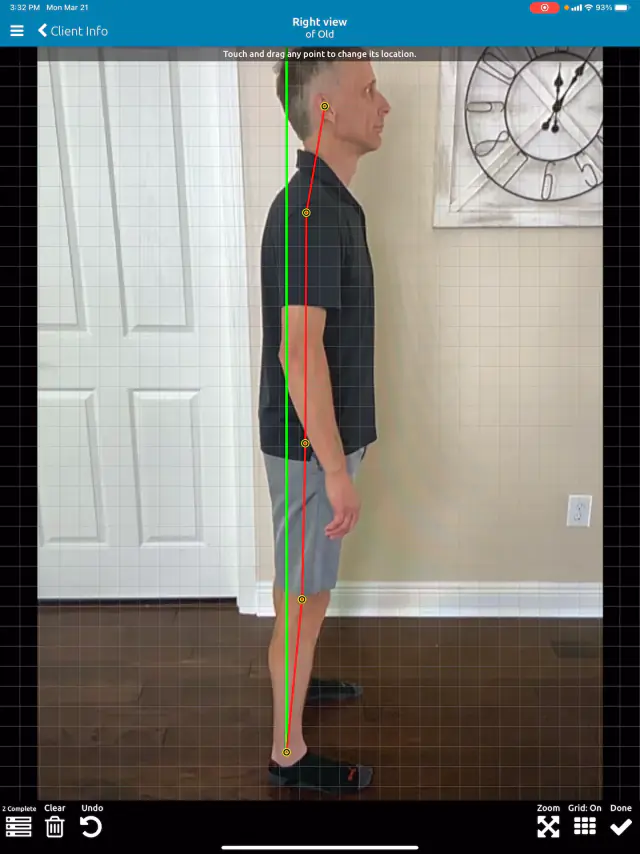
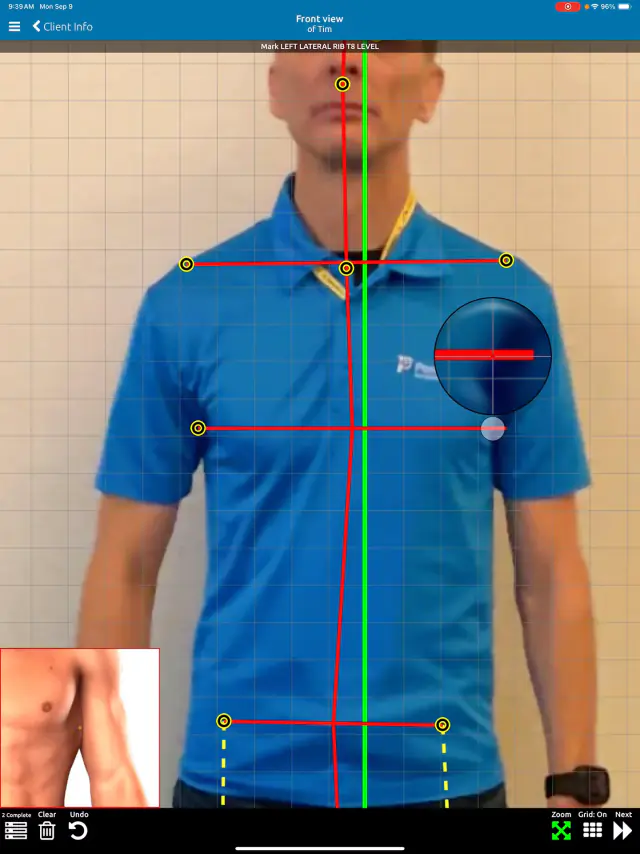
In this tutorial we will show you two methods of moving and or correcting points which were applied with computer vision.
Related articles
-
 PostureScreen for iPad & iPhone
SquatScreen Zoom Workaround
In this video we show how to work around the zoom that occurs with autozoom on the squatScreen module. This will be addressed in future…
Video · 1:53
PostureScreen for iPad & iPhone
SquatScreen Zoom Workaround
In this video we show how to work around the zoom that occurs with autozoom on the squatScreen module. This will be addressed in future…
Video · 1:53
-
PostureScreen for iPad & iPhone
Edit Colors, Branding Logo, Report and Email Templates Module (iOS)
This powerful module is ideal for professionals who want full control over their branding. Customize both your outgoing email templates…
Video · 9:022 min read
-
PostureScreen for iPad & iPhone
Edit prior prescribed exercise program
In this tutorial we will review how to edit an previously prescribed exercise program.
Article
-
PostureScreen for iPad & iPhone
How to edit a Movement Screen
Regardless of which movement screen you have performed, this same processes is in place for editing points, background, orediting and…
Video · 4:13
-
PostureScreen for iPad & iPhone
How to edit and change body weight?
With version 4.1 of PostureScreen Mobile we added the ability to edit prior exams for body weight. Since introduceing LeanScreen module…
Video · 1:301 min read
-
PostureScreen for iPad & iPhone
How to edit prior exams in PostureScreen
In this tutorial we will review how to edit prior assessments.
2 videos · 7:01
Have a question?
Talk to the people who build PostureScreen and PostureRay.
PostureScreen support is by email. Live PostureRay support runs Monday through Friday, 9 AM–5 PM Eastern (excluding U.S. holidays).